
IBPS Clerk Form Without Surname: 5 Easy Steps to Fill First, Middle and Last Name Correctly
Quick Overview
Practice free quizzes, mock tests, current affairs and exam-wise preparation resources on ExamTune.
The IBPS Clerk Form Without Surname presents a unique challenge for candidates when completing their application. It is essential to accurately fill in the First Name, Middle Name, and Last Name to ensure compliance with the application requirements. By following these five straightforward steps, applicants can navigate this process with ease and avoid potential discrepancies in their submissions. Adhering to the correct format is vital for the successful processing of your application. 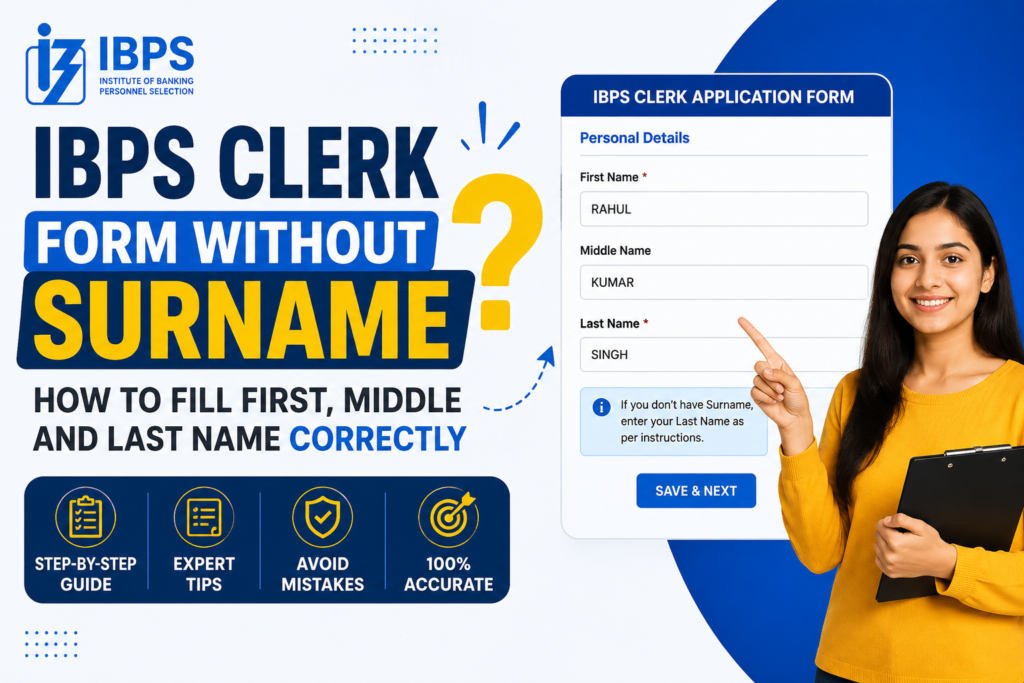
What Does IBPS Clerk Form Without Surname Mean?
The term IBPS Clerk Form Without Surname refers to an application where the candidate does not have a surname or last name in official records. Some candidates have only one name, while others have two or three words in their name but no family surname. For example, a candidate may be named “ARUN” in all certificates. Another candidate may be named “ARUN KUMAR,” where both words form the complete personal name and there is no separate surname. In both situations, the applicant should avoid adding an extra surname that does not appear in the documents.Documents to Check Before Filling the Form
Before starting the IBPS Clerk Form Without Surname, keep the following documents ready:- Class 10 certificate or marksheet
- Date-of-birth certificate or equivalent proof
- Aadhaar card, PAN card, passport or another valid photo ID
- Graduation certificate or marksheets
- Gazette notification, affidavit or legal name-change proof, if applicable
How to Fill IBPS Clerk Form Without Surname in 5 Easy Steps
Step 1: Check Your Name on the Class 10 Certificate
The first step in completing the IBPS Clerk Form Without Surname is to check your full name exactly as printed on your Class 10 certificate. Note the number of words, spelling, spacing and sequence. If only one name is printed, treat that single name as your complete official name. Do not add your father’s surname, caste name, village name or any commonly used word unless it is already part of your official records.Step 2: Enter the Correct First Name
In the IBPS Clerk Form Without Surname, the First Name field should contain the main part of your official name. A single-name candidate can enter the complete single name in the First Name field. Example: If your certificate shows “ARUN,” enter ARUN in the First Name field. Do not enter ARUN in both the First Name and Last Name fields. Repeating the same name may create a mismatch in your application preview.Step 3: Use the Middle Name Field Only When Required
While filling the IBPS Clerk Form Without Surname, use the Middle Name field only when your official name contains an additional word that is not your surname. Example: If your official name is “ARUN KUMAR” and KUMAR is part of your given name, you may enter ARUN as the First Name and KUMAR as the Middle Name. The Last Name field can remain blank if the portal allows it. The most important check is the complete name shown in the application preview. The final displayed name must match your certificate, even if the portal divides the name into separate fields.Step 4: Do Not Invent a Last Name
The most important rule for the IBPS Clerk Form Without Surname is to avoid creating a last name. Do not add a surname simply because the form contains a Last Name field. A candidate should not add the father’s surname, spouse’s surname, caste name or family title unless it is officially included in the candidate’s documents. Also avoid entering random text such as “NA,” a dot or a hyphen unless the application instructions specifically require it.Step 5: Verify the Full Name in the Preview
Before final submission of the IBPS Clerk Form Without Surname, carefully review the complete name shown on the preview page. Check every letter, space and word order. The displayed full name should match your Class 10 certificate, date-of-birth proof and the photo ID you plan to carry during the examination. Do not submit the form only after checking individual fields. Always verify the final combined name.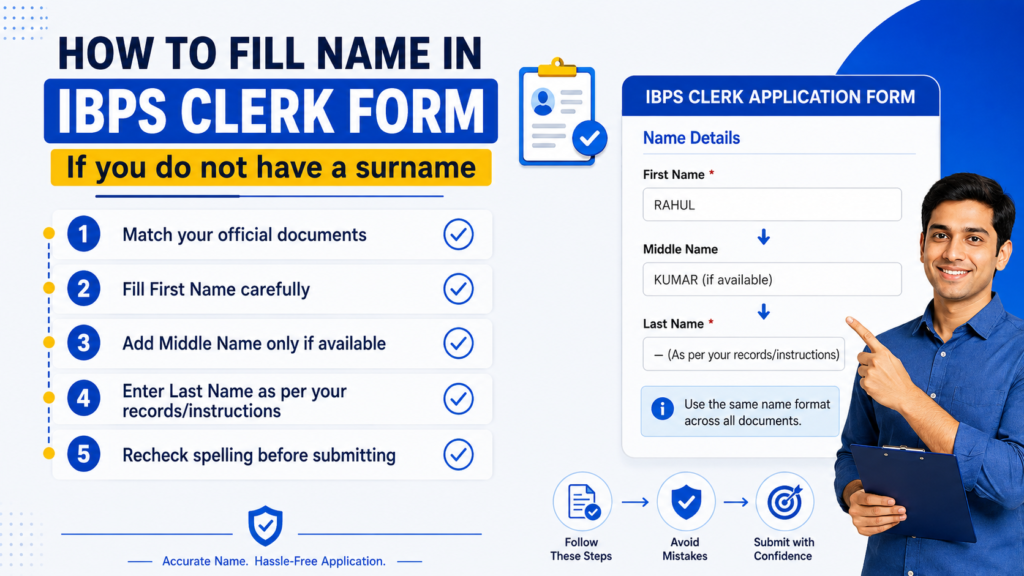
Name-Filling Examples
| Name on Document | First Name | Middle Name | Last Name | Expected Full Name |
|---|---|---|---|---|
| ARUN | ARUN | Blank | Blank | ARUN |
| ARUN KUMAR | ARUN | KUMAR | Blank | ARUN KUMAR |
| ARUN SINGH | ARUN | Blank | SINGH | ARUN SINGH |
| ARUN KUMAR SINGH | ARUN | KUMAR | SINGH | ARUN KUMAR SINGH |
What Should a Single-Name Candidate Enter?
If all your official documents contain only one name, the IBPS Clerk Form Without Surname should normally be completed using that single name in the First Name field. Keep the Middle Name and Last Name fields blank when the portal accepts blank entries. After entering the details, check that the preview displays only your official single name. Do not repeat the name in multiple fields, because the generated full name may appear twice.What If You Have a Two-Word Name but No Surname?
Some applicants have two-word names such as “RAVI KUMAR,” “AMAN DEEP” or “MOHD ARIF,” but no family surname. In such cases, the IBPS Clerk Form Without Surname should be filled in a way that reproduces the exact full name shown on the official certificate. You may use the First Name and Middle Name fields to maintain the correct sequence. However, do not assume that the second word is always a surname. The document, not daily usage, should decide how the name is entered.What If Your Documents Show Different Names?
A document mismatch can make the IBPS Clerk Form Without Surname more complicated. For example, your Class 10 certificate may show “ARUN,” while your Aadhaar card shows “ARUN SINGH.” Do not choose one version randomly. Check the recruitment instructions, identify the required proof and correct the mismatch where possible. You may also need a valid affidavit, Gazette notification or other legal document, depending on the reason for the difference.How to Handle a Legal Name Change
If your name changed after marriage, adoption or a legal correction, complete the IBPS Clerk Form Without Surname according to your current valid documents and the declaration available in the form. Keep supporting documents such as a Gazette notification, affidavit, marriage certificate or other accepted proof. The old and new names should be clearly connected through valid documentation.Common Mistakes to Avoid
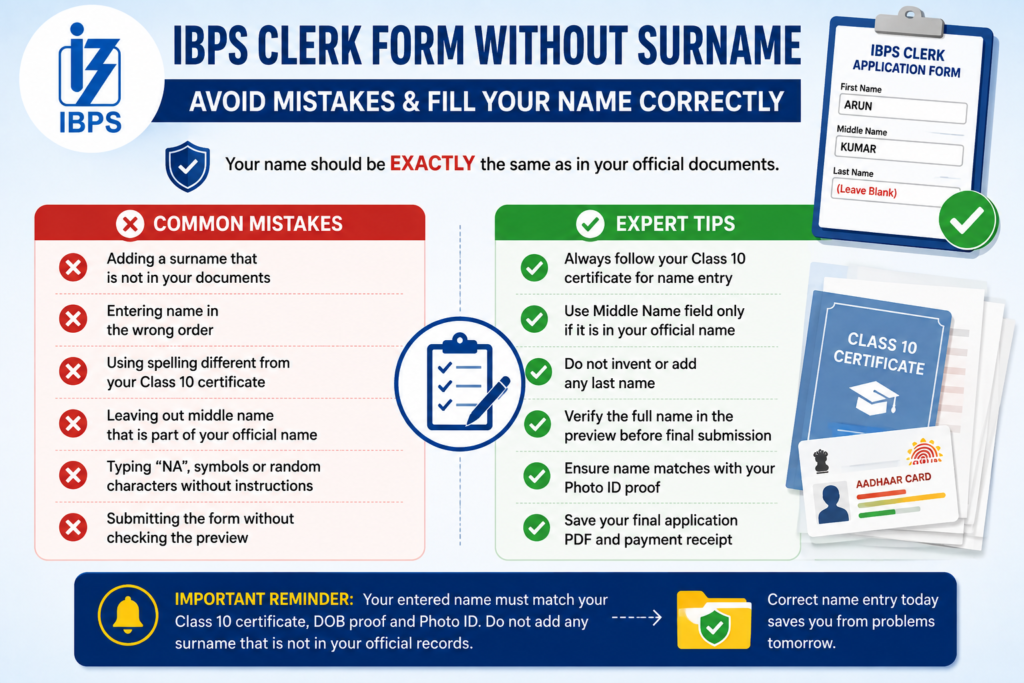
- Adding a surname that is not present in official documents
- Entering the First Name and Last Name in the wrong order
- Using a spelling different from the Class 10 certificate
- Leaving out a middle name that is part of the official name
- Typing “NA,” symbols or random characters without instructions
- Submitting the form without checking the preview
- Using a changed name without supporting legal proof
Final Submission Checklist
- The First Name matches the official certificate.
- The Middle Name is entered only when it appears in the official name.
- No artificial surname has been added.
- The complete name matches the Class 10 certificate or date-of-birth proof.
- The name is compatible with the valid photo ID.
- Name-change details and supporting proof are correct.
- The application preview has been checked carefully.
- The final application PDF and payment receipt have been saved.
What to Do If You Notice a Mistake After Submission
If you find a name error in the IBPS Clerk Form Without Surname after submission, first check whether an official correction or edit window is available. Use only the official portal to make changes. If editing is not available, contact the official candidate support or grievance system. Mention your registration number, the name entered in the application, the correct name and the relevant supporting documents. Avoid submitting multiple applications unless the official instructions allow it. .Prepare for IBPS Clerk with ExamTune
Boost your preparation with India’s trusted banking exam platform.-
- ✔ Live Interactive Classes
- ✔ Recorded Video Lectures
- ✔ Latest PDF Notes
- ✔ Section-wise Mock Tests
- ✔ Previous Year Papers
- ✔ Daily Practice Questions
- ✔ Expert Doubt Support
- ✔ Interview & Document Verification Guidance
Related IBPS Clerk 2026 Guides
Frequently Asked Questions
Can I fill the IBPS Clerk form without a surname?
Yes. If you do not have a surname in your official documents, enter your name exactly as printed on your certificates and identity proof.
What should I enter in the last name field if I have no surname?
Follow the instructions shown on the IBPS application page. Do not invent a surname that is not mentioned in your official records.
Should my IBPS Clerk form name match my Aadhaar card?
Your name should match the valid documents you plan to use during verification, especially your educational certificates and accepted identity proof.
Can I enter my father’s name as my surname?
Enter your father’s name as a surname only when it is officially included as part of your name in your supporting documents.
What is the correct order for first, middle and last name?
Enter your given name in the first-name field, your middle name in the middle-name field and your surname in the last-name field.
What should I do if I have only one name?
Enter the single name according to the instructions provided in the application form and ensure it matches your official documents.
Can a name mismatch cause rejection in IBPS Clerk?
A major mismatch may create problems during document verification. Candidates should keep the application name consistent with their official records
Can I correct my name after submitting the IBPS Clerk form?
Name correction may be restricted after final submission. Check all name fields carefully before submitting the application.
Should I use initials in the IBPS Clerk application form?
Use initials only when they appear in the same format on your official documents. Avoid changing initials into full names without supporting records.
Which document should I follow while filling my name?
Follow the name printed on your educational certificates and valid identity proof. The spelling and sequence should remain consistent throughout the recruitment process.
Practice free quizzes, mock tests, current affairs and exam-wise preparation resources on ExamTune.