IBPS Clerk Ex-Servicemen Banking Software Training 2026: CBS, Finacle & Daily Banking Operations
Quick Overview
Practice free quizzes, mock tests, current affairs and exam-wise preparation resources on ExamTune.
Download PDF
Download this informative PDF to understand CBS, Finacle, digital banking systems, maker-checker controls and banking software security.
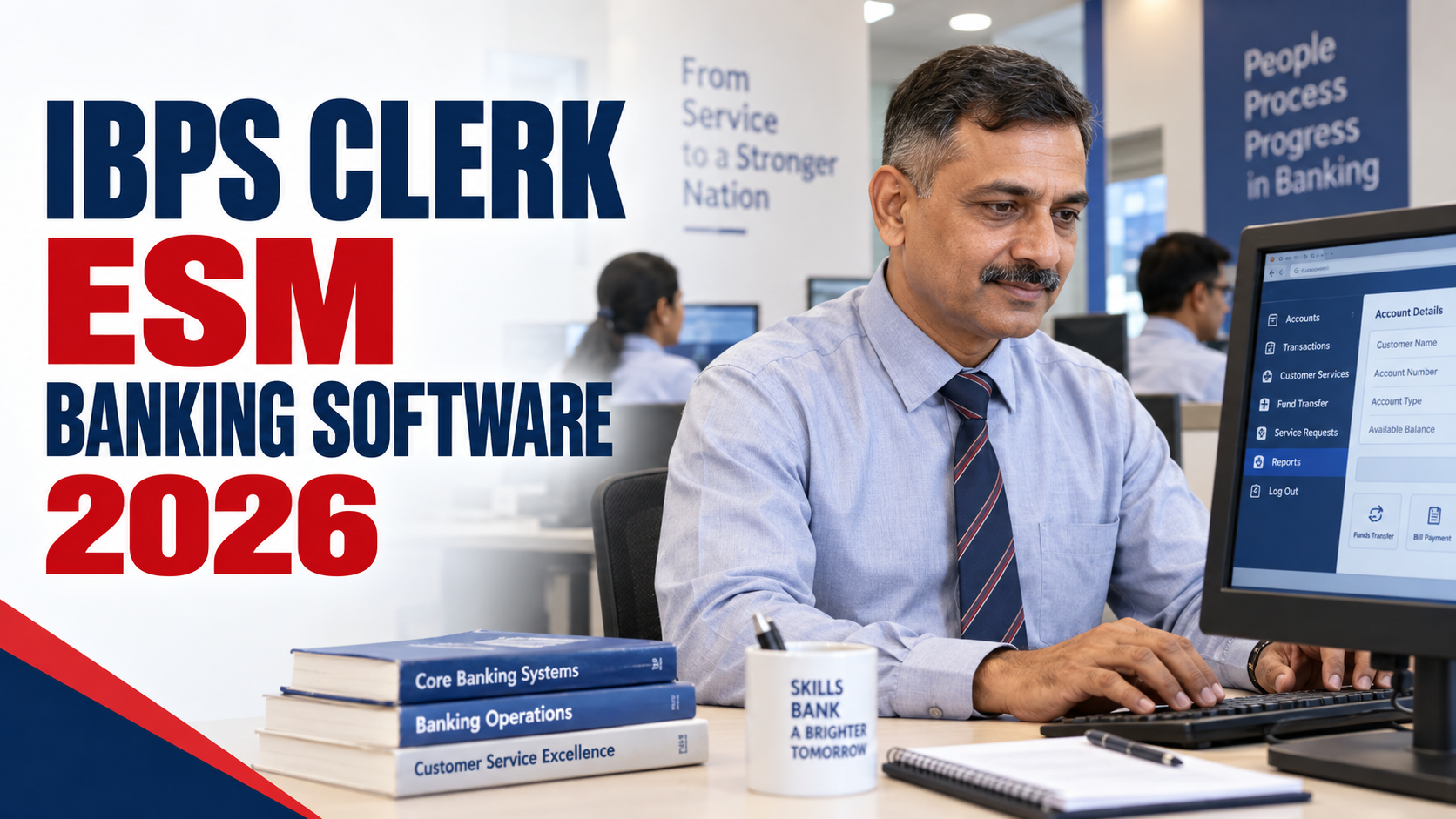
IBPS Clerk ESM Banking Software helps Ex-Servicemen understand the systems they may encounter as Customer Service Associates: core banking, customer records, payments and service-request workflows. This guide explains what each system does, where responsibilities differ and how to learn safely.
The IBPS Clerk Ex-Servicemen Banking Software Guide is an independent introduction, not an official operating manual. IBPS handles recruitment and provisional allotment; the employing bank issues application access and job-specific instructions. Do not assume that every bank uses identical software, screens or training schedules.
Quick distinction: CBS describes a core banking platform. Finacle is one product suite that includes a core banking solution. A bank can also use specialised applications alongside its core platform. Learning one product does not give access to another bank’s systems.
IBPS Clerk ESM Banking Software: Overview
| Particular | What to Know |
|---|---|
| Recruitment | IBPS Customer Service Associate (CSA); CRP CSA-XVI reference |
| Post | Customer Service Associate (clerical cadre) |
| Prior software experience | No prior Finacle/CBS experience specified in the recruitment conditions; computer-literacy requirements still apply |
| Software training | Follow the employing bank’s induction, approved manuals and assigned role |
| Possible systems | CBS, customer service, KYC, clearing, payments, document and workflow applications |
| Access level | Role-based; not every employee can initiate, verify and authorise every operation |
| Final authority | Applicable law and RBI directions, implemented through authorised bank policies and procedures |
Is Banking Software Part of the IBPS Clerk Syllabus?
The CRP CSA-XVI notification lists examination sections, not a practical Finacle or CBS operating test. Its qualification conditions do not specify prior experience with a particular banking product. Check the examination structure separately from post-joining software learning.
Computer literacy is still mandatory. The notification accepts the prescribed Certificate, Diploma or Degree in computer operations/language, or Computer/IT studied as a subject in High School, College or an Institute. A general awareness article or informal software course does not automatically satisfy that evidence requirement.
Reference: educational qualifications and examination structure in the CRP CSA-XVI notification copy hosted on ExamTune. Consult the IBPS website for official notices and amendments.
Read the IBPS Clerk Ex-Servicemen eligibility guide for the related qualification conditions. Do not buy unofficial software copies or seek bank credentials to prepare for recruitment.
What Is a Core Banking System (CBS)?
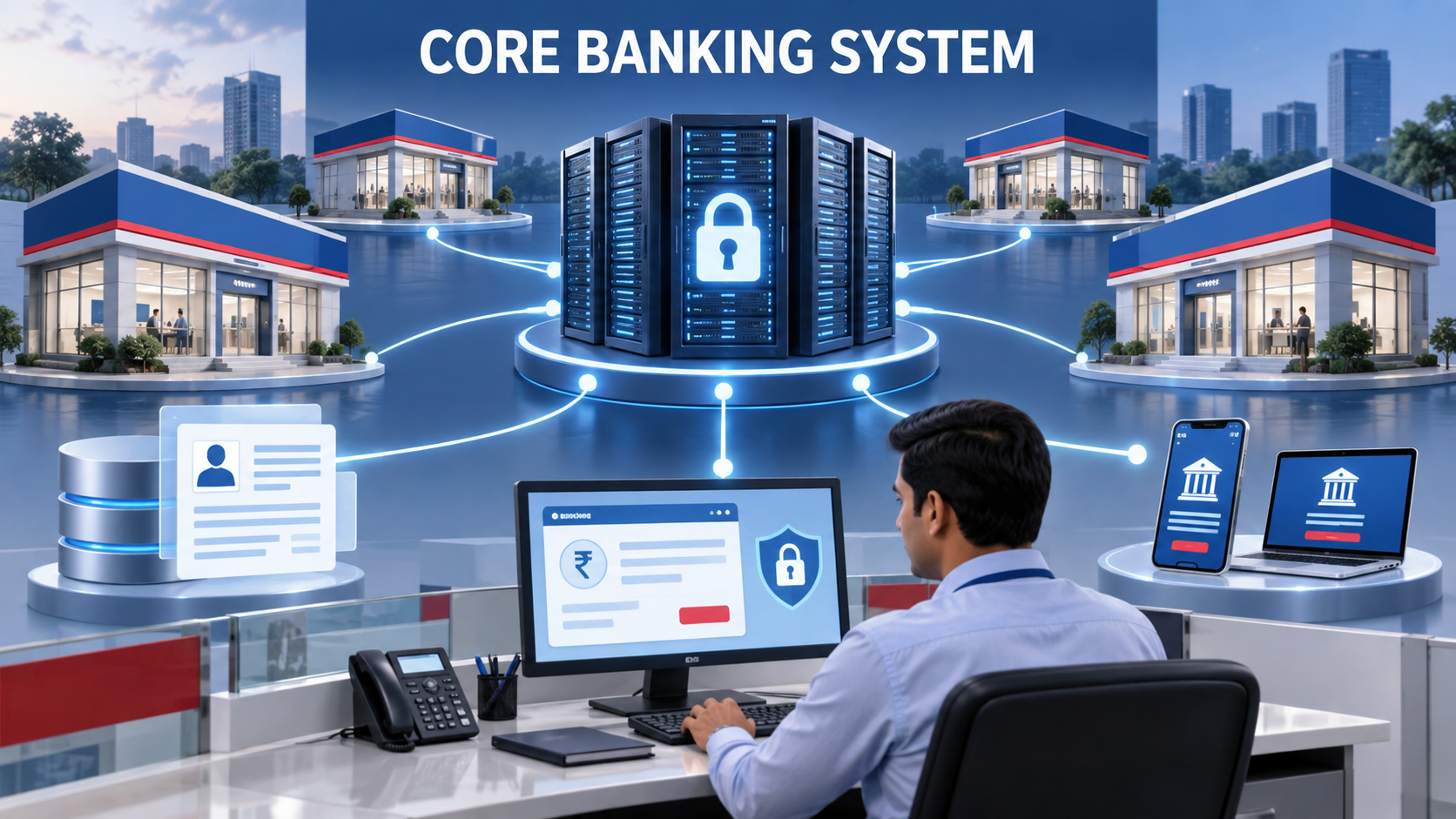
A Core Banking Solution, also described as a core banking system, supports centralised account and transaction records. Connected branches and service channels use it through the bank’s configured interfaces and controls.
Depending on the assignment, permitted functions may include:
- Viewing relevant customer, balance and account information.
- Entering deposit, withdrawal or account-service requests.
- Recording cheque or transfer instructions.
- Updating authorised customer details after the required checks.
- Producing receipts, statements and operational reports.
Concept example: a service-request tool records a customer’s request, while the core platform holds the affected account records. A connected workflow may pass information between them. This illustrates the distinction; it is not a description of every bank’s architecture.
Role boundary: Seeing a screen does not grant approval authority. Follow assigned permissions, required checking and the bank’s authorised escalation process.
What Is Finacle?
Finacle is a banking product suite. Its official website identifies the business as part of EdgeVerve Systems, a wholly owned product subsidiary of Infosys. The suite includes core banking, lending, payments, digital engagement and other solutions.
See the vendor’s Finacle Core Banking Solution overview and Finacle company information. These describe the product; they do not establish which modules a particular employee will use.
CBS and Finacle are not two equivalent product names. Finacle is one example, not the common software prescribed for every participating bank. Versions, integrations, menus and permissions can differ. This guide deliberately avoids a bank-to-software mapping or universal list of menu codes.
Other Systems Used in a Bank Branch
A branch can use connected or separate applications alongside its core platform. Use the following as a functional checklist, not a guaranteed software inventory:
- Onboarding and KYC: capture applications and route identity or address records.
- Document management: store and retrieve approved electronic documents.
- Cheque clearing: process cheque images, associated data and return workflows.
- Payments: support permitted transfer instructions and status checks.
- CRM and service requests: record complaints, requests and follow-up actions.
- Loan workflows: support assigned documentation or servicing tasks.
- Card and digital-channel support: handle permitted requests and escalations.
- Compliance tools: route alerts and due-diligence work to authorised teams.
NEFT, RTGS, IMPS and UPI are payment systems or services, not the names of one common employee application. For customer-facing payment guidance, read the separate IBPS Clerk ESM Digital Banking guide.
Daily Software Work of a Customer Service Associate
The bank, branch and access profile determine the actual assignment. A CSA may check customer requests, enter permitted details, process assigned cash or non-cash work, assist with statements and route exceptions. These are examples, not a universal job allocation.
Connect software learning with the broader IBPS Clerk job profile and responsibilities. Knowing how to navigate a screen is different from being authorised to approve the resulting operation.
Illustrative case: a transaction screen times out
Do not assume a timeout means the transaction failed, or repeatedly submit it without checking. In supervised training, learn how the bank checks the recorded status and reference before deciding what to do next. Refer an unresolved case to the designated supervisor or support team.
This is a process-awareness example, not a universal reversal or troubleshooting procedure.
Maker-Checker and Role-Based Access
Maker-checker separates initiation from checking or authorisation where the workflow requires it. A maker enters an assigned request; the designated checker reviews it before the required approval. Entry, validation, approval and completion should not be treated as interchangeable stages.
Controls vary by process. Do not assume every digital payment needs two manual actions, or that a clerk can approve a request simply because a button is visible. Role-based access means using only functions assigned for your duties.
RBI’s Commercial Banks cybersecurity and technology directions, 2026 require business-need access, least privilege and separation of duties. An individual bank implements these through its own access and workflow controls.
KYC and Customer-Data Responsibilities
KYC workflows help a bank collect and review customer information. An assigned employee may capture documents, check completeness, flag discrepancies or forward a case. Uploading a document does not itself mean that verification is complete or that the customer has been approved.
Illustrative case: an application and its supporting record show different details. Record the discrepancy through the approved workflow and obtain authorised guidance; do not silently change a record or bypass a required check to finish faster.
Access customer information only for official duties. Follow the bank’s handling rules for records, screenshots and documents. Do not place them in personal email, messaging accounts, cloud drives or public AI tools outside an expressly approved process. Never collect a customer’s secret PIN, password or OTP in personal notes.
Common Banking Software Terms
| Term | Meaning |
|---|---|
| CBS | Core Banking Solution; the underlying platform is also described as a core banking system |
| CRM | Customer Relationship Management |
| KYC | Know Your Customer |
| NEFT | National Electronic Funds Transfer |
| RTGS | Real Time Gross Settlement |
| IMPS | Immediate Payment Service |
| UPI | Unified Payments Interface |
| Maker-checker | Separation of initiation/entry from checking or authorisation |
| Audit trail | System record of relevant actions and events |
| Role-based access | Permissions assigned according to authorised job responsibilities |
Account versus customer record: learn how your bank distinguishes the person or entity from the accounts and products connected to that record. The same distinction matters when checking requests and choosing the correct record.
Audit trail versus statement: an audit trail records relevant system activity; an account statement presents account transactions. Do not assume a customer statement displays every internal action or approval.
Banking Software Security Best Practices
For IBPS Clerk ESM Banking Software, safe access is as important as familiarity with menus. Apply the following checklist through your bank’s approved instructions:
- Use only your assigned credentials and protect authentication devices.
- Check the customer request, account and amount before submission.
- Lock or end unattended sessions using the approved process.
- Avoid unauthorised software and unapproved removable storage.
- Keep customer records within permitted systems and communication channels.
- Report suspicious activity, unexpected access and technical incidents promptly.
- Follow required checking and escalation without borrowing another person’s login.
The RBI directions require cybersecurity awareness for new recruits. Complete the training assigned by the bank; this requirement does not turn this article into an official IBPS software curriculum.
How Can Ex-Servicemen Learn Banking Software Quickly?
Start with your own skill gaps rather than assuming all Ex-Servicemen need the same lessons. Bank of Baroda, for example, describes clerk induction combining classroom and on-the-job learning in its official human-resources information. Other banks may organise induction differently.
Use these seven practical suggestions alongside the training actually assigned:
- Strengthen computer basics: practise typing, file handling, email, spreadsheets and scanning with non-confidential sample material.
- Learn the purpose: connect each screen to the customer request or record it supports.
- Understand the complete workflow: identify entry, checking, approval, completion and escalation stages.
- Use approved training resources: work with authorised manuals, demonstrations and practice environments.
- Keep safe learning notes: record generic concepts and questions, not credentials or customer details.
- Confirm permissions: ask which functions you may perform and which need another authorised role.
- Review accuracy before speed: have practice errors explained before increasing your pace.
Do not practise on live accounts merely to gain confidence. A trainer’s demonstration is not permission to repeat an operation unsupervised.
Common Mistakes New Employees Should Avoid
- Assuming that all banks use the same CBS or identical menu codes.
- Confusing a displayed option with permission to perform the operation.
- Sharing a login or leaving an authenticated session unattended.
- Submitting without checking the intended account, amount and request.
- Treating data capture as completed verification or approval.
- Ignoring a warning or repeating an uncertain transaction without review.
- Saving confidential information in personal devices or notes.
If you make an error, use the reporting and correction process rather than concealing it or attempting an unauthorised workaround. Ask for guidance where the required next step is unclear.
What Should Candidates Learn Before Joining?
A practical pre-joining plan covers computer fundamentals, keyboard practice, simple spreadsheets, banking terminology, customer communication and cyber-safety. There is no need to obtain production-system access to learn these basics.
Buying a private course is not a guarantee of employment, accepted computer-qualification evidence or access to a bank’s software. Assess a course as an educational resource, not as an employer-issued permission.
Do not use unofficial credentials or copied bank software: learn concepts beforehand and use the actual bank platform only through employer-authorised access and training.
IBPS Clerk ESM Banking Software: Final Summary
This IBPS Clerk ESM Banking Software guide explains systems and responsibilities rather than internal operating codes. CBS supports core records; Finacle is one product example; additional applications can support documents, payments and customer requests.
Before joining, build general computer skills. After joining, follow assigned training, permissions and checking requirements. Applicable regulation and the bank’s authorised procedures govern live work; a public article cannot replace them.
Related ExamTune Banking Guides
Continue with the guide that matches your next question:
- Digital Banking for IBPS Clerk ESM Candidates — customer-facing payments and safe assistance.
- IBPS Clerk Job Profile — branch responsibilities and role context.
- IBPS Clerk Ex-Servicemen Eligibility — recruitment and qualification conditions.
Official and Supporting Sources
- IBPS official website — recruitment notices and amendments.
- CRP CSA-XVI notification copy hosted on ExamTune — qualification and examination reference, not an IBPS-hosted download.
- Finacle Core Banking Solution — direct product information from the vendor.
- RBI Commercial Banks cybersecurity and technology directions, 2026 — regulatory context for access controls and awareness.
- Bank of Baroda human-resources information — one bank’s induction example.
Scope: product descriptions and published requirements are references; the scenarios and learning suggestions are ExamTune guidance. This is not an employer-approved software manual. Consult your bank’s authorised internal material for actual operating instructions.
Popular Online Live Classes


Ex-Servicemen IBPS Clerk 2026 Parakram Batch | IBPS Clerk Pre + Mains Course
Frequently Asked Questions
What is Banking Software Training for IBPS Clerk?
Banking Software Training helps IBPS Clerks learn the Core Banking Solution (CBS) and other authorised applications used by their employing bank, transaction processing, and daily branch operations. Finacle training applies where the bank uses that product.
Do Ex-Servicemen receive banking software training after joining?
Ex-Servicemen should follow the employing bank's induction and role-specific training after joining. Software, customer account management and transaction-processing topics depend on that bank's systems and the employee's assignment; there is no single training schedule specified here for all banks.
What is Core Banking Solution (CBS)?
CBS is the centralized banking software that allows customers to access banking services from any connected branch of the bank.
What is Finacle in banking?
Finacle is a Core Banking software platform used by many banks for managing customer accounts, transactions, deposits, and branch operations.
What banking software tasks does an IBPS Clerk perform?
Depending on their assigned desk and system permissions, Customer Service Associates may enter permitted transactions, assist with account requests, print statements or passbooks, and support cheque or customer-document workflows. Entry and approval are different: perform only the actions authorised for your role and obtain the prescribed checking or approval.
Is computer knowledge important for Banking Software Training?
Yes, basic computer knowledge helps employees learn banking software faster and perform daily banking operations efficiently.
:What is taught during Banking Software Training?
Training may include the bank's CBS operations, transaction processing, customer account management, cheque handling and data security. Finacle basics apply where that bank uses Finacle; end-of-day (EOD) operations are covered where relevant to the assigned role. Follow the employing bank's actual training plan.
How can Ex-Servicemen learn banking software quickly?
Candidates should practice regularly, observe senior employees, improve computer skills, and understand banking procedures during training.
Why is data security important in banking software?
Data security protects customer information, prevents unauthorized access, and ensures safe banking operations.
Does Banking Software Training help in career growth?
Yes, strong software knowledge improves work efficiency, reduces operational errors, enhances customer service, and supports long-term career growth in Public Sector Banks.
About the Author

Practice free quizzes, mock tests, current affairs and exam-wise preparation resources on ExamTune.