
IBPS Clerk Application Status 2026: 5 Easy Steps to Confirm Your Form Is Successfully Submitted
Quick Overview
Practice free quizzes, mock tests, current affairs and exam-wise preparation resources on ExamTune.
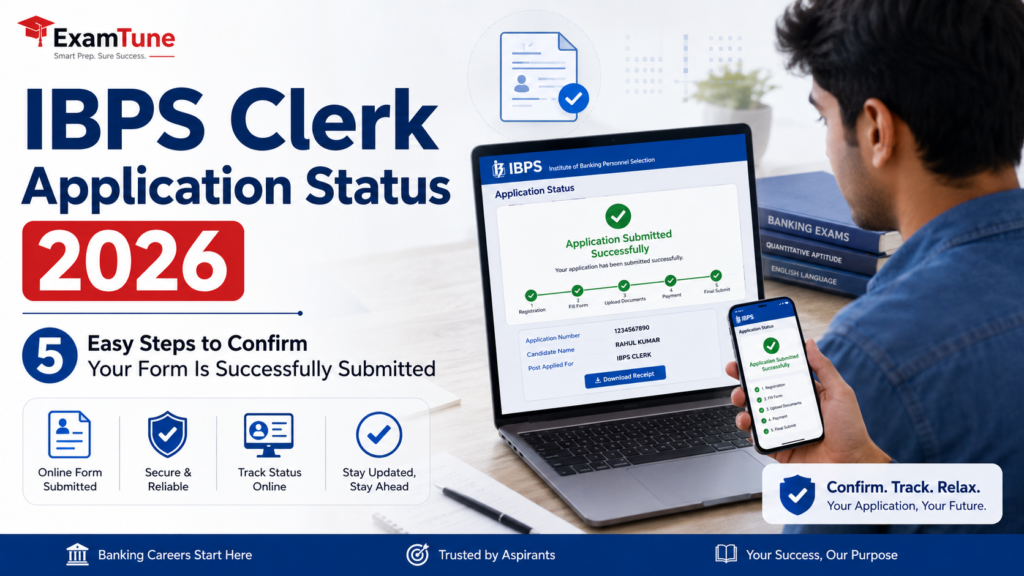 Check your IBPS Clerk Application Status 2026 and confirm whether your form has been successfully submitted .IBPS Clerk Application Status 2026 should be checked by every candidate after completing the online application process. A registration number alone may not confirm that the complete form has been submitted successfully . Candidates should verify all mandatory details, uploaded documents, fee-payment status and the availability of the completed application form. This guide explains how to identify whether the form is saved, incomplete or finally submitted.
IBPS Clerk Application Status 2026: Quick Overview
| Particular | Details |
|---|---|
| Exam Name | IBPS Clerk 2026 |
| Recruitment Post | Customer Service Associate |
| Application Mode | Online |
| Status Check Mode | Registered Candidate Login |
| Login Details | Registration Number and Password or Date of Birth |
| Main Confirmation | Completed Application Form and Successful Payment Record |
| Documents to Save | Application Form, Payment E-Receipt and Registration Details |
| Official Website | ibps.in |
What Does IBPS Clerk Application Status 2026 Mean?
IBPS Clerk Application Status 2026 shows whether an applicant has completed every compulsory stage of online registration. These stages can include new registration, personal details, qualification details, category information, state preference and document upload.
Candidates must also complete the form preview, final submission and fee-payment process. A provisional registration number may be generated before all these stages are finished.
Therefore, a registration number confirms that an application account exists, but it does not always prove final submission. Candidates should log in again and check whether any section is marked incomplete.
They should also confirm the transaction status and download the completed application form. These records provide strong evidence that the IBPS Clerk Application Status 2026 is complete.
How to Check IBPS Clerk Application Status 2026 in 5 Easy Steps
Step 1: Visit the Official IBPS Website
Open the official website of the Institute of Banking Personnel Selection. Find the current Customer Service Associate or IBPS Clerk recruitment section.
Open only the authorised application link. Check the website address carefully before entering credentials to verify the IBPS Clerk Application Status 2026 safely.
Step 2: Open the Registered Candidate Login
Select the login option for already registered candidates. Do not select new registration when you only need to check an existing application.
Keep the registration number and password ready. These details may also be available in the registered email account or mobile messages.
Step 3: Enter Registration Details Correctly
Enter the registration number and password or date of birth in the format accepted by the portal. Fill in the security code and click the login button.
Remove any unwanted spaces before or after the registration number. Use the official password-recovery option if the password has been forgotten.
Step 4: Check Every Section and Payment Status
Review personal details, educational qualification, category, address, state preference and all mandatory fields. Confirm that the photograph, signature and other required files are visible and correctly uploaded.
The dashboard should not show a pending section, missing document or incomplete-registration message. The application fee should appear as successful or completed.
If the portal still shows a payment option, failed transaction or pending status, the form may not be complete. In that situation, the IBPS Clerk Application Status 2026 should not be treated as successful.
Step 5: Download the Application Form and E-Receipt
The completed application form and payment e-receipt are important confirmation records. Download both files and save them in PDF format.
Check the candidate’s name, registration number, date of birth, category, qualification details and uploaded photograph. A readable payment record also helps confirm the IBPS Clerk Application Status 2026.
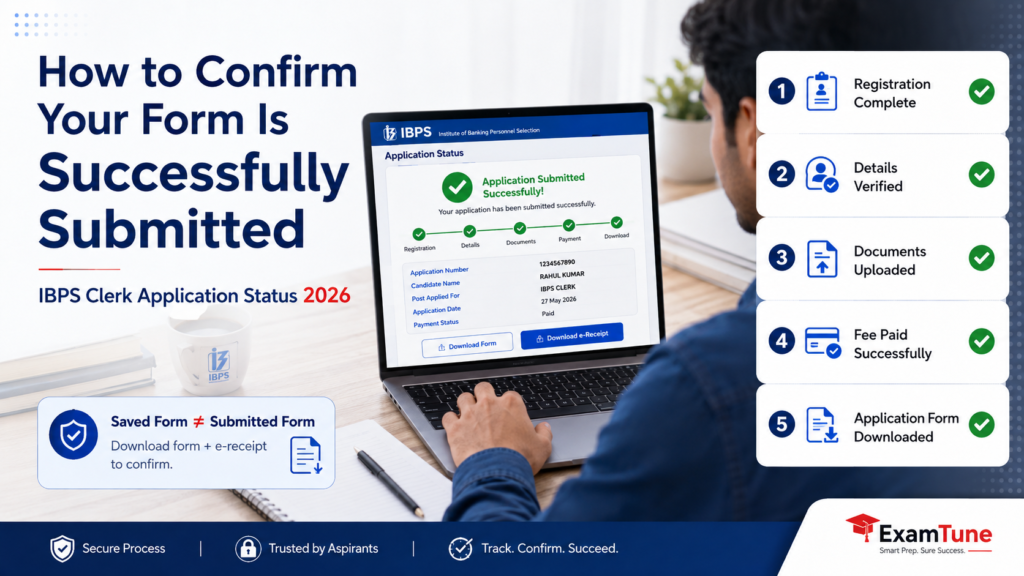 Complete these five checks to confirm that your IBPS Clerk application form has been successfully submitted.
How to Confirm the IBPS Clerk Form Is Successfully Submitted
Use more than one indicator before treating the IBPS Clerk Application Status 2026 as successful. The following checklist provides stronger confirmation:
- A valid registration number has been generated.
- The registered-candidate login is working.
- All personal and educational details are complete.
- All mandatory documents have been uploaded.
- The preview page displays the correct information.
- The final-submission step has been completed.
- The fee-payment status is successful.
- The payment e-receipt has been generated.
- The completed application form can be downloaded.
- An acknowledgement may have been received by email or SMS.
Do not rely only on the registration number. It may confirm account creation without confirming final submission and successful payment.
IBPS Clerk Application Status 2026: Saved vs Successfully Submitted Form
| Saved or Incomplete Form | Successfully Submitted Form |
|---|---|
| Registration number may be generated | Registration and final submission are complete |
| Some sections may remain incomplete | All required sections are complete |
| Documents may still be pending | Required documents are uploaded |
| Final submission may be pending | Final submission has been completed |
| Payment may be pending or failed | Payment is marked successful |
| E-receipt may be unavailable | Payment e-receipt is generated |
| Final print may be unavailable | Completed form can be downloaded |
A saved form allows the candidate to return and continue later. However, all remaining stages must be completed before the official closing time.
A saved form should never be treated as a successfully submitted application. Recheck the IBPS Clerk Application Status 2026 after final submission and payment.
Payment Deducted but IBPS Clerk Application Status 2026 Is Incomplete
Sometimes the application fee is deducted from the bank account, but the portal does not immediately display a successful transaction. This can happen because of a network interruption, delayed bank response or payment-gateway issue.
Do not assume that the IBPS Clerk Application Status 2026 is successful only because money has been deducted. Wait for some time and log in again.
Check whether the payment status has changed and whether the e-receipt is available. Follow the instructions displayed on the official portal if the transaction remains failed or incomplete.
Preserve the transaction ID, bank statement, payment screenshot, registration number and date of payment. These details may be useful while reporting a transaction issue.
What If You Cannot Log In to Check IBPS Clerk Application Status 2026?
Confirm that the registration number belongs to the correct recruitment. Enter the password exactly as received and use the required date-of-birth format.
Remove accidental spaces and enter the security code again. Use the official password-recovery facility if necessary.
Check the registered email inbox, spam folder, promotions folder and mobile messages for credentials. Try again later if the portal is temporarily unavailable.
What If You Did Not Receive an Email or SMS?
Registration messages can occasionally be delayed or filtered. Check the spam, junk and promotions folders of the registered email account.
Log in through the official portal using the available credentials. If the completed form and payment record can be downloaded, save them immediately.
Portal records are more reliable than an SMS or email alone when confirming the IBPS Clerk Application Status 2026.
Can You Edit the IBPS Clerk Form After Final Submission?
Candidates should review every detail carefully before final submission because some fields may become locked. Check the name, date of birth, category, qualification, contact details, state preference and uploaded files.
Changes can be made only when IBPS provides an official correction facility and permits editing of specific fields. Candidates should not assume that every entry will remain editable.
Common Mistakes While Checking IBPS Clerk Application Status 2026
1. Treating the Registration Number as Final Confirmation
A registration number may be generated before the complete form is submitted. Always check the payment record and final application download.
2. Checking Only the Bank Account
A deducted amount does not automatically confirm successful payment on the application portal. Verify the transaction after logging in.
3. Forgetting Final Submission
Some candidates save all details but forget to complete the final-submission step. Reopen the portal and confirm the status before the deadline.
4. Ignoring Uploaded Documents
Check whether the photograph, signature and other files are visible and correctly uploaded. An incomplete upload may prevent successful submission.
5. Not Downloading the Completed Form
Download the application form and payment e-receipt while the print facility is available. Do not wait until the examination stage.
6. Using an Unofficial Website
Check the IBPS Clerk Application Status 2026 only through the official IBPS website and authorised portal.
What to Do After IBPS Clerk Application Status 2026 Shows Successful Submission
- Download the completed application form in PDF format.
- Download and save the payment e-receipt.
- Take clear printouts of both records.
- Check every important detail printed on the form.
- Save the registration number and password securely.
- Keep the registered mobile number and email active.
- Preserve copies of all uploaded documents.
- Visit the official IBPS website regularly.
- Begin exam preparation without waiting for the admit card.
A successfully submitted form does not automatically confirm final eligibility. Candidate details, qualification, category and documents may be verified later.
Incorrect information or ineligibility can affect candidature even after the IBPS Clerk Application Status 2026 appears successful.
Final Checklist for IBPS Clerk Application Status 2026
- Registration number has been generated.
- All mandatory details have been completed.
- Required documents have been uploaded correctly.
- Information has been checked on the preview page.
- Final submission has been completed.
- Application fee is marked successful.
- Payment e-receipt has been generated.
- Completed application form has been downloaded.
Checking the IBPS Clerk Application Status 2026 takes only a few minutes and can prevent serious problems later. Log in through the official portal, review every section, confirm payment and save the completed form.
Start Your IBPS Clerk Preparation
Prepare with structured mock tests, chapter-wise practice and detailed performance analysis.
Official Source: Candidates should rely only on the latest application instructions and notices published on the official IBPS website.
Prepare for IBPS Clerk with ExamTune
Boost your preparation with focused banking-exam resources.
- Live interactive classes
- Recorded video lectures
- Latest PDF notes
- Section-wise mock tests
- Previous-year papers
- Daily practice questions
- Expert doubt support
Start your IBPS Clerk preparation today and stay ahead of the competition.
Related IBPS Clerk 2026 Guides
Frequently Asked Questions
How can I check IBPS Clerk Application Status 2026?
Visit the official IBPS website, open the registered candidate login and enter your registration number and password or date of birth. Check whether all sections are complete and the payment status is successful.
How do I know whether my IBPS Clerk form is successfully submitted?
Your form is normally successfully submitted when all required details and documents are complete, the fee payment is successful, and the completed application form and e-receipt are available for download.
Does receiving a registration number confirm final submission?
No. A registration number confirms that the application account has been created, but it does not always confirm final submission. You must also verify payment status and download the completed form.
What should I do if the IBPS Clerk payment is deducted but the status is incomplete?
Wait for some time and log in again to check the updated payment status. Keep the transaction ID, bank statement and payment screenshot safe, and follow the instructions provided on the official portal.
Can I check IBPS Clerk Application Status 2026 without a registration number?
Normally, you need your registration number and password or date of birth to access the candidate login. Check your registered email and mobile messages for the login credentials.
What is the difference between a saved and submitted IBPS Clerk form?
A saved form may still contain incomplete sections, pending documents or unpaid fees. A submitted form has completed details, successful payment, final submission and a downloadable application form.
Is the IBPS Clerk e-receipt proof of successful payment?
Yes, the availability of a payment e-receipt is an important indication that the transaction was completed. Candidates should also confirm that the portal shows the payment status as successful.
Can I edit the IBPS Clerk application after final submission?
Some details may become locked after final submission. Changes can be made only when IBPS provides an official correction facility and permits editing of specific fields.
What documents should I save after submitting the IBPS Clerk form?
Save the completed application form, payment e-receipt, registration details and copies of all uploaded documents. It is also advisable to keep printed copies for future reference.
What should I do if I do not receive an IBPS confirmation email or SMS?
Check your spam, junk and promotions folders and verify your registered mobile messages. Log in to the official portal and confirm whether the completed application form and payment receipt are available.
Practice free quizzes, mock tests, current affairs and exam-wise preparation resources on ExamTune.