
IBPS Clerk Form Correction: 7 Best Rules to Avoid Rejection
Quick Overview
Practice free quizzes, mock tests, current affairs and exam-wise preparation resources on ExamTune.
Download PDF
Check the IBPS Clerk form correction process, edit-window dates, allowed changes, correction fee and common application mistakes.
IBPS Clerk Form Correction helps candidates edit eligible mistakes in the submitted application form during the official correction window. Applicants should verify their name, category, State or Union Territory, qualification, photograph, signature and payment details carefully. This guide explains 7 important correction rules, editable fields, restricted changes, fees and common mistakes that may lead to rejection.
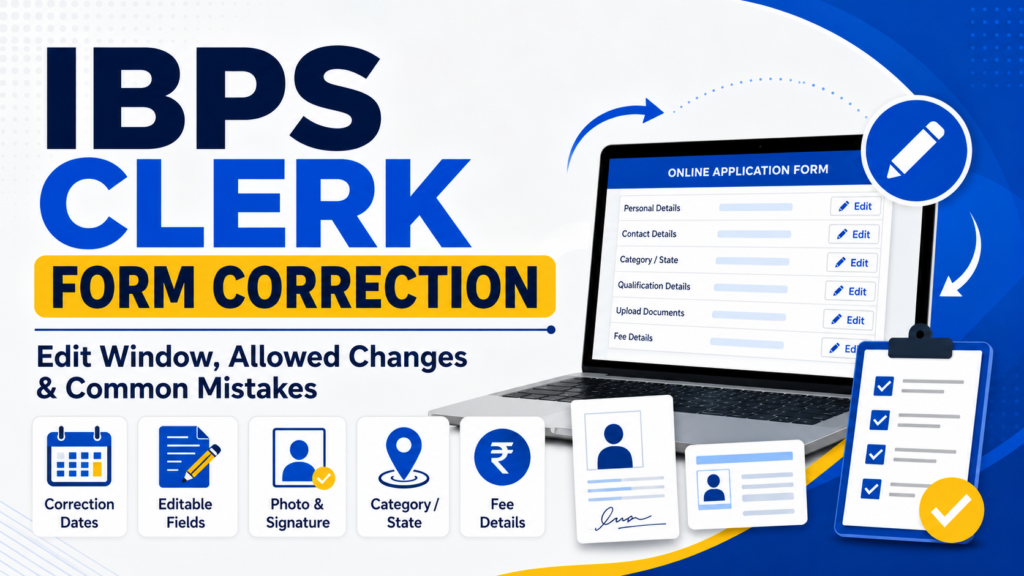
IBPS Clerk Form Correction Overview
IBPS Clerk Form Correction is a limited online facility for candidates who have already submitted their application. It does not necessarily allow every field to be changed. The official edit-window notice will specify the correction dates, permitted fields, fee and final-submission rules.
| Particular | Current Position |
|---|---|
| Correction window | To be announced for the current CSA recruitment cycle |
| Correction mode | Online |
| Official correction link | Expected through the official IBPS registration portal |
| Correction fee | To be confirmed through the official notice |
| Final authority | Official IBPS notification and edit-window notice |
Candidates should also check the IBPS Clerk Apply Online guide, IBPS Clerk documents required, handwritten declaration guide and IBPS Clerk eligibility rules.
7 Best IBPS Clerk Form Correction Rules
- Check every detail against your official certificates.
- Edit only the fields enabled by IBPS.
- Do not change category or State without valid proof.
- Upload a clear photograph and signature where permitted.
- Preview the entire corrected application before submission.
- Pay the correction fee only through the official portal.
- Download the revised form and payment receipt immediately.
IBPS Clerk Correction Window Date
The official IBPS Clerk Form Correction date has not yet been announced for the current cycle. Candidates should not assume that the edit window will open immediately after registration closes.
In the previous CSA recruitment cycle, IBPS provided a short editing period after online registration had ended. However, previous dates should be used only to understand the process and must not be treated as the current correction schedule.
Who Can Use the IBPS Clerk Edit Window?
The correction facility is generally meant for candidates who completed registration and submitted the online application within the prescribed period. Candidates may need their registration number and password or date of birth to access the edit portal.
An incomplete registration, unsuccessful payment or application that was never finally submitted may require a separate action. Before waiting for the correction window, check whether the application status shows successful submission.
IBPS Clerk Editable Fields
IBPS Clerk Editable Fields are the application details that candidates may be allowed to update during the official correction process. Depending on the portal settings, editable information may include educational qualification, address, graduation marks, category or sub-category, photograph, signature and other details specifically enabled by IBPS. Candidates should review every field carefully and make corrections only where the official portal permits changes.
IBPS Clerk Non Editable Fields
Some identity-linked or preference-related details may remain locked. These can include:
- Candidate name;
- date of birth;
- registered mobile number;
- registered email address;
- State or Union Territory preference;
- category after fee calculation;
- exam-centre preference; and
- other information restricted by IBPS.
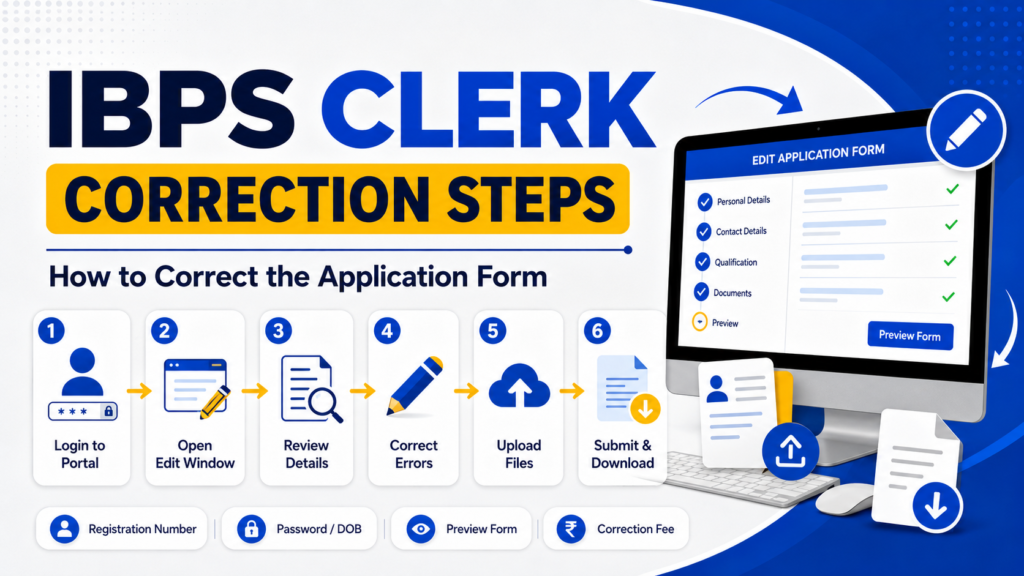
How to Edit IBPS Clerk Application Form
- Visit the official IBPS website.
- Open the Customer Service Associate recruitment section.
- Click the application correction or edit-window link.
- Enter your registration number and password or date of birth.
- Review all editable fields carefully.
- Correct only the details that are inaccurate.
- Upload revised documents if re-uploading is permitted.
- Preview the complete application form.
- Pay the correction fee, if applicable.
- Submit the revised form and download the final copy.
IBPS Clerk Photo Signature Correction
IBPS Clerk Photo Signature Correction is allowed only when the photograph and signature upload fields are enabled during the official correction process. Candidates using the IBPS Clerk Photo Signature Correction facility should upload clear, properly cropped images in the prescribed size, format and background. Before final submission, check that the photograph is visible, the signature is complete and no incorrect file has been uploaded.
Can State or Category Be Changed?
State, Union Territory and category changes can affect vacancies, local-language requirements, application fee and reservation benefits. Therefore, these fields may be restricted or subject to special conditions.
Candidates should not change the State merely because another State had a lower previous cut-off. The selected State or Union Territory may have a compulsory local-language requirement. Any category change must also be supported by a valid certificate in the prescribed format.
IBPS Clerk Category Change
IBPS Clerk Category Change may be allowed only when the relevant field is enabled during the official correction process. Candidates should keep a valid category certificate ready because changing the category may affect reservation benefits, application fees and eligibility. State or Union Territory changes may also remain restricted due to vacancy and local-language requirements.
IBPS Clerk Payment Failed
IBPS Clerk Payment Failed issues may occur when the application fee is deducted from the bank account, but the application status still appears incomplete or unpaid. Candidates should check the payment status again, save the transaction reference number, and wait for the official payment-reconciliation period before making another payment.
- Entering a name that does not match official certificates;
- using an incorrect date of birth;
- choosing the wrong category or sub-category;
- selecting a State without checking its local language;
- entering an incorrect graduation-result date;
- uploading a blurred photograph or signature;
- using an invalid category certificate;
- entering the wrong percentage or CGPA conversion;
- leaving the form incomplete after fee payment; and
- failing to download the final submitted application.
What to Do After Final Correction
After completing the IBPS Clerk Form Correction, download the revised application form and correction-fee receipt. Compare the final details with your Class 10 certificate, graduation records, category certificate and identity proof.
Keep both digital and printed copies. Make sure the photograph, signature and other uploaded documents are clearly visible in the revised application.
Start Your IBPS Clerk Preparation
After completing the application, practise with structured mock tests and improve your speed, accuracy and question selection.
Final Words
IBPS Clerk Form Correction should be completed carefully because the edit window may remain available for only a limited period. Review every field, make only genuine corrections, save the payment receipt and download the final revised application. The official IBPS notice will be the final authority for dates, permitted changes and fees.
Practice free quizzes, mock tests, current affairs and exam-wise preparation resources on ExamTune.