IBPS Clerk Handwritten Declaration 2026: Official Format & Size
Quick Overview
Practice free quizzes, mock tests, current affairs and exam-wise preparation resources on ExamTune.
IBPS Clerk Declaration Format and Upload Guidelines
The official scanning guidelines contain the declaration text and accessibility exception on PDF page 3. This is a reference PDF, not the file to upload: prepare your own declaration in the prescribed JPG/JPEG format.
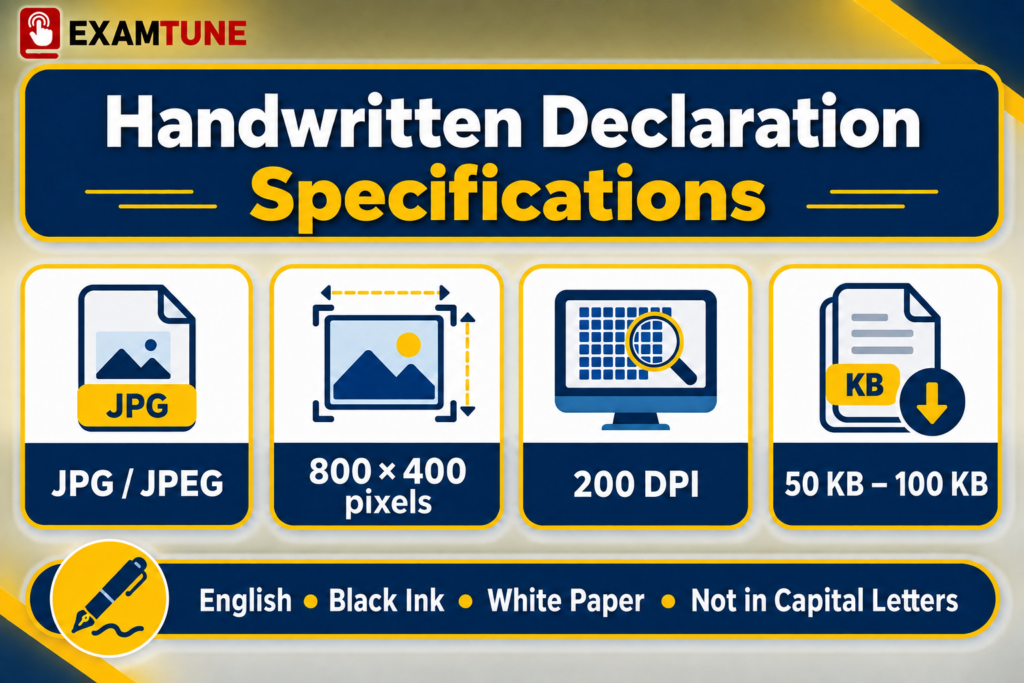
IBPS Clerk Handwritten Declaration 2026 is a required upload for Customer Service Associate recruitment under CRP CSA-XVI. The standard requirement is the candidate’s own handwriting in English, using black ink on white paper, saved as a JPG/JPEG image of 50–100 KB. IBPS lists 800 × 400 pixels at 200 DPI as the preferred image-quality specification.
This guide explains the prescribed text, name placeholder, writing rules, image preparation, upload checks and accessibility exception. It distinguishes a required file-size range from a preferred dimension, and replacing a file before submission from a later correction facility.
Source: IBPS Annexure IV, handwritten declaration and scanning instructions.
IBPS Clerk Handwritten Declaration 2026 Overview
| Particular | Requirement |
|---|---|
| Recruitment | Customer Service Associate (CSA), commonly called IBPS Clerk; CRP CSA-XVI |
| Document | Declaration image, uploaded separately from the signature and thumb impression |
| Standard writing requirement | Candidate’s own handwriting; see the accessibility exception |
| Language | English only |
| Paper and ink | White paper and black ink for the handwritten route |
| File format | JPG / JPEG |
| Required file-size range | 50 KB–100 KB |
| Preferred image dimensions | 800 × 400 pixels, width × height, at 200 DPI |
| Scanner settings | Minimum 200 DPI; True Colour |
| Capital letters | Do not write the declaration entirely in capitals |
| Controlling instructions | IBPS Annexure IV, application instructions and any specific subsequent amendment |
Prepare the declaration as its own file. Do not combine it with the photograph, signature, thumb impression or certificate scans in one image. The IBPS Clerk Apply Online guide covers the wider application process.
What Is the IBPS Clerk Handwritten Declaration?
It is the applicant’s statement that the information in the form is correct, true and valid, with a commitment to produce supporting documents when required. It is not a replacement for identity proof, educational certificates or other required records.
Why Does IBPS Require a Handwritten Declaration?
The prescribed statement records the candidate’s responsibility for the application information. The published instructions require the declaration and supporting uploads; they do not describe a separate handwriting test or an automatic forensic-authentication process. Keep the explanation tied to the declaration itself rather than assuming an undocumented verification procedure.
Source: IBPS How to Apply, required uploads and responsibility for application information.
IBPS Clerk Handwritten Declaration 2026 Official Format
The declaration text in the official scanning guidelines is:
Official declaration text:
“I, _______ (Name of the candidate), hereby declare that all the information submitted by me in the application form is correct, true and valid. I will present the supporting documents as and when required.”
Source: IBPS Annexure IV, PDF page 3, “Hand-written declaration Image”.
Where to Find the Correct Declaration Text
Read the scanning-guidelines reference document linked below. The declaration wording and exception appear under “Hand-written declaration Image”. The official scanning-guidelines PDF opens the relevant source directly.
How to Insert Your Name
Replace the name placeholder with your name as entered in the application. The words in brackets identify the placeholder; they are not your name. For example, a fictional applicant named Asha Verma would begin “I, Asha Verma, hereby declare…” and continue with the prescribed statement. Do not copy the example name.
Extra details: The standard text does not include a date, place, registration number or additional signature line. Follow the published format rather than adding a different declaration. The signature/thumb-impression provision for the typed-text exception is a separate case.
10 Essential IBPS Clerk Handwritten Declaration Rules
The first five points state the core writing requirements. Neatness and review suggestions help you apply them; they are not extra eligibility conditions.
1. Write the Declaration Yourself
Use your own handwriting, not another person’s handwritten sample. Candidates who cannot write should follow the official alternative in the special-cases section.
2. Use the Exact Official Wording
Insert your name without shortening or rewriting the remaining statement. Do not substitute a declaration from another recruitment without checking its text.
3. Write in English
The declaration-upload requirement is English only. Choosing a Hindi or regional-language examination medium does not change this instruction.
4. Use Black Ink
Use a black-ink pen on white paper. The declaration instruction does not impose a separate ballpoint-only condition. Choose a pen that leaves clear, unsmudged writing.
5. Do Not Use Capital Letters Throughout
Use ordinary upper- and lower-case handwriting. IBPS prohibits an all-capital declaration; the reviewed instruction does not separately require joined-up cursive handwriting.
6. Keep the Text Clear and Readable
Leave enough space between words. Our practical recommendation is to rewrite a heavily corrected or smudged page rather than digitally repairing individual words.
7. Use the Same Name as the Application
Check the spelling and sequence against your application. Do not introduce a nickname or expand initials differently in this upload.
8. Keep the Paper Clean
Use plain, unlined white paper as a practical choice. Avoid folds, stains and shadows. The official requirement is white paper and a clear image; do not invent an automatic rejection rule for every minor paper mark.
9. Scan the Full Declaration
Keep the name, every word and the final line visible. Remove excess blank space, not part of the writing.
10. Preview Before Final Submission
Check readability, orientation and the selected upload field. Confirm that you chose the final corrected image rather than an earlier draft.
Source: IBPS Annexure IV, handwritten declaration and scanning instructions.
Prepare with ExamTune: Explore the IBPS Clerk Udaan Batch for Prelims and Mains preparation. Read the course page for its terms and inclusions.
IBPS Clerk Handwritten Declaration 2026: Size and Dimensions
File size, pixel dimensions and scanning resolution are different checks. Meeting one does not automatically satisfy the others.
| Specification | IBPS guideline |
|---|---|
| File type | JPG or JPEG; not a PDF upload |
| File size | 50 KB–100 KB: the prescribed range, not merely a preferred size |
| Preferred pixel dimensions | 800 × 400 pixels, width × height |
| Resolution stated with those dimensions | 200 DPI, preferred for the required image quality |
| Scanner resolution | Minimum 200 DPI under the general scanning instructions |
| Physical-size reference | Approximately 10 cm × 5 cm in the guideline; not a requirement to upload a whole A4 sheet |
| Scanning colour | True Colour |
| Handwritten content | English; black ink on white paper; not entirely in capitals |
Source: IBPS Annexure IV, handwritten declaration and scanning instructions.
How to Write the Declaration Neatly
- Keep the official text and your application name beside a clean white sheet.
- Test your black-ink pen on a spare piece of paper.
- Write at a comfortable size, without squeezing the statement into a tiny area.
- Compare the wording line by line with the prescribed text.
- Let the ink dry before scanning and retain the original sheet for reference.
These are practical preparation suggestions. Do not download someone else’s completed declaration and change only the name.
How to Scan the Handwritten Declaration
The general IBPS scanning instructions specify minimum 200 DPI and True Colour. Crop unnecessary margins and save the document image in the required format.
Recommended Scanning Steps
Place the sheet flat, capture the complete writing, check the first and last lines, and crop the surrounding blank area. Export a JPG/JPEG, then open that exported file again to check it. Keep an uncompressed original so that an over-compressed copy can be recreated.
Can a Mobile Phone Be Used?
A phone-scanning workflow is a practical way to prepare an image, not a separate IBPS exemption. Keep the camera parallel to the paper and use even lighting. Check the exported file against the same format, size and quality instructions; a scanner app may otherwise save it as a PDF.
Do not confuse scanning this document with the application’s live photograph feature. That feature captures the candidate’s face and does not replace the declaration upload.
Source: IBPS Annexure IV, handwritten declaration and scanning instructions.
How to Resize the Declaration Image
Work from a copy of the original scan. Aim for the preferred 2:1 width-to-height layout without stretching the handwriting or cutting off text. When necessary, add modest white margins around a proportionally scaled image instead of distorting its contents.
After adjusting dimensions, export as JPEG and check the file size again. If the file exceeds 100 KB, reduce excessive blank space or adjust JPEG quality gradually. If it is below 50 KB, return to a higher-quality original/export and recheck it. Do not blur the writing simply to achieve a smaller file.
Pixel count is not file size: an 800 × 400 image can still fall outside the KB range. Renaming a PNG, PDF or HEIC file to end in .jpg is not format conversion; use an actual image export.
File Name Recommendation
A convenient filename is ibps-clerk-handwritten-declaration.jpg. This is an organisational suggestion, not a compulsory IBPS naming pattern. Select the correct file by checking its contents, not just its name.
How to Upload the IBPS Clerk Handwritten Declaration
Follow this process within the application workflow:
- Open the recruitment application through the official IBPS website.
- Go to the document-upload section after completing the required form entries.
- Select the separate handwritten-declaration upload control.
- Browse to your prepared JPG/JPEG and choose Open/Upload.
- Resolve any file-size or format error shown by the portal.
- Inspect the preview for readability, complete wording and correct orientation.
- Before final submission, replace an unclear file and inspect the replacement.
- Complete the remaining application requirements and retain the saved application.
Where Should the File Be Uploaded?
Use only the declaration field. Photograph, signature, thumb impression, Class 10/equivalent certificate and the applicable Clause K(ix) certificate have their own upload spaces. The declaration image does not replace any of those documents.
See the IBPS Clerk Documents Required guide for related records, and follow Annexure IV for the actual file specifications.
Practice resources: Explore ExamTune Test Series and choose the IBPS Clerk option. Check the selected series page before purchasing or starting a test.
Common Handwritten Declaration Mistakes
| Mistake | What to do instead |
|---|---|
| Typing without the applicable exception | Use your own handwriting unless you cannot write and are using the prescribed alternative. |
| Someone else’s writing or sample image | Prepare your own declaration; do not replace only the name in another person’s scan. |
| Hindi text or an all-capital declaration | Use the prescribed English statement and normal letter case. |
| Changed wording or an incorrect name | Compare the complete statement with the official text and your application. |
| Wrong file format or file-size range | Export a real JPG/JPEG and verify 50–100 KB. |
| A blurred, stretched or cropped image | Recreate it from the original sheet or scan; keep all writing visible. |
| Confusing 800 × 400 pixels with KB | Check the image dimensions and the saved file size separately. |
| Uploading in another document’s field | Select the handwritten-declaration control and inspect its preview. |
| Depending on a later correction window | Review before submission; a later window is not an unconditional upload-replacement right. |
IBPS treats another person’s handwriting or a different language as invalid under the standard rule, and does not accept an all-capital declaration. Unclear or smudged documents may also lead to rejection. A successful upload message is not a guarantee of acceptance.
Source: IBPS Annexure IV, handwritten declaration and scanning instructions.
Can the Declaration Be Corrected After Upload?
Before final submission: Annexure IV allows candidates to review and re-upload an unclear document before submitting the online application.
After final submission: Do not assume you can replace it at will. Any later correction is governed by the specific IBPS edit instructions and the controls enabled for that facility. The general edit-window provision does not itself promise that the declaration image can be replaced.
Use the IBPS Clerk Form Correction guide for the separate process. Altering a downloaded application PDF does not change the record submitted to IBPS.
Special Cases and Accessibility Instructions
The standard handwritten rule must be read with its published exception, not presented as an absolute prohibition on typing.
What If a Candidate Cannot Write?
IBPS allows candidates who cannot write to get the declaration text typed. Its note specifies their own left-hand thumb impression below the typed declaration if they are also unable to sign. The resulting document must still meet the upload specifications.
This is not permission for another person to handwrite the declaration on the candidate’s behalf. Do not invent additional eligibility thresholds or an alternative procedure beyond the published instruction; seek official clarification for a situation it does not cover.
Source: IBPS Annexure IV, PDF page 3, parenthetical exception for candidates who cannot write.
Can the Declaration Be Written in Hindi?
No. The declaration instruction is English only, including when the typed-text exception applies. The examination medium and this document’s language are separate requirements.
Difference Between Signature and Handwritten Declaration
| Point | Signature | Handwritten declaration |
|---|---|---|
| Content | Candidate’s signature | Complete prescribed declaration text |
| Paper / ink | White paper; black-ink pen | White paper; black ink for the handwritten route |
| File-size range | 10–20 KB | 50–100 KB |
| Preferred dimensions | 140 × 60 pixels | 800 × 400 pixels at 200 DPI |
| Capital letters | Capital-letter signature not accepted | Declaration entirely in capitals not accepted |
| Upload | Separate signature field | Separate declaration field; accessibility exception as explained above |
Source: IBPS Annexure IV, handwritten declaration and scanning instructions.
Difference Between Declaration and Left Thumb Impression
The left-thumb-impression image has a separate 20–50 KB range and preferred 240 × 240 pixels at 200 DPI. Its ink may be black or blue. Do not apply that blue-ink permission or its smaller file-size range to a handwritten declaration.
A thumb impression placed below typed text under the accessibility exception does not remove the separate thumb-impression upload requirement. Where a left thumb is unavailable, follow the alternative-impression sequence in Annexure IV rather than choosing an arbitrary substitute.
Source: IBPS Annexure IV, handwritten declaration and scanning instructions.
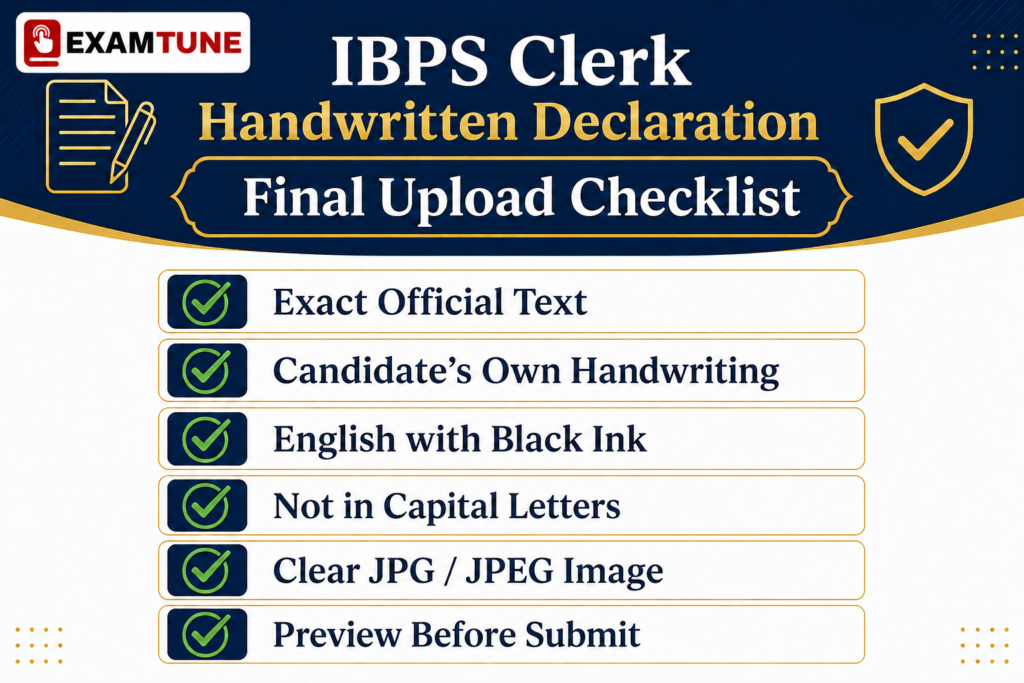
Final Handwritten Declaration Checklist
- The prescribed statement and application name have been checked.
- The document uses my own handwriting, or the applicable official typed-text exception.
- The declaration is in English and is not entirely in capitals.
- The handwritten route uses black ink on white paper.
- The complete statement is readable, with no missing or cropped lines.
- The exported file is genuinely JPG/JPEG and within 50–100 KB.
- Preferred dimensions and the relevant scanning settings have been reviewed.
- The declaration is in its own upload field, and the preview shows the correct file.
- Other required uploads remain separate and have been checked before submission.
Conclusion
For the IBPS Clerk Handwritten Declaration 2026, check the statement, your name, the applicable handwriting route and the saved image separately. Use the official specifications, review the upload before submission and keep it distinct from the signature and thumb-impression files.
The guidance concerns CRP CSA-XVI. For another recruitment cycle, check that cycle’s declaration instructions rather than assuming that every specification is unchanged.
Related IBPS Clerk Guides
- IBPS Clerk Apply Online — Registration Process
- IBPS Clerk Documents Required — Document Checklist
- IBPS Clerk Notification 2026 — Recruitment Details
- IBPS Clerk Eligibility Criteria 2026
- IBPS Clerk Exam Pattern 2026
- IBPS Clerk Syllabus 2026
Official Resource
- IBPS Annexure IV: Guidelines for Scanning and Upload of Documents — PDF page 3 covers declaration text, specifications and the accessibility exception; pages 4–5 explain scanning, upload and pre-submission review.
- IBPS How to Apply — required uploads, final submission and the separate edit-window provisions.
- Official CRP CSA-XVI Application Portal — check the current facility and its dates; use the direct reference-document links above for scanning and application instructions.
IBPS instructions and any specific amendment govern document acceptance. Practical scanning and file-organisation suggestions on this page do not create additional IBPS rules or guarantee approval.
Prepare for IBPS Clerk with ExamTune
Build a study plan alongside your document checklist. Review concepts, practise questions and analyse your mistakes.
Explore ExamTune Preparation Resources
Popular Online Live Classes


Complete Quant Nayak Subscription For All Banking & Insurance Exams 2026-27

Bank Maha Pack | Complete Subscription for IBPS, RRB & SBI Exams 2026-27
Frequently Asked Questions
What is the official IBPS Clerk Handwritten Declaration 2026 text?
“I, _______ (Name of the candidate), hereby declare that all the information submitted by me in the application form is correct, true and valid. I will present the supporting documents as and when required.” Replace the name placeholder with your application name and keep the rest of the prescribed statement unchanged.
What are the IBPS Clerk handwritten declaration file size and dimensions?
The prescribed file-size range is 50 KB–100 KB in JPG/JPEG format. IBPS lists 800 × 400 pixels, width × height, at 200 DPI as the preferred image-quality specification. The general scanning instructions separately require a minimum scanner resolution of 200 DPI and True Colour.
Can I write the declaration in Hindi or use blue ink?
No. The handwritten declaration must be in English, using black ink on white paper. Your chosen examination medium does not change the declaration-language requirement. The blue-ink option for a separate thumb-impression image does not apply to the handwritten declaration.
Can I type the IBPS Clerk handwritten declaration?
Not as the ordinary method. IBPS provides a typed-text exception for candidates who cannot write. The note specifies their own left-hand thumb impression below the typed declaration if they are also unable to sign. The document must still meet the upload specifications. The exception is not permission for another person to handwrite the declaration.
Must the declaration be in cursive or written with a ballpoint pen?
The reviewed IBPS declaration instructions require the candidate’s own handwriting, English, black ink and white paper, and prohibit an all-capital declaration. They do not impose a separate joined-up-cursive or ballpoint-only condition. Use legible ordinary upper- and lower-case handwriting; the accessibility exception remains separate.
Should I add a date, place, registration number or signature line?
The prescribed standard declaration text does not contain those additional fields. Insert your application name and follow the published statement rather than adding a different format. The signature/thumb-impression provision associated with the typed-text accessibility exception is a separate case.
Can I upload the declaration as a PDF or PNG?
No. The declaration upload is specified as JPG/JPEG. Export it as an actual JPEG image; changing only a file extension does not convert its contents. The PDF requirement for the Class 10/equivalent certificate and the applicable prescribed certificate belongs to different upload fields.
Can I use a mobile phone to prepare the declaration image?
A phone-scanning workflow can be used as practical image preparation, but it does not exempt the file from the official format, size and quality requirements. Preserve the real handwriting, avoid shadows and check the exported JPG/JPEG. The portal’s live-photo feature is for the candidate’s face, not for this declaration.
Can I change the handwritten declaration after uploading it?
Before final submission, the scanning instructions allow review and re-upload of an unclear document. After submission, any permitted correction depends on the specific official edit instructions and enabled controls. The existence of a correction window is not a blanket guarantee that the declaration image can be replaced.
Can I upload a downloaded sample or another person’s handwritten declaration?
No. Under the standard route, the declaration must be in the candidate’s own handwriting. A sample can show the wording, but do not upload another person’s image or digitally replace its name. Candidates who cannot write should use the published typed-text exception, not another person’s handwriting.
About the Author

Practice free quizzes, mock tests, current affairs and exam-wise preparation resources on ExamTune.