IBPS Clerk Form Correction 2026: Editable Fields, ₹200 Fee and Complete Process
Quick Overview
Practice free quizzes, mock tests, current affairs and exam-wise preparation resources on ExamTune.
IBPS CRP CSA-XVI How to Apply — General Edit Rules
IBPS How to Apply PDF includes the original general edit-window rules and ₹200 fee. Read it with later notices; the separate 18–23 September State/UT and bank-preference facility is shown on the current portal.
Current facility: State/UT and bank-preference update
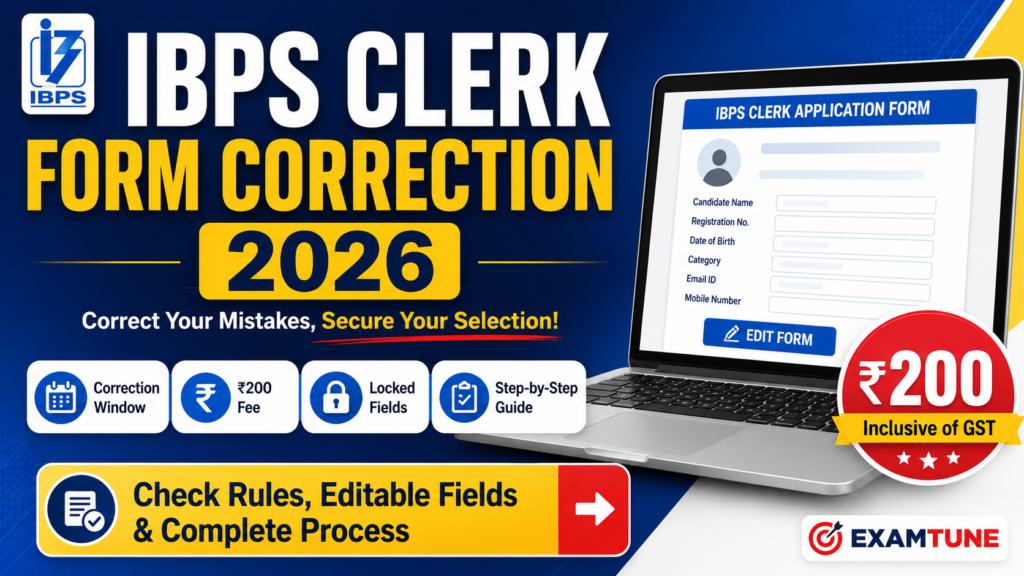
IBPS Clerk Form Correction allowed eligible CRP CSA-XVI applicants to fix selected errors in their submitted application. The correction facility permitted one corrected re-submission after payment of ₹200 inclusive of GST; it did not unlock every field.
This guide explains the confirmed edit-window dates, locked details, category-change restrictions, correction process and document checks. It distinguishes the closed general edit window from the separate 18–23 September preference-update facility and explains how to preserve application records and report a genuine technical problem.
Source: IBPS portal — current State/UT and bank-preference update dates; IBPS notice dated 3 September 2026 — copy hosted by BankersAdda.
IBPS Clerk Form Correction 2026 Overview
| Particular | Details |
|---|---|
| Recruitment | IBPS Clerk / Customer Service Associate (CSA) |
| Recruitment cycle | CRP CSA-XVI |
| Online registration | 1–28 August 2026; registration closed |
| Edit-window notice | 3 September 2026 |
| Correction dates | 4–5 September 2026 |
| Facility status | General edit window closed; separate State/UT and bank-preference update: 18–23 September |
| Application printing deadline | 12 September 2026 — earlier deadline, now passed; current availability not confirmed |
| Correction fee | ₹200 inclusive of GST, for submitting modifications |
| Correction attempts | One corrected re-submission |
| Application mode | Online |
| Application login | Registration Number, Password and displayed security code |
| Official website | ibps.in |
Latest IBPS Clerk Form Correction Update
The regular application period ended on 28 August 2026, following an extension from the original deadline. The later edit-window notice provided a two-day opportunity for candidates who had already submitted a completed, fee-paid application.
The general edit window has ended. The official portal advertises updating State/UT and bank preferences from 18 to 23 September 2026. Its public page does not confirm a fresh application facility, a general correction reopening, a current print deadline or the fee/attempt rules for the new preference facility.
The edit-window notice states that any corrigendum will be issued on the official IBPS website. The historical general-edit schedule comes from the edit-window notice; the separate preference-update dates come from the current official portal.
IBPS Clerk Application Login and Final Form Print
The earlier application-print deadline was 12 September 2026 and has passed. The official CRP CSA-XVI portal now provides the separate 18–23 September State/UT and bank-preference update. A current print option is not confirmed on its public page; use only the options actually shown in your account and preserve previously saved records.
Official application access
Open IBPS State/UT and Bank-Preference Login
This opens the official preference-update login. It does not confirm access to general correction or application printing.
- Open the official portal and confirm that it is for CRP CSA-XVI.
- Enter your Registration Number, Password and security code. This application login asks for a password, not a Date of Birth field.
- If an application-print or acknowledgement option is available in your account, save a readable copy; current printing access is not confirmed by the public page.
- Check the saved entries against the corrections you submitted, and retain the available payment e-receipt or transaction acknowledgement.
- Keep the final form, earlier application copy and receipts safely. A downloaded form is not proof that every eligibility condition has been accepted.
On a mobile phone, the portal instructs users to use landscape mode; a desktop browser is another practical option.
Who Can Use the IBPS Clerk Correction Window?
The announced correction facility was for candidates who had already completed the original registration requirements. A corrected submission required all of the following:
- A completed online application submitted within the registration period.
- Successful payment of the original application fee or intimation charges.
- The registration credentials associated with that application.
- Use of the correction facility within the specified edit dates.
- Final review and re-submission of the permitted corrections.
- Successful receipt of the prescribed correction fee.
An incomplete or unpaid original application did not become eligible simply because a correction window was provided. This facility was not a second registration period.
IBPS Clerk Form Correction: Fields That Cannot Be Edited
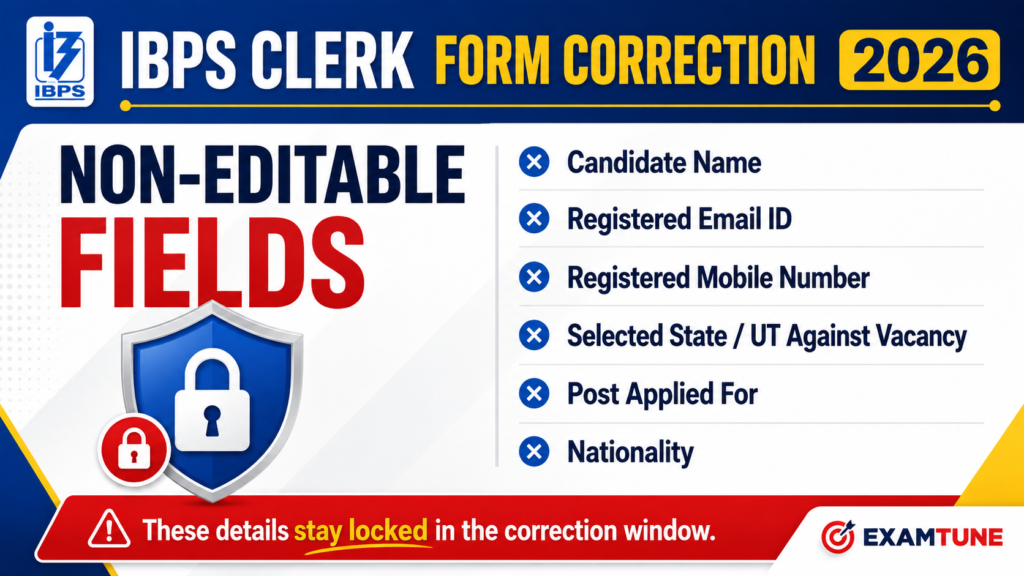
The following restrictions describe the general edit window of 4–5 September only. The separate official 18–23 September State/UT and bank-preference update must be read under its own instructions; it does not establish that address-State or other locked fields have reopened.
| Non-editable field | What candidates should verify |
|---|---|
| Candidate name | Spelling and name details against the application and supporting records. |
| Email ID | Continued access to the registered personal email account. |
| Mobile number | Availability of the registered contact number during recruitment. |
| State/UT selected for vacancy | The recruitment State/UT, relevant language conditions and vacancy choice. |
| State/UT in correspondence address | The State/UT recorded in the correspondence-address section. |
| State/UT in permanent address | The State/UT recorded in the permanent-address section. |
| Post applied for | The correct recruitment process and post. |
| Nationality | Consistency with the applicable eligibility and documentary requirements. |
Address clarification: The notice specifies the State/UT fields in the vacancy and address sections. It does not promise unrestricted editing of the remaining address entries. Other address details could be changed only where the correction interface enabled them.
Can the Selected State Be Changed?
The vacancy State/UT was locked during the general 4–5 September edit window. IBPS has since provided a separate State/UT and bank-preference update facility for 18–23 September. Follow the controls and instructions for that facility and continue to meet the chosen State/UT’s language and other eligibility conditions. Do not infer that address-State fields or every application detail can be changed.
Can the Candidate’s Name Be Corrected?
The candidate’s name could not be changed through this facility. Compare the application with the Class 10 certificate and identity documents. A documentary mismatch should not be treated as automatically resolved by a grievance, affidavit or a later verification stage; the applicable recruitment instructions govern acceptance.
Can the Registered Mobile Number or Email Be Changed?
No. Both were non-editable. Keep the registered contact details accessible for recruitment communications. Candidates should avoid depending on a temporary number or a cyber-cafe operator’s email account.
Source: IBPS edit-window notice, clause 3 — hosted copy.
IBPS Clerk Category Correction Rules
The permitted combinations were restricted to the groups shown in the notice. This was not permission to claim a category or disability status without meeting its conditions.
| Original category group | Permitted destination group |
|---|---|
| SC / ST / PwBD | SC / ST / PwBD |
| GEN / EWS / OBC (NCL) | GEN / EWS / OBC (NCL) / SC / ST / PwBD |
For example, the published combinations do not provide an SC/ST/PwBD-to-General conversion. A permitted change from General, EWS or OBC to SC, ST or PwBD did not trigger a refund of the original fee.
IBPS Clerk Form Correction Fee
For the general 4–5 September edit window, the charge for submitting modifications was ₹200 inclusive of GST, uniformly applicable irrespective of category. It was separate from the fee already paid during registration.
- The correction charge was non-refundable and could not be adjusted against another examination.
- Only the latest modified application was to be treated as valid, subject to receipt of the required correction fee.
- The charge was for a corrected submission, not a separate ₹200 charge for each individual field.
- Candidates whose application was already correct were not instructed to pay an additional correction fee merely because the facility existed.
A bank-account debit alone should not be assumed to prove that IBPS received the correction fee. Check the application status and available e-receipt; report an unresolved discrepancy through the official grievance system.
How to Complete IBPS Clerk Form Correction
Process reference: These steps explain how the announced edit window worked. They are not instructions to edit a form after the closing date.
- Visit the official IBPS website or the verified CRP CSA-XVI application portal.
- Open the relevant Customer Service Associate application and correction facility during the permitted dates.
- Log in using the registration number, password and displayed security code.
- Open the submitted application and identify the fields enabled for correction.
- Modify only the incorrect, permitted entries using the supporting documents.
- Check personal information, category, qualification, preferences and visible uploads in the final preview.
- Follow the portal’s payment and submission sequence for the ₹200 correction fee.
- Complete the single corrected re-submission and check the resulting acknowledgement.
- Download the latest saved application and preserve the correction-payment evidence.
Which Other Fields Could Be Corrected?
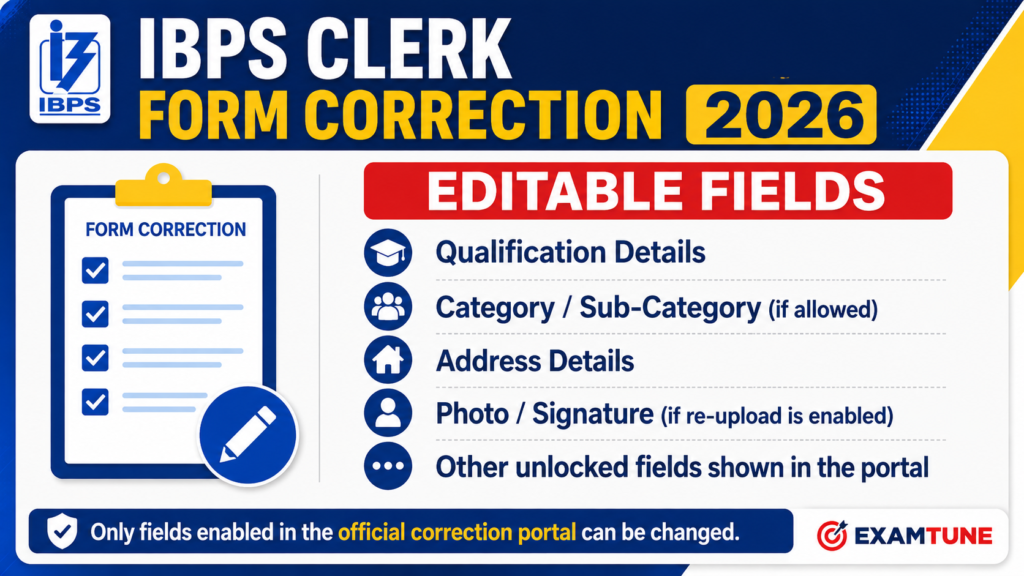
The notice lists prohibited fields and category rules; it does not publish a complete, unconditional whitelist of every editable control. The table below is a verification guide, not a promise that each field was enabled.
| Field or document | How to interpret the correction facility |
|---|---|
| Qualification, passing date, marks or CGPA | Change only if enabled; the corrected information must still satisfy the recruitment conditions. |
| Date of birth or other personal details | Do not assume editability just because a field is absent from the locked-field list. |
| Address entries other than the specified State/UT fields | Only enabled entries could be modified; there was no blanket address-change permission. |
| Exam medium or participating-bank preferences | Review any available options; do not present them as universally editable. |
| Category and sub-category | Apply the published category combinations and supporting-document conditions. |
| Photograph, signature or other uploads | Replacement was possible only if the relevant upload option was enabled. |
How Many Times Can the Application Be Corrected?
Only one corrected re-submission was allowed. A further mistake in the submitted correction did not entitle the candidate to a second attempt. The rule concerns re-submitting the corrected application, not permission to change only one field.
Review all available fields together before final submission. Logging in again or printing a saved form is not another correction opportunity.
What If You Submitted Multiple Applications?
Clause 8 of the edit notice instructs candidates with multiple applications to edit the latest application only. Check the relevant registration number and submission record before treating a saved or corrected form as the valid one. The rule is not an invitation to create a fresh application after registration has closed.
Can Photo, Signature or Documents Be Replaced?
There was no blanket guarantee that every upload could be replaced. A photograph, signature, thumb impression, handwritten declaration, live-photo record or Class 10 certificate could be changed only where the relevant correction control was provided.
Where replacement was enabled, the file still had to satisfy the prescribed format, size, clarity and other upload instructions. A resizer helps prepare a file; it does not unlock a closed or disabled upload field.
- IBPS Clerk Documents Required
- IBPS Clerk Image Resizer and Upload Specifications
- Class 10 / SSC / SSLC certificate upload instructions — notification copy, Annexure IV
- IBPS Clerk Handwritten Declaration Rules
Important Checks Before Submitting the Corrected Form
IBPS Clerk Form Correction: Important Points
General editing: closed on 5 September | State/UT and bank preferences: separate facility, 18–23 September. Printing: earlier deadline passed; current access not confirmed.
Correction charge: ₹200, including GST | Corrected submission: once.
Key safeguard: Preserve the final form and receipts. A printout cannot reopen an edit window or cure an eligibility problem.
The following checklist remains useful for reviewing the application now. The historical locked-field list is included for verification; the separate current preference facility is limited to the controls IBPS has enabled:
- Name and date of birth agree with the relevant supporting records.
- Vacancy State/UT and the address State/UT entries are checked.
- Category and sub-category claims have the required supporting certificates.
- Graduation passing date, university, marks and CGPA conversion are accurate.
- Exam medium and participating-bank preferences have been reviewed.
- Photograph, signature and other visible uploads are clear and appropriate.
- Registered mobile number and email remain accessible.
- Correction payment and final submission, where undertaken, are supported by the account record.
- The latest application copy and available receipts have been saved.
What Happens After the Correction Window Closes?
The general edit notice barred further corrections after that window expired. IBPS has now separately advertised State/UT and bank-preference updating for 18–23 September. This is a specific later facility, not permission to change all other fields or treat printing as extra general editing time.
A genuine technical complaint can still be reported through IBPS Candidate Grievance Redressal System, but a complaint does not itself reopen the window or override a locked-field rule.
Keep truthful records and documentary evidence. Do not alter the downloaded PDF manually and present it as an IBPS-accepted correction. Applications remain subject to scrutiny: payment, correction or printing does not automatically validate false, incomplete or unsupported information.
IBPS Clerk Login and Correction-Payment Problems
These are practical troubleshooting steps, not a promise of another correction opportunity or a particular refund outcome.
| Problem | What to check or retain |
|---|---|
| Invalid login credentials | Use this cycle’s registration number and password. Remove accidental spaces and enter the current security code. |
| Password forgotten | Check your original registration email/SMS for the password. Use a password-recovery option if IBPS provides one; the current public preference-login page does not display a Forgot Password control. For an unresolved login issue, use the official grievance system. |
| Slow page or mobile display problem | Retry later or use another updated browser. The portal asks mobile users to use landscape orientation. |
| Fee debited but acknowledgement missing | Check the account’s status/e-receipt. Retain the transaction ID, date and amount; report the discrepancy to IBPS. |
| Printed form does not show the expected correction | Check that it belongs to the correct/latest application. Preserve the earlier form and submission/payment evidence for a grievance. |
| Correction deadline missed | The published rules do not provide editing after expiry. Do not pay an agent or expect a print/login facility to bypass the deadline. |
In a grievance, provide the registration reference and a clear description of the problem, with relevant screenshots and transaction details. Do not disclose your password, OTP, card security code or other payment secrets. Retain the complaint number for tracking.
Source: IBPS login page; IBPS grievance portal.
IBPS Clerk Form Correction Important Links
| Resource | Correct destination and purpose |
|---|---|
| Current preference-update login | Open registered-candidate login — State/UT and bank-preference update, 18–23 September; not a general all-field reopening. |
| Edit-window notice PDF | Read IBPS notice dated 3 September 2026 — copy hosted by BankersAdda. |
| Official IBPS website | IBPS recruitment notices |
| Technical grievance | IBPS Candidate Grievance Redressal System |
| Application-process reference | IBPS Clerk Apply Online Guide — for process information, not a claim that fresh registration is open. |
Source: IBPS application portal; IBPS edit-window notice — hosted copy.
IBPS Clerk Form Correction: Final Advice
IBPS Clerk Form Correction offered a limited, one-time opportunity to amend permitted entries, not a complete replacement of the original registration. The general edit window is closed. Check the separate 18–23 September State/UT and bank-preference facility if it applies to you, and preserve the available acknowledgement. The earlier application-print deadline has passed.
Check the saved details, retain documentary evidence and use the IBPS grievance system for an unresolved technical issue. Do not mistake an accessible login, a payment debit or an edited local PDF for a successfully accepted correction.
Important Internal Links
Use these ExamTune guides for the related application, eligibility and preparation topics:
- IBPS Clerk Apply Online Guide
- IBPS Clerk Documents Required
- IBPS Clerk Handwritten Declaration
- IBPS Clerk Eligibility Criteria
- IBPS Clerk Notification
- IBPS Clerk Selection Process
- IBPS Clerk Syllabus
For a correction decision, use the official instructions rather than an unofficial promise that a locked field or missed deadline can be bypassed.
Official IBPS Links and Document Sources
- IBPS CRP CSA-XVI application portal — current primary source for the separate State/UT and bank-preference update schedule and login requirements.
- IBPS edit-window notice dated 3 September 2026 — IBPS-issued document; the accessible copy linked here is hosted by BankersAdda.
- Detailed CRP CSA-XVI notification — copy hosted on ExamTune; read with the later edit notice and current portal schedule.
- IBPS Candidate Grievance Redressal System — official complaint registration and tracking.
- Official IBPS website — the issuing authority’s website for recruitment announcements and corrigenda.
Frequently Asked Questions
Is the IBPS Clerk Form Correction 2026 window open now?
The general correction window of 4–5 September 2026 is closed. IBPS separately advertises State/UT and bank-preference updating for 18–23 September 2026. This limited facility does not confirm a general all-field correction reopening.
What is the last date to print the IBPS Clerk application form?
The earlier application-print deadline was 12 September 2026 and has passed. The public portal now shows the separate State/UT and bank-preference update and does not confirm current printing availability. Preserve your saved final application and any new acknowledgement.
Who was eligible to use the IBPS Clerk correction window?
The facility was available to candidates who had successfully submitted their completed application and paid the required original fee within the registration period. An incomplete or unpaid registration could not be completed through the correction window as a substitute for the original application process.
What was the IBPS Clerk Form Correction 2026 fee?
The correction fee was ₹200 inclusive of GST for all categories. It was separate from the original application fee, non-refundable and not adjustable against another examination. Candidates whose applications were already correct were not required to submit modifications or pay ₹200 simply because the correction window was available.
How many times could the IBPS Clerk application be corrected?
Only one corrected re-submission was allowed. Candidates could not make a second corrected submission to fix a mistake in the updated application. Where multiple applications had been submitted, the notice instructed candidates to edit the latest application only. Logging in or printing the form again did not provide another correction attempt.
Which details could not be changed during IBPS Clerk Form Correction?
During the general 4–5 September edit window, the locked fields included name, email, mobile, vacancy State/UT, State/UT in both addresses, post and nationality. The separate 18–23 September State/UT and bank-preference update is governed by its own enabled controls; do not infer that address-State or all other fields have reopened.
Could candidates change their category during the correction window?
Category changes were allowed only under the prescribed combinations. Candidates from General, EWS or OBC could select the permitted destination categories, including SC/ST/PwBD, subject to eligibility and supporting documents. The original application fee was not refunded for such a change. The notice did not provide for a reverse SC/ST/PwBD-to-General conversion.
Could I replace my photograph or signature, or change my date of birth?
These changes were possible only if the relevant field or upload option was enabled in the correction interface. The notice did not guarantee that every photograph, signature, document or date-of-birth entry could be changed. The scheduled editing period has ended, so candidates should not assume these options remain available.
What should I do if the correction fee was debited but submission was not confirmed?
Check the application status and any available e-receipt. Preserve the transaction reference, payment details and screenshots, and raise the issue through the IBPS grievance mechanism. A bank-account debit alone does not prove that the corrected application was accepted, and a complaint does not automatically extend the correction deadline.
Can I correct my IBPS Clerk application after the deadline or during document verification?
Email, telephone requests, handwritten changes or document verification do not themselves amend an application. Use only a specific official facility: the current 18–23 September facility concerns State/UT and bank preferences, not a general reopening of all application fields. Eligibility and documents remain subject to scrutiny.
About the Author

Practice free quizzes, mock tests, current affairs and exam-wise preparation resources on ExamTune.