IBPS Clerk Ex-Servicemen Admit Card 2026: Download Link, Steps & Important Instructions
Quick Overview
Practice free quizzes, mock tests, current affairs and exam-wise preparation resources on ExamTune.
IBPS Clerk CRP CSA-XVI Official Notification PDF
Download the official CRP CSA-XVI notification for ESM eligibility, call-letter schedule, exam dates, required documents and recruitment instructions.
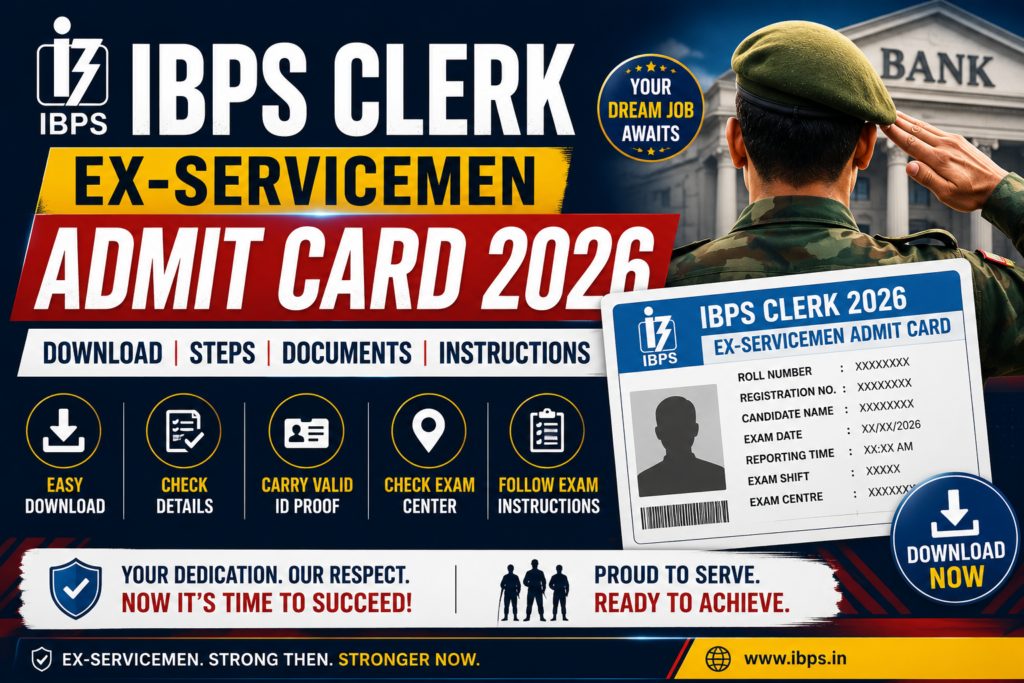
IBPS Clerk Ex-Servicemen Admit Card 2026 – Check ESM call letter release date, download link, Prelims exam date, documents, PET and exam-day instructions.
IBPS Clerk Ex-Servicemen Admit Card 2026 for the Preliminary Examination has not been released yet. The official IBPS CRP CSA-XVI schedule places the Preliminary Examination call letter in September 2026, but the admit card download link is not listed on the official CRP CSA-XVI page. The exact call letter release date has not been announced.
Ex-Servicemen (ESM) candidates should note that IBPS has not prescribed a separate category-specific admit card for ESM candidates. Eligible Ex-Servicemen will download the same IBPS Clerk/Customer Service Associate call letter applicable to other eligible candidates using their Registration Number and Password or Date of Birth.
The recruitment is officially known as CRP CSA-XVI for Customer Service Associates. According to the IBPS Exam Calendar 2026-27, the Preliminary Examination is scheduled for 10 and 11 October 2026, while the Main Examination is scheduled for 27 December 2026.
IBPS Clerk ESM Admit Card 2026 Status
✅ ESM Prelims Admit Card: Not Released Yet
✅ Official Call Letter Schedule: September 2026
✅ Registration Status: Closed on 28 August 2026
✅ Application Edit Window: Closed on 5 September 2026
✅ Prelims Exam: 10 & 11 October 2026
✅ Mains Call Letter: November 2026 — tentative notification schedule
✅ Mains Exam: 27 December 2026
✅ ESM Pre-Examination Training: September 2026, if opted
✅ Recruitment: CRP CSA-XVI
IBPS Clerk Ex-Servicemen Admit Card 2026 Overview
| Particular | Details |
|---|---|
| Recruitment Name | IBPS CRP CSA-XVI |
| Post Name | Customer Service Associate (CSA) |
| Popular Name | IBPS Clerk 2026 |
| Category | Ex-Servicemen (ESM/DESM) |
| Prelims Admit Card Status | Not Released Yet |
| Prelims Call Letter Schedule | September 2026 |
| Prelims Exam Date | 10 & 11 October 2026 |
| Mains Call Letter | November 2026 — tentative notification schedule |
| Mains Exam Date | 27 December 2026 |
| Exam Mode | Online Computer-Based Examination |
| Call Letter Mode | Online Download Only |
| Login Credentials | Registration Number + Password/Date of Birth |
| Official Website | ibps.in |
Is There a Separate IBPS Clerk Admit Card for Ex-Servicemen?
No separate Ex-Servicemen admit card process has been prescribed in the CRP CSA-XVI notification. IBPS issues examination call letters to eligible candidates for the Preliminary and Main examinations. Therefore, an eligible candidate applying under the Ex-Servicemen category will use the normal CRP CSA-XVI call letter download process.
The ESM category remains important for reservation, eligibility, application fee, PET eligibility and prescribed documents at the joining stage, but the online examination call letter download procedure is common.
IBPS Clerk Ex-Servicemen Admit Card 2026 Release Date
The official CRP CSA-XVI schedule places the download of Preliminary Examination call letters in September 2026. The IBPS Clerical Cadre XVI page does not currently list the Preliminary Examination call-letter link. Candidates should continue checking the official CRP CSA-XVI page because IBPS can activate the link during the notified month.
| Event | Date / Schedule |
|---|---|
| Online Registration | 1 August to 28 August 2026 |
| Application Edit Window | 4 & 5 September 2026 |
| ESM Pre-Examination Training (PET) | September 2026 |
| Prelims Admit Card | September 2026 |
| IBPS Clerk Prelims Exam | 10 & 11 October 2026 |
| Prelims Result | November 2026 |
| Mains Admit Card | November 2026 — tentative notification schedule |
| IBPS Clerk Mains Exam | 27 December 2026 |
| Provisional Allotment | March 2027 |
IBPS Clerk ESM Admit Card 2026 Download Link
The IBPS Clerk Ex-Servicemen Admit Card 2026 download link will become available through the official CRP CSA-XVI section of IBPS when the call letters are released. The official Clerical Cadre XVI page shows the CRP CSA-XVI notification and registration-related updates, but the Preliminary Examination call-letter link is not yet listed.
Candidates should avoid unofficial websites claiming to provide an active admit-card login before IBPS officially publishes the link.
Current Status: Preliminary Call Letter Not Released
How to Download IBPS Clerk Ex-Servicemen Admit Card 2026?
- Visit the official IBPS website at ibps.in.
- Open the CRP Customer Service Associates section.
- Select CRP CSA-XVI.
- Click the Online Preliminary Examination Call Letter link when activated.
- Enter your Registration Number.
- Enter your Password or Date of Birth.
- Complete the security verification shown on the login page.
- Click on Login.
- Check your exam date, centre, reporting time and other details.
- Download and print a clear copy of the call letter.
IBPS does not send a hard copy of the examination call letter or Information Handout by post or courier. The call letter must be downloaded online; an email/SMS alert, if sent, is only an intimation and is not a substitute for the printed call letter.
Login Credentials Required for IBPS Clerk ESM Admit Card
Ex-Servicemen candidates will use the same login details as other eligible CRP CSA-XVI applicants:
- Registration Number
- Password or Date of Birth
The provisional Registration Number and Password are generated during online registration and are also communicated through the registered email address and mobile number.
Forgot IBPS Clerk Registration Number or Password?
If you cannot remember the login details, first check the email and SMS received during registration. IBPS states that the Registration Number and Password are sent to the registered mobile number and email address.
When available during the relevant login period, candidates can also use the Forgot Password facility on the IBPS login page.
What to Check After Downloading the IBPS Clerk ESM Admit Card?
After downloading the call letter, verify every candidate-specific detail before printing it. If any entry is incorrect or the photograph/signature is unclear, contact IBPS through the official Candidate Grievance Redressal System instead of waiting until the exam day.
- Candidate’s name and category
- Registration number and roll number
- Photograph and signature
- Exam date, shift and reporting time
- Exam centre name and complete address
- Language/medium and other candidate-specific instructions, where shown
IBPS Clerk Ex-Servicemen Pre-Examination Training 2026
This is an important benefit specifically relevant to ESM candidates. The official CRP CSA-XVI notification states that Pre-Examination Training (PET) may be arranged in online mode for a limited number of candidates belonging to eligible categories, including Ex-Servicemen.
To avail of PET, the eligible candidate must have opted for Pre-Examination Training in the online application form.
| PET Particular | Details |
|---|---|
| Are Ex-Servicemen Eligible? | Yes |
| Expected PET Month | September 2026 |
| Possible Mode | Online |
| Required Condition | Candidate should have opted for PET in application |
| Does PET Guarantee Selection? | No |
Read: IBPS Clerk PET rules — IBPS notification copy hosted by ExamTune
Details Mentioned on IBPS Clerk ESM Call Letter
The individual call letter will provide the candidate-specific examination details. Candidates should verify all information after downloading it.
- Candidate’s name
- Registration/Roll details
- Examination name
- Candidate photograph
- Exam date
- Reporting time
- Exam timing/shift
- Exam centre name
- Complete venue address
- Important exam-day instructions
The centre, venue address, date and time for the Preliminary and Main examinations will be communicated through the respective IBPS call letter.
Documents Required at IBPS Clerk Exam Centre for ESM Candidates
Ex-Servicemen candidates should distinguish between exam-centre documents and ESM eligibility documents required at joining/document verification.
For the online examination, the key documents are:
- Printed IBPS Clerk Call Letter for the relevant examination
- Original currently valid photo identity proof
- Photocopy of the same photo identity proof
- One additional photograph matching the photograph pasted on the call letter
- Scribe declaration form, where applicable
- Any additional document specifically instructed in the call letter or Information Handout
Valid Photo ID for IBPS Clerk Ex-Servicemen Exam
The name on the identity proof should match the name appearing on the application/call letter. Valid photo identity documents specified by IBPS include:
- PAN Card
- Passport
- Permanent Driving Licence
- Voter ID with photograph
- Bank Passbook with photograph
- Aadhaar Card or E-Aadhaar with photograph
- Employee ID
- Recognised College/University Identity Card
- Bar Council Identity Card with photograph
- Photo ID issued by a Gazetted Officer on official letterhead
- Photo ID issued by a People’s Representative on official letterhead
Important Photograph Rule for ESM Candidates
Candidates must bring one additional photograph identical to the photograph pasted on the call letter. Candidates reporting without the required photograph on the call letter or without the additional matching photograph may not be allowed to appear for the examination.
IBPS also advises candidates to retain approximately 8 copies of the photograph uploaded during the application process because they may be required during subsequent stages.
Keep Your Prelims Admit Card Safe After the Exam
This is one of the most important call-letter rules and applies to Ex-Servicemen candidates as well.
The Preliminary Examination call letter and photo ID photocopy will not simply be taken away at the Prelims venue. They will be authenticated/stamped by examination-centre staff and returned to the candidate.
Candidates shortlisted for Mains must bring:
- Authenticated/stamped Prelims call letter
- Authenticated/stamped photocopy of the Prelims photo ID proof
- IBPS Clerk Mains Call Letter
- Other documents specified for the Main Examination
ESM Documents Required at Joining
Ex-Servicemen status is verified using prescribed documents. Requirements depend on whether the candidate is already released/retired or is still serving in the Armed Forces.
Released or Retired Ex-Servicemen
Released/retired Armed Forces personnel may be required to produce:
- Applicable certificate as per Proforma A
- Discharge Certificate/Discharge Booklet, as applicable
- Pension Payment Order
- Documentary proof of rank last or presently held
- Other eligibility documents requested by the allotted bank
Serving Armed Forces Personnel Applying Under ESM Category
Eligible serving personnel applying under the Ex-Servicemen category are required to follow the specific conditions prescribed in CRP CSA-XVI.
- Certificate from competent authority as per Proforma B
- Declaration as per Proforma C
- Specific Period of Engagement (SPE) should be completed on or before 20 August 2027
- Release letter at the time of joining
- Required self-declaration regarding entitlement to ESM benefits
Personnel on Extended Assignment
Candidates who have completed their initial period of assignment and are serving on an extended assignment are required to submit the applicable certificate prescribed under Proforma D.
For the complete ESM document checklist, read IBPS Clerk Ex-Servicemen Documents Required 2026.
Do Ex-Servicemen Have a Separate IBPS Clerk Exam Pattern?
No separate examination pattern is prescribed for Ex-Servicemen candidates under CRP CSA-XVI. ESM candidates appearing in the recruitment process take the applicable Preliminary and Main online examinations under the same notified examination structure.
Read the complete pattern here: IBPS Clerk Ex-Servicemen Exam Pattern 2026.
Does an Ex-Serviceman Have to Pass the Local Language Test?
Ex-Servicemen candidates should not assume that ESM status by itself provides exemption from the Local Language Proficiency Test (LLPT).
The official rule is based on evidence of studying the selected local language. Candidates who produce a 10th standard or above mark sheet/certificate showing that they studied the specified/opted local language are not required to undergo the language test.
Other applicable candidates have to qualify the LLPT conducted after the Main Examination/provisional allotment but before joining the allotted bank.
IBPS Clerk ESM Exam Date 2026
| Stage | Official Exam Date |
|---|---|
| IBPS Clerk/CSA Prelims | 10 October 2026 |
| IBPS Clerk/CSA Prelims | 11 October 2026 |
| IBPS Clerk/CSA Mains | 27 December 2026 |
The individual candidate’s examination date, reporting time, shift and venue should always be verified from the actual call letter.
Also read: IBPS Clerk Exam Date 2026.
IBPS Clerk ESM Exam Day Instructions
- Check the examination venue before the exam day.
- Reach according to the reporting time printed on the call letter.
- Candidates reporting after the specified reporting time may not be permitted to enter.
- Carry the printed examination call letter.
- Carry the original valid photo ID and its photocopy.
- Carry the additional matching photograph.
- Follow the biometric verification instructions.
- Do not carry prohibited electronic devices or unauthorised material.
- Follow the Information Handout and call-letter instructions carefully.
- Retain the authenticated/stamped Prelims call letter after examination.
Biometric Verification at the Exam Centre
Photograph and biometric data, including thumb impression where applicable, may be captured or verified at different stages of the recruitment process.
Candidates should avoid significantly changing their appearance from the photograph uploaded/captured during the online application. IBPS also advises candidates to possess a valid Aadhaar Card for the CRP process.
Unable to Download IBPS Clerk ESM Admit Card?
If the call-letter link has officially been activated but you are unable to download the admit card:
- Verify the Registration Number carefully.
- Check the Password or Date of Birth format.
- Use the Forgot Password option if available.
- Check the email/SMS received at registration.
- Try again using an updated browser.
- Avoid repeatedly entering incorrect credentials.
- Use the official IBPS grievance portal if the issue remains unresolved.
Important Links for IBPS Clerk Ex-Servicemen 2026
| Link | Action |
|---|---|
| IBPS CRP CSA-XVI Page | Check Official Page |
| Official CRP CSA-XVI Notification | Download PDF |
| IBPS Exam Calendar 2026-27 | Check Calendar |
| IBPS Grievance Portal | Open CGRS |
Related IBPS Clerk Ex-Servicemen Guides
Conclusion
The IBPS Clerk Ex-Servicemen Admit Card 2026 has not been released yet. The official CRP CSA-XVI schedule places the Preliminary Examination call letter in September 2026. Registration for CRP CSA-XVI closed on 28 August 2026, and the application edit window closed on 5 September 2026. The Prelims examination is scheduled for 10 and 11 October 2026, followed by the Main Examination on 27 December 2026.
Ex-Servicemen candidates do not need to wait for a separately announced ESM-specific hall ticket. Eligible candidates should monitor the official CRP CSA-XVI page and download their call letter when IBPS activates the link.
On exam day, carry the printed call letter, original valid photo ID, its photocopy and the required matching photograph. ESM-specific documents such as discharge-related certificates and prescribed Proforma documents should be kept ready for eligibility verification and joining as applicable.
Bookmark ExamTune for the IBPS Clerk ESM Admit Card 2026 download link, exam date, PET, Ex-Servicemen documents and official CRP CSA-XVI updates.
Frequently Asked Questions
Has the IBPS Clerk Ex-Servicemen Admit Card 2026 been released?
No. The IBPS Clerk ESM Preliminary Examination call letter has not been released yet. Candidates should check the official CRP CSA-XVI page for its activation.
Will IBPS release a separate admit card for Ex-Servicemen?
No separate ESM-specific examination admit card is prescribed. Eligible ESM and DESM candidates will use the common CRP CSA-XVI call-letter download process.
When will the IBPS Clerk ESM admit card be released?
The notified schedule places the Preliminary Examination call letter in September 2026. The exact activation date will be confirmed through the official IBPS website.
What is the IBPS Clerk Prelims exam date 2026?
The IBPS Clerk Preliminary Examination is scheduled for 10 and 11 October 2026. The allotted date, shift and venue will appear on the candidate’s call letter.
How can ESM candidates download the IBPS Clerk admit card?
Visit ibps.in, open CRP Customer Service Associates, select CRP CSA-XVI and click the Preliminary Examination call-letter link when activated.
Which login details are required to download the call letter?
Candidates generally need their Registration Number or Roll Number and Password or Date of Birth, along with the displayed security code.
Which documents must ESM candidates carry to the examination centre?
Carry a printed call letter, an original valid photo ID, a photocopy of the same ID and the additional matching photograph required by the call-letter instructions.
Is an ESM discharge certificate required at the Prelims examination centre?
A discharge certificate is mainly required for ESM eligibility verification or joining. Candidates should nevertheless follow any additional instructions printed on their individual call letter.
Can the IBPS Clerk admit card be shown on a mobile phone?
No. Candidates should carry a clear printed copy of the call letter. A digital copy displayed on a mobile phone should not be treated as an acceptable substitute.
When will the IBPS Clerk Mains admit card be released?
The CRP CSA-XVI notification tentatively schedules the Main Examination call letter for November 2026. The Main Examination is scheduled for 27 December 2026. Check the official IBPS call-letter notice for the actual download window.
About the Author

Practice free quizzes, mock tests, current affairs and exam-wise preparation resources on ExamTune.