
IBPS Clerk Blank Registration Number: 7 Urgent Steps
Quick Overview
Practice free quizzes, mock tests, current affairs and exam-wise preparation resources on ExamTune.
Last Updated: 4 August 2026
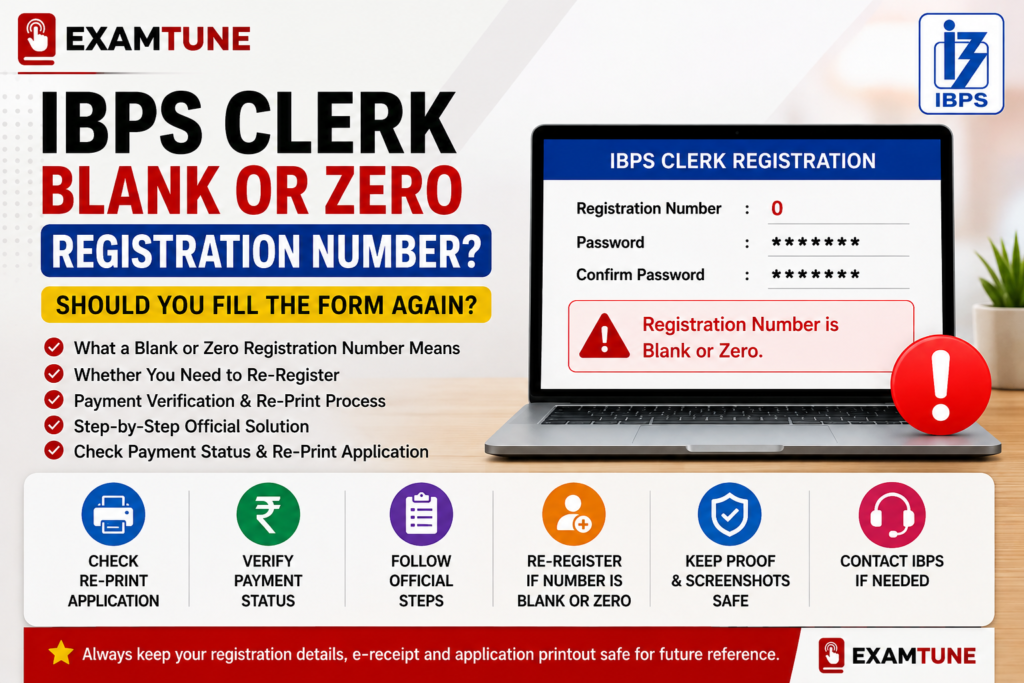
An IBPS Clerk Blank Registration Number or a registration number displayed as
zero (0) can create confusion after submitting the online application. Some candidates
receive a valid password but find that the registration number is missing, blank or shown only as
0.
The main concern in this situation is whether the previous application has been saved and whether the
candidate must fill out the entire IBPS Clerk application form again.
Quick Answer:
Yes. If you received an IBPS Clerk Blank Registration Number or a zero registration number with a valid password,
the official IBPS FAQ advises you to re-register the application and verify the
newly submitted form through the Re-Print Application option.
However, candidates who have received a proper registration number and can generate their application
printout and e-receipt normally do not need to submit another form. The IBPS Clerk Blank Registration Number
issue should be resolved before the registration deadline instead of being ignored.
IBPS Clerk Blank Registration Number: Official IBPS Rule
The official IBPS online registration FAQ includes a specific question for candidates who receive a
blank or zero registration number after submitting an application.
In rare cases, candidates may receive a zero registration number with a valid password. Such candidates
are advised to re-register the application and check the printout through the Re-Print Application option.
Therefore, a password alone should not be treated as confirmation that the application has been
successfully registered. A valid provisional registration number must also be generated. In an
IBPS Clerk Blank Registration Number case, candidates should rely on the valid registration number,
application printout and e-receipt rather than the password alone.
Candidates can read the instructions from the
official IBPS Clerk 2026 application portal
. Candidates who entered any incorrect information should also read the
IBPS Clerk form correction guide
before taking further action.
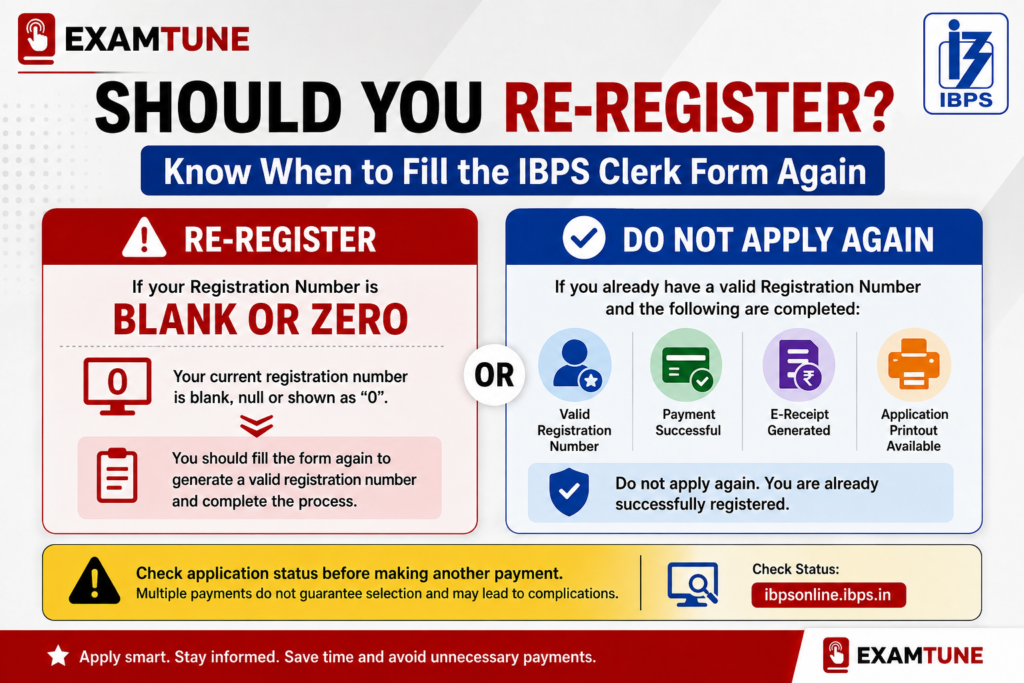
Does an IBPS Clerk Blank Registration Number Require a New Form?
An IBPS Clerk Blank Registration Number normally requires a fresh registration when the number is blank or shown as zero, especially when the application printout cannot be generated. Use the table below to identify the correct action for your situation.
| Situation | Fill the Form Again? | Required Action |
|---|---|---|
| Registration number is blank | Yes | Complete a fresh registration and verify the printout. |
| Registration number is shown as 0 | Yes | Re-register as instructed in the official FAQ. |
| Proper registration number and password received | No | Log in and check the application print and payment status. |
| Blank screen after final submission | Check first | Try to generate the application printout and e-receipt. |
| Fee debited but no e-receipt generated | Do not decide immediately | Check payment status, bank transaction and Re-Print option. |
| Email not received but application print is available | Usually no | Preserve the printout, registration number and e-receipt. |
Seven Steps to Solve the IBPS Clerk Blank Registration Number Problem
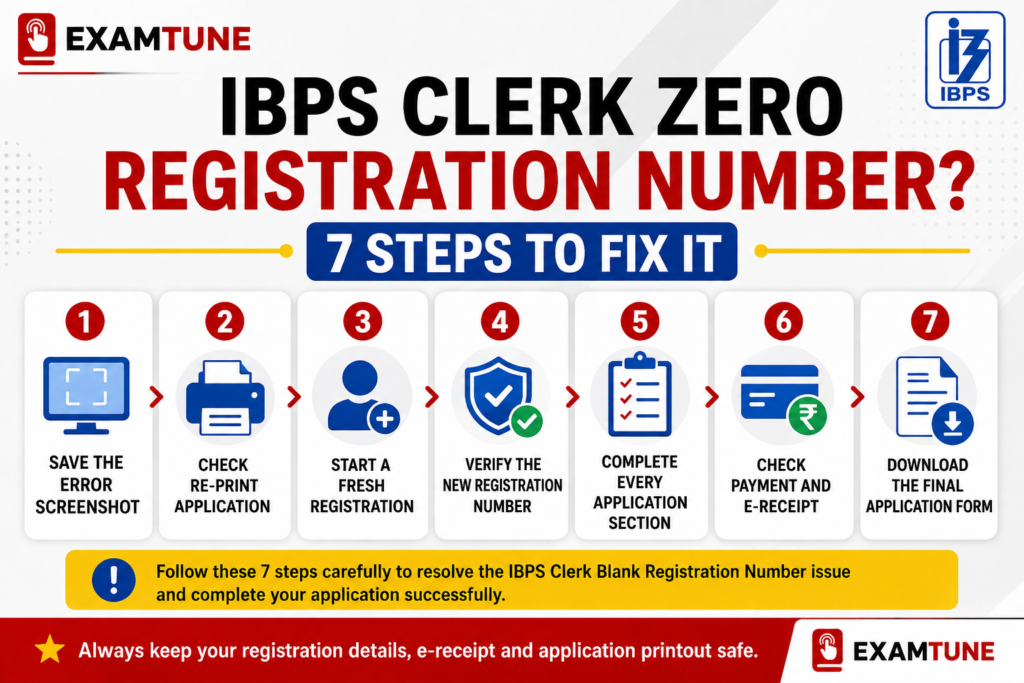
Step 1: Save Screenshots and Payment Details
Before closing the browser, take a screenshot of the page displaying the blank or zero registration
number. The screenshot may be useful if you need to submit a complaint to IBPS.
Also preserve the following information:
- Date and approximate time of registration
- Registered mobile number
- Registered email address
- Password displayed by the portal
- Payment transaction reference, if money was debited
- Exact error message shown on the screen
Step 2: Check the Re-Print Application Option
Visit the official IBPS Clerk application portal and use the login facility provided for already
registered candidates. The login can be used for editing, online payment, e-receipt printing and
application printing. For other application-related mistakes, review the
IBPS Clerk application correction rules.
Enter the registration details available with you and check whether the system allows you to generate
the complete application printout.
Important: A zero registration number should not be treated as a normal provisional
registration number. The official FAQ directs such candidates to re-register.
Step 3: Start a Fresh Registration
If the previous registration number is blank or displayed as zero, click on
“Click Here for New Registration” and enter your basic details again.
During the fresh registration:
- Enter your name exactly as printed on your Class 10 certificate or valid date-of-birth proof.
- Enter an active mobile number.
- Enter a correct and accessible email address.
- Verify the mobile number and email address before submitting.
- Note the new provisional registration number immediately.
- Save the new password securely.
Step 4: Confirm That a Proper Registration Number Has Been Generated
A successful initial registration should display a proper provisional registration number and password
on the screen. The same details are normally sent through an automatically generated email and SMS.
Do not proceed if the newly generated registration number is again blank or zero. Try a different browser,
device or internet connection before submitting another registration.
Step 5: Complete Every Section of the New Application
A registration number does not mean that the entire application has been finally submitted. Candidates
must complete all required sections. Keep the files listed in the
IBPS Clerk documents required guide
ready before starting the new form. Candidates uploading the education proof should also check the
IBPS Clerk 10th certificate upload guide.
The required sections include:
- Basic and personal information
- Category and state selection
- Educational qualification details
- Participating bank preferences
- Photograph and signature upload
- Left thumb impression upload
- Handwritten declaration upload
- Class 10 certificate upload
- Live photograph capture
- Final preview and complete registration
- Online application fee payment
Check every field carefully before clicking the Complete Registration button.
Step 6: Verify Payment and Generate the E-Receipt
According to the official application instructions, an e-receipt is generated after successful completion
of the online transaction. Candidates should download and preserve both the e-receipt and the system-generated
online application form.
If the e-receipt and application printout cannot be generated, the payment transaction or application
submission may not have been completed successfully.
Step 7: Download the Final Application Printout
Log in using the new registration number and password and download the complete application form.
This final printout is the strongest practical check after resolving an IBPS Clerk Blank Registration Number.
Check that the printout contains:
- Your proper registration number
- Your name and date of birth
- Selected category
- Applied state or union territory
- Educational qualification
- Uploaded photograph and signature
- Bank preference order
- Payment details
- Final application status
Save the PDF on your phone, computer and cloud storage. Keep at least one printed copy for future reference.
What If the Application Fee Was Debited?
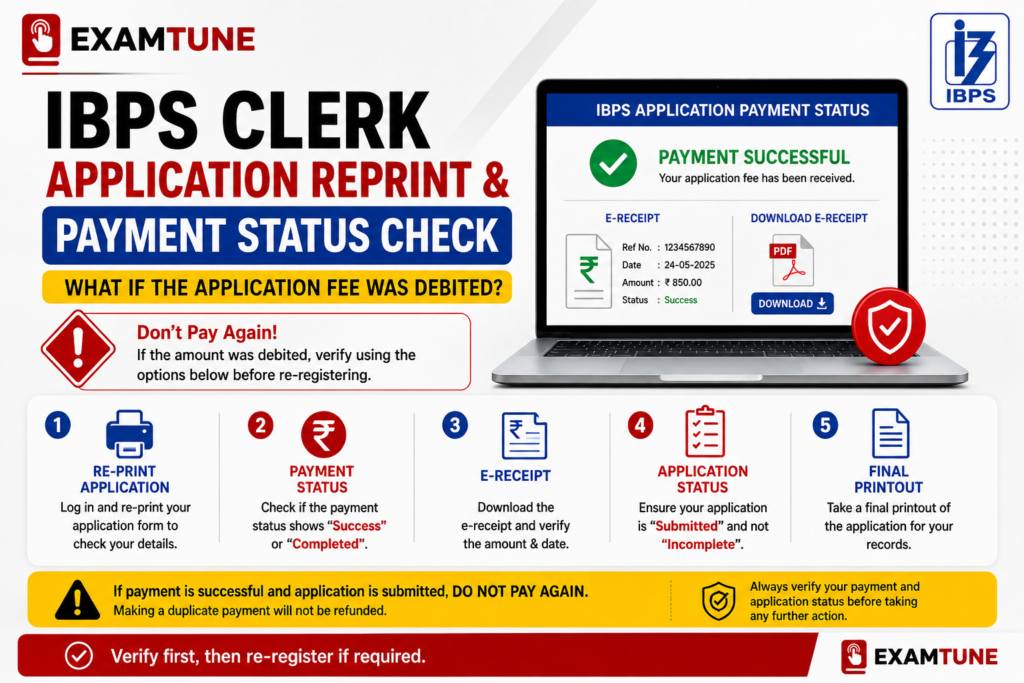
An IBPS Clerk Blank Registration Number can sometimes appear even when money has been debited.
A fee debit from the bank account does not, by itself, prove that the IBPS application was successfully
completed. Successful payment should normally generate an e-receipt.
If the money was debited but you received a blank or zero registration number:
- Do not repeatedly press the browser’s Back or Refresh button.
- Check whether an e-receipt can be generated.
- Check whether the complete application printout is available.
- Save the bank transaction ID or UPI reference number.
- Check your bank statement for the final transaction status.
- Follow the official instruction to re-register if the registration number is zero.
- Submit an IBPS grievance regarding the earlier debit if required.
Do not blindly make repeated payments. First check the application print, e-receipt
and bank transaction status. If there is no valid registration, complete a fresh registration and
retain the earlier transaction proof for grievance resolution.
What If the Screen Became Blank or the Internet Disconnected?
A blank screen may appear because of an unstable internet connection, heavy traffic on the registration
portal, browser problems or a temporary server interruption.
The official IBPS FAQ says that candidates should use the Re-Print Application or e-Receipt option to
confirm whether the form was saved.
If neither the application printout nor the e-receipt is available through the Re-Print option, the
application should be treated as not saved and the candidate should apply again. Before submitting a new form,
check the latest recruitment details in the
IBPS Clerk notification guide.
Try These Technical Fixes Before Re-Applying
- Wait for approximately 15 minutes and try again.
- Use an updated version of Google Chrome or Firefox.
- Use a laptop or desktop instead of a mobile phone.
- Clear browser cache and cookies.
- Try an incognito or private browser window.
- Use a stable broadband or mobile hotspot connection.
- Enable JavaScript in the browser.
- Try during off-peak hours.
What If the Registration Email Was Not Received?
Registration details are normally sent through an automatically generated email and SMS. Email delivery
may be affected by an incorrect email address, the email provider’s spam policy or bulk-email filtering.
Check the following folders:
- Primary Inbox
- Spam or Junk
- Promotions
- Updates
- All Mail
Also search the inbox using terms such as IBPS, Registration Number,
CRP CSA or Application.
If the email is missing but you have a proper registration number, can log in and can generate the
application printout, preserve those records. However, the official instructions state that candidates
who receive neither the email nor the SMS may consider that their online application has not been
successfully registered.
Will Multiple Registrations Cause Form Rejection?
Candidates should not deliberately create several applications. However, the
IBPS Clerk Blank Registration Number is a rare technical situation for which the official IBPS FAQ itself advises re-registration.
Once a fresh registration generates a proper registration number and the application is completed
successfully, do not continue creating additional applications.
Preserve only the details of the valid completed application, including:
- Correct registration number
- Password
- Application PDF
- E-receipt
- Payment transaction details
- Confirmation email and SMS
How to Confirm That the IBPS Clerk Form Is Successfully Submitted
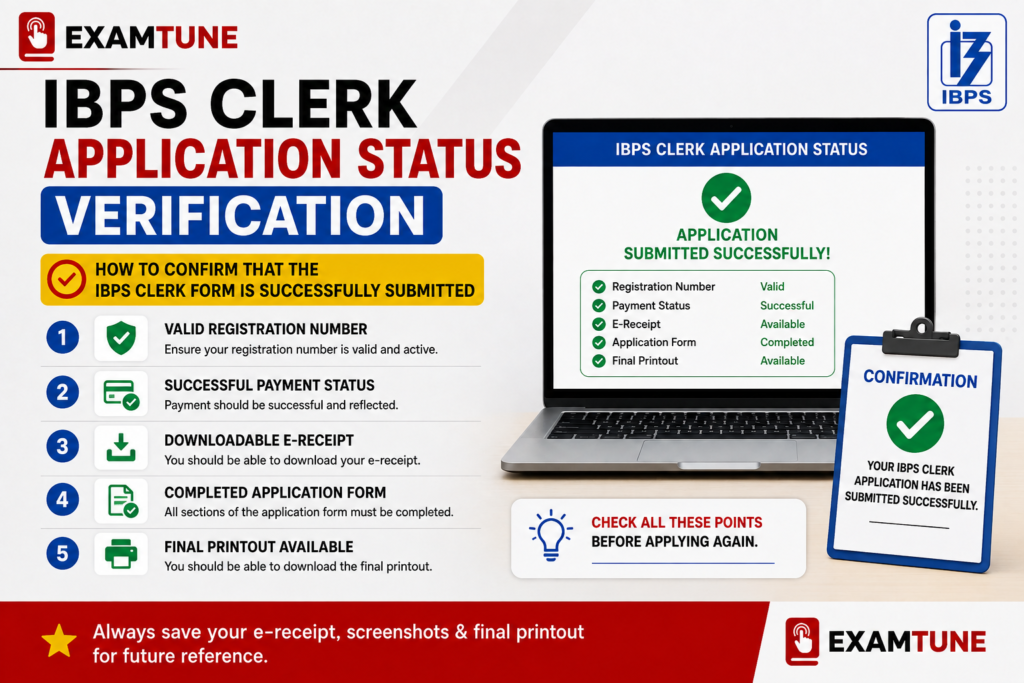
After fixing an IBPS Clerk Blank Registration Number, use the following checklist before considering your application complete:
| Verification Point | What You Should See |
|---|---|
| Registration number | A proper number, not blank or zero |
| Password | A valid password that opens candidate login |
| Application status | Complete registration or final submission |
| Payment | Successful payment status |
| E-receipt | Downloadable payment receipt |
| Application print | Complete system-generated form |
| Email or SMS | Registration acknowledgement where delivered |
Important IBPS Clerk 2026 Registration Dates
| Event | Date |
|---|---|
| Online registration begins | 1 August 2026 |
| Last date to register | 21 August 2026 |
| Last date for online fee payment | 21 August 2026 |
| Last date to print the application | 5 September 2026 |
Candidates should not wait until the final date to resolve an IBPS Clerk Blank Registration Number.
Heavy traffic near the closing date may cause delays, failed logins or payment difficulties.
How to Contact IBPS If the Problem Continues
If the issue continues after trying another device and browser, use the
Candidate Grievance Lodging and Redressal Mechanism available through the
official IBPS website.
Include the following details in your complaint:
- Candidate’s full name
- Post applied for: Customer Service Associate
- Registration number, if available
- Registered mobile number
- Registered email address
- Date and time of the error
- Operating system and version
- Browser name and version
- Whether JavaScript was enabled
- Exact error message
- Screenshot of the blank or zero registration number
- Bank or UPI transaction reference, if payment was debited
Related IBPS Clerk Application Guides
- IBPS Clerk Notification 2026
- IBPS Clerk Form Correction Guide
- IBPS Clerk Documents Required
- IBPS Clerk 10th Certificate Upload Guide
Final Conclusion
Candidates who receive an IBPS Clerk Blank Registration Number or a registration
number shown as zero should not continue using that number. The official IBPS FAQ
advises such candidates to re-register their application and verify the new form through the
Re-Print Application option.
Remember this simple rule:
Blank or Zero Registration Number + Valid Password = Re-Register.
Proper Registration Number + Application Print + E-Receipt = Do Not Apply Again.
After re-registering, download the final application form and e-receipt and keep them safely until the
entire IBPS Clerk recruitment process is completed.
Official Sources
- IBPS CRP CSA-XVI Online Application Portal
- Official IBPS Online Registration FAQs
- Official IBPS How to Apply Instructions
- Official IBPS Website
Frequently Asked Questions
What should I do if my IBPS Clerk registration number is zero?
Re-register the application. The official IBPS FAQ advises candidates who receive a zero registration number with a valid password to complete a fresh registration and verify the printout through the Re-Print Application option.
My registration number is blank but I received a password. Is my form valid?
A password alone is not sufficient confirmation. A proper provisional registration number should also be generated. Re-register if the registration number is blank.
Can I use zero as my IBPS Clerk registration number?
No. Zero should not be treated as a valid provisional registration number. Follow the official instruction to re-register.
Will I have to fill the entire IBPS Clerk form again?
Yes. After receiving a blank or zero registration number, start a fresh registration and complete all required application stages again.
How can I confirm whether my application was saved?
Use the Re-Print Application or e-Receipt option. If the complete application printout and e-receipt cannot be generated, the application may not have been saved successfully.
The fee was deducted, but the registration number is zero. What should I do?
Save the transaction reference, check whether an e-receipt or application print can be generated and follow the official instruction to re-register. Submit a grievance regarding the previous payment if necessary.
Will two registrations automatically cancel my candidature?
The blank or zero registration number is a technical case for which IBPS advises re-registration. Once a valid completed application is available, do not create more applications.
I did not receive the registration email. Should I re-apply?
Check the Spam, Junk, Promotions and All Mail folders first. Also check your SMS and attempt to generate the application printout. Re-apply if no valid registration record or application printout exists.
What if the internet disconnected after submitting the form?
Check the Re-Print Application and e-Receipt options. If neither document is available, the official FAQ advises the candidate to apply again.
What proves that my IBPS Clerk form has been successfully submitted?
A proper registration number, valid password, completed application printout, successful payment status and downloadable e-receipt are the main records that should be preserved.
Practice free quizzes, mock tests, current affairs and exam-wise preparation resources on ExamTune.