IBPS Clerk Apply Online 2026: Registration Closed and Preference Update
Quick Overview
Practice free quizzes, mock tests, current affairs and exam-wise preparation resources on ExamTune.
Download PDF
Read the official CRP CSA-XVI notification for eligibility, fees, upload requirements and application rules. Fresh registration is closed; follow separately notified portal facilities for any permitted updates.
IBPS Clerk Apply Online 2026 registration for CRP CSA-XVI closed on 28 August 2026. The recruitment is for Customer Service Associate (CSA) posts in participating public sector banks. The application correction window was held on 4 and 5 September 2026, and the registration portal lists 12 September 2026 as the application-print deadline.
This IBPS Clerk Apply Online 2026 guide covers the application process, fees, required documents, candidate login and correction rules. The registration steps below are retained for reference; they do not indicate that fresh applications are open.
CRP CSA-XVI application status: Fresh registration and the general correction window are closed. IBPS has separately provided a State/UT and bank-preference update facility from 18 to 23 September 2026 for registered candidates. This limited facility does not reopen fresh registration or every application field. Application printing is a separate facility, not an extension of registration or permission to edit the form. Use only the facilities enabled on the official portal.
IBPS Clerk Apply Online 2026: Overview
| Particular | Details |
|---|---|
| Conducting body | Institute of Banking Personnel Selection (IBPS) |
| Popular exam name | IBPS Clerk 2026 |
| Official post | Customer Service Associate (CSA) |
| Recruitment cycle | CRP CSA-XVI, for vacancies of 2027-28 |
| Reported indicative vacancies | 11,403; subject to official vacancy revisions |
| Participating banks | 11 public sector banks |
| Application mode | Online only |
| Registration status | Closed |
| Application portal | Official CRP CSA-XVI portal |
Are IBPS Clerk and Customer Service Associate the Same?
IBPS Clerk is the commonly used exam name, while Customer Service Associate is the official post name in this recruitment. Candidates should look for CRP CSA-XVI on the IBPS website. Applications are not accepted by post or email, and registration alone does not establish eligibility.
IBPS Clerk Apply Online 2026: Last Date and Important Dates
| Event | Date / status |
|---|---|
| Online registration started | 1 August 2026 |
| Extended registration deadline | 28 August 2026 — closed |
| Application-fee payment deadline | 28 August 2026 — closed |
| Application correction window | 4 to 5 September 2026 — closed |
| Application-print deadline listed on the portal | 12 September 2026 |
| Preliminary examination | 10 and 11 October 2026 — tentative |
| Main examination | 27 December 2026 — tentative |
| Provisional allotment | March 2027 — tentative |
Application, correction and printing dates are listed on the official registration portal. For examinations, check the IBPS examination calendar, subsequent notices and the date and reporting time on your call letter.
IBPS Clerk Apply Online 2026: Link and Candidate Login
The official IBPS Clerk application portal provides the registered-candidate login and application reference documents. An accessible login page does not mean new registration or correction is open.
Registered candidates should use their registration number, password and the displayed security code. Application printing and e-receipt access depend on the facilities available within the notified period. For password recovery, first check the original registration email/SMS. Use a recovery option if IBPS provides one on the relevant login page; otherwise report an unresolved login issue through the official grievance facility.
Safety check: Reach the recruitment portal through IBPS. The registration host for this cycle is ibpsreg.ibps.in, an IBPS subdomain. Do not enter personal details or make payments through third-party application forms.
Who Was Eligible for IBPS Clerk Registration?
- Age: 20 to 28 years as on 1 August 2026, before applicable relaxations. The unrelaxed birth-date range is 2 August 1998 to 1 August 2006, inclusive.
- Education: Recognised graduation or equivalent qualification; the notified educational cut-off is 21 August 2026. Graduation proof is required at registration.
- Computer literacy: Computer qualification proof or having studied Computer/IT as a subject, as specified in the notification.
- Nationality and relaxations: The notification’s citizenship, category and relaxation conditions apply.
- Ex-servicemen: Check the separate notified educational-equivalence provisions rather than assuming that every applicant needs a civilian graduation degree.
The application deadline and eligibility cut-off are different dates; do not assume that extending registration also extends qualification eligibility. Read the eligibility provisions in the notification PDF hosted by ExamTune and check IBPS notices for amendments.
State Choice, Bank Preferences and Local Language
Apply for vacancies in only one State/UT. Local-language ability covers reading, writing, speaking and understanding. Choose the applicable language and bank preferences carefully.
For the Local Language Proficiency Test (LLPT), exemption requires a Class 10 or higher marksheet/certificate showing study of the specified/opted language. Otherwise, the qualifying test applies before joining. Merely speaking the language does not establish documentary exemption.
State/UT choice was restricted in the general correction window. IBPS has separately provided a State/UT and bank-preference update facility from 18 to 23 September 2026 for registered candidates. This limited facility does not reopen fresh registration or every application field. Use only the fields enabled under the relevant official facility.
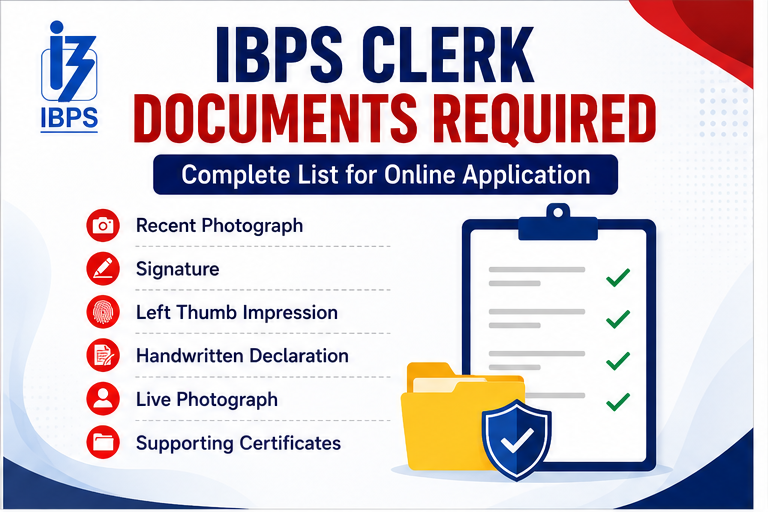
IBPS Clerk Apply Online 2026: Documents Required
The IBPS Clerk Apply Online 2026 process required scanned uploads, a live photograph and supporting details. Documents used for entering information should not be confused with files that must be uploaded.
Files and photographs required during application
- Recent passport-size photograph and a separate live photograph captured through the portal.
- Signature, left thumb impression and handwritten declaration.
- SSC/SSLC/Class 10 or equivalent certificate.
- Certificate under Clause K(ix), where applicable.
Information and records to keep ready
Keep an active mobile number and email address, valid identity details, academic records, graduation marks, computer-knowledge proof and local-language records ready. Category, disability and ex-servicemen documents are required where applicable under the notification and verification instructions. Not every supporting record is a mandatory upload for every applicant.
Photo, Signature and Document Upload Specifications
The following specifications apply to CRP CSA-XVI. Pixel dimensions described as preferred should not be presented as the only permitted dimensions; follow the portal’s actual validation and file-size limits.
| Upload | Format / preferred dimensions | File size | Instruction |
|---|---|---|---|
| Photograph | JPG/JPEG; 200 × 230 pixels | 20–50 KB | Recent colour photo with a light background and clearly visible face. |
| Signature | JPG/JPEG; 140 × 60 pixels | 10–20 KB | Black ink on white paper; not in capital letters. |
| Left thumb impression | JPG/JPEG; 240 × 240 pixels at 200 DPI | 20–50 KB | Black or blue ink on white paper. |
| Handwritten declaration | JPG/JPEG; 800 × 400 pixels at 200 DPI | 50–100 KB | English, black ink, white paper; not in capital letters. |
| Class 10 / equivalent certificate | PDF; A4 page size | Maximum 500 KB | Upload a clear and readable document. |
| Clause K(ix) certificate, if applicable | PDF; A4 page size | Maximum 500 KB | Follow the certificate requirement in the notification. |
| Live photograph | Portal capture using webcam or mobile | Follow portal instructions | Separate from the scanned passport photograph. |
Source: IBPS scanning and upload guidelines. Candidates unable to provide a left-thumb impression should follow the stated alternative-impression procedure.
IBPS Clerk Handwritten Declaration Format
Use the prescribed text, inserting your name:
“I, _______ (Name of the candidate), hereby declare that all the information submitted by me in the application form is correct, true and valid. I will present the supporting documents as and when required.”
Normally, write it yourself in English using black ink on white paper. Do not use all-capital lettering, change the wording or submit someone else’s handwriting.
Accessibility exception: IBPS permits candidates who cannot write to use a typed declaration under its stated exception. Candidates unable to sign as well should place their left-thumb impression below it and follow the official upload instructions.
IBPS Clerk Apply Online 2026: Application Fees
| Category | Application fee / intimation charges |
|---|---|
| SC / ST / PwBD / ESM / DESM | ₹175, inclusive of GST |
| All other candidates, including General / OBC / EWS | ₹850, inclusive of GST |
There is no separate ₹175 fee for all women. A female candidate pays the fee applicable to her eligible category. Bank transaction charges, where applicable, are additional.
The listed online payment methods include debit cards, credit cards, internet banking, IMPS, cash cards/mobile wallets and UPI. Use an option enabled by the gateway. The application-fee payment period closed on 28 August 2026.
IBPS Clerk Apply Online 2026: How to Fill the Form in 10 Steps
Reference procedure: These steps describe the application process during the registration window. They do not enable a fresh application after closure.
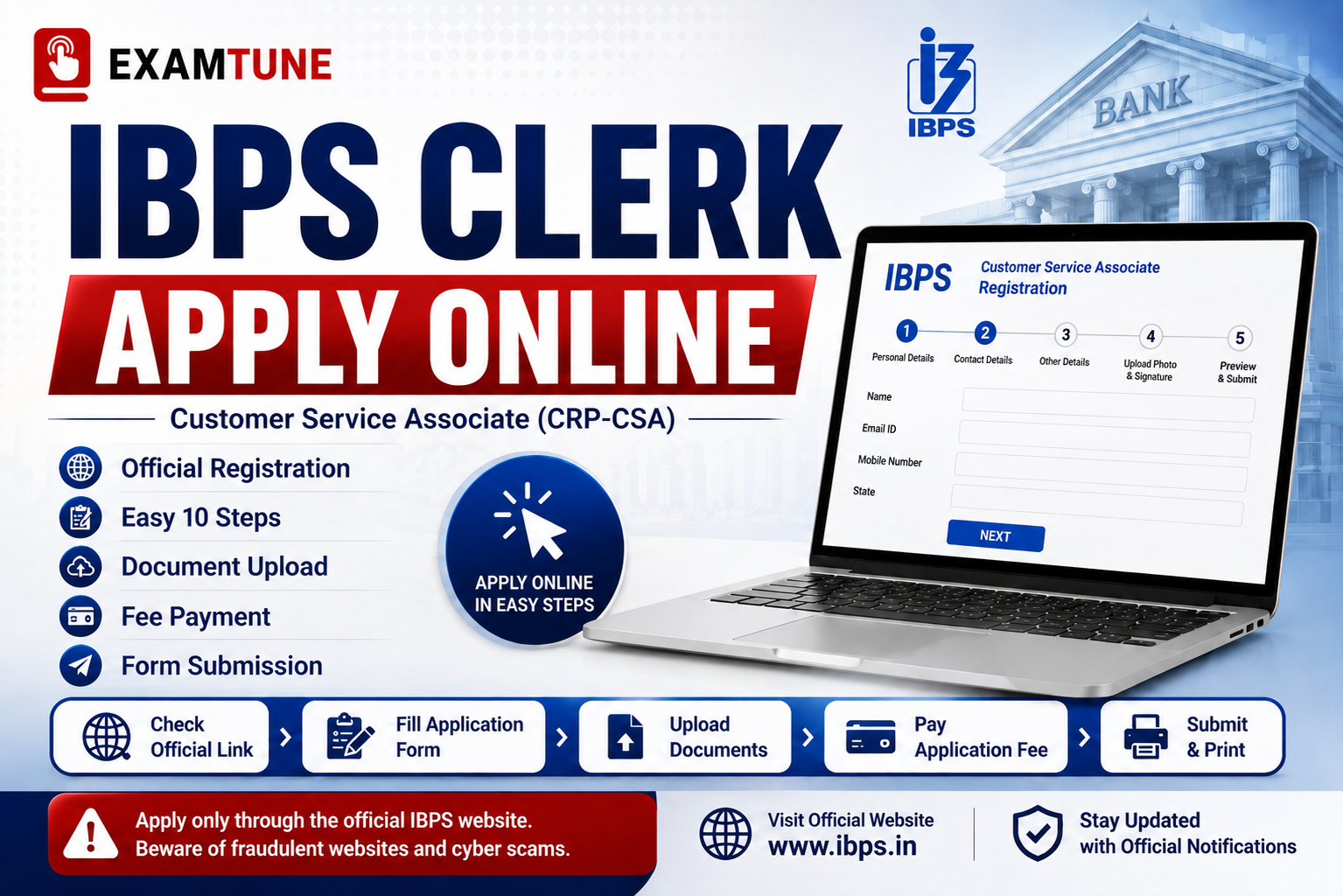
- Open the official IBPS website, select CRP CSA and the relevant recruitment-cycle application link.
- Choose new registration and enter basic contact details. Save the generated registration number and password.
- Fill in personal, nationality, category, address and educational details exactly as supported by your documents.
- Select the State/UT, specified local language, examination preferences and applicable training options shown in the form.
- Enter the preference order for participating banks carefully.
- Upload the photograph, signature, thumb impression, declaration, Class 10 certificate and other applicable prescribed certificate.
- Capture the separate live photograph using the portal’s webcam or mobile facility.
- Review every entry and uploaded file before completing registration.
- Pay the applicable fee through the gateway and verify successful payment.
- Save the completed application and e-receipt. Keep them for reference; do not post the printout to IBPS.
See the official How to Apply instructions for the complete process.
IBPS Clerk Application Correction Window
The edit window ran from 4 to 5 September 2026. Eligible applicants could submit one correction for ₹200 including GST, irrespective of category. It was not a fresh-registration facility.
Locked fields included name, email, mobile, nationality, post and the specified State/UT fields in vacancy and addresses. Category changes were limited: SC/ST/PwBD within that group; General/EWS/OBC(NCL) to that group or SC/ST/PwBD. Moving to a lower-fee category did not create a refund entitlement.
Only the valid latest corrected submission, with correction payment, was considered. The general correction rules do not authorise unrestricted edits after that window. IBPS has separately provided a State/UT and bank-preference update facility from 18 to 23 September 2026 for registered candidates. This limited facility does not reopen fresh registration or every application field.
IBPS Clerk Payment Problems and E-Receipt
Payment failed or the page stopped responding
Log in again and check the application and payment status before attempting another transaction. Check the bank debit and save any error message. Avoid refreshing or pressing Back while a payment is processing.
During an open payment window, a genuinely unsuccessful payment may need to be retried through the portal. After the payment deadline, do not assume that a new payment or a helpdesk complaint will validate an incomplete application.
Amount deducted but the application shows unpaid
A debit message alone does not confirm successful submission. Check for the completed application and e-receipt. Preserve the transaction reference, payment date, amount and registration number. Raise an unresolved issue through the IBPS grievance facility and your bank, as appropriate.
Double payment and refund queries
Keep evidence of both debits and identify the payment linked to your application. Ask IBPS or the bank to investigate an extra or failed transaction. This is different from a refund of a valid application fee: do not assume an automatic refund or a fixed reversal date.
Downloading the application and e-receipt
Use the registered-candidate login to save the final form and receipt while the relevant facility is enabled. Retain the corrected version if you used the edit window. The portal lists 12 September 2026 as the application-print deadline; do not rely on print access remaining available afterwards.
For an unresolved technical issue, use IBPS Candidate Grievance Redressal. Describe the issue and provide the registration and transaction references requested through the official channel. Never post passwords, OTPs or full card details publicly.
IBPS Clerk Participating Banks and State-Wise Vacancies
The 11 participating banks are Bank of Baroda, Bank of India, Bank of Maharashtra, Canara Bank, Central Bank of India, Indian Bank, Indian Overseas Bank, Punjab National Bank, Punjab & Sind Bank, UCO Bank and Union Bank of India.
The reported State/UT entries below total 11,403 indicative vacancies. This is not a guarantee of the final vacancy position. For the detailed reservation and bank-wise breakdown, read the IBPS Clerk Vacancy guide and the relevant IBPS annexure.
| State / UT entry | Reported vacancies |
|---|---|
| Andaman & Nicobar | 18 |
| Andhra Pradesh | 186 |
| Arunachal Pradesh | 45 |
| Assam | 349 |
| Bihar | 491 |
| Chandigarh | 20 |
| Chhattisgarh | 265 |
| Dadra & Nagar Haveli | 18 |
| Daman & Diu | 7 |
| Delhi (NCT) | 415 |
| Goa | 61 |
| Gujarat | 698 |
| Haryana | 196 |
| Himachal Pradesh | 97 |
| Jammu & Kashmir | 67 |
| Jharkhand | 182 |
| Karnataka | 1,414 |
| Kerala | 108 |
| Ladakh | 6 |
| Lakshadweep | 11 |
| Madhya Pradesh | 570 |
| Maharashtra | 1,051 |
| Manipur | 42 |
| Meghalaya | 22 |
| Mizoram | 17 |
| Nagaland | 31 |
| Odisha | 337 |
| Puducherry | 26 |
| Punjab | 481 |
| Rajasthan | 392 |
| Sikkim | 28 |
| Tamil Nadu | 675 |
| Telangana | 191 |
| Tripura | 64 |
| Uttar Pradesh | 1,731 |
| Uttarakhand | 145 |
| West Bengal | 946 |
| Total reported indicative vacancies | 11,403 |
Refer to the recruitment annexure for entry labels and revised vacancy figures. Horizontal-reservation counts must not be added again to the State/UT totals.
IBPS Clerk Selection Process
The examination has two phases: Prelims and Mains. Prelims is qualifying; Mains marks determine merit for provisional allotment, subject to eligibility and other recruitment requirements. Document verification and the applicable local-language requirement must also be completed. There is no interview.
LLPT is qualifying where applicable, not a third written exam for every candidate. Check the IBPS Clerk Selection Process guide for the stages.
Common Application Mistakes and Final Checklist
- Do not confuse registration closure, correction closure and the printing deadline.
- Match your name, date of birth, category and educational information with valid records.
- Check State/UT choice, opted language and bank preferences carefully.
- Upload files in the correct fields, including the Class 10 certificate and the separate live photograph.
- Use the correct file formats and sizes; the thumb-impression limits are not the same as the signature limits.
- Verify payment success and preserve the completed application and e-receipt.
- Keep your registered contact details active and your login credentials private.
Related IBPS Clerk Articles
IBPS Clerk Official Application Resources
- CRP CSA-XVI application portal — registration, correction and printing dates; candidate login.
- How to Apply and edit-window rules — fees, registration and permitted corrections.
- Scanning and upload guidelines — image specifications, certificate uploads and declaration instructions.
- Important points for applicants — eligibility cut-offs and registration requirements.
- IBPS official website — recruitment notices and subsequent amendments.
Prepare for IBPS Clerk with ExamTune
Build a study plan covering Quant, Reasoning, English and Mains awareness. Practise consistently and review your mistakes.
IBPS Clerk Apply Online 2026: Final Summary
The IBPS Clerk Apply Online 2026 window for CRP CSA-XVI closed on 28 August 2026, and corrections ended on 5 September 2026. Preserve your final application and payment records, follow the notified printing deadline and use official IBPS notices for further recruitment instructions. The form-filling guidance on this page is for reference, not an invitation to submit a late application.
Popular Online Live Classes


Complete Quant Nayak Subscription For All Banking & Insurance Exams 2026-27
Bank Maha Pack | Complete Subscription for IBPS, RRB & SBI Exams 2026-27
Frequently Asked Questions
What is the extended last date to apply online for IBPS Clerk 2026?
The last date for fresh registration and application-fee payment was 28 August 2026. That window is closed; the separate State/UT and bank-preference update runs from 18 to 23 September 2026.
How many vacancies are released under IBPS Clerk 2026 recruitment?
IBPS has announced a total of 11,403 Customer Service Associate (Clerk) vacancies across 11 participating public sector banks.
What is the application fee for IBPS Clerk 2026?
The application fee is ₹175 (inclusive of GST) for SC/ST/PwBD/ESM/DESM candidates and ₹850 (inclusive of GST) for General, OBC, and EWS candidates.
What is the educational qualification required for IBPS Clerk?
Candidates must hold a valid Graduation degree in any discipline from a recognized university or an equivalent qualification recognized by the Central Government.
What is the age limit for IBPS Clerk 2026 registration?
Candidates must be between 20 and 28 years of age. Standard age relaxations apply for reserved categories (SC, ST, OBC, PwBD, Ex-Servicemen) as per government rules.
What is the text for the IBPS Clerk Handwritten Declaration?
"I, _______ (Name of the candidate), hereby declare that all the information submitted by me in the application form is correct, true and valid. I will present the supporting documents as and when required."
What are the file size and dimensions for uploading the photo and signature?
The preferred dimensions are 200 × 230 pixels for the photograph (20–50 KB) and 140 × 60 pixels for the signature (10–20 KB). Use JPG/JPEG; sign in black ink on white paper. Follow the portal’s file validation and official scanning guidance.
Can I make changes to my bank preferences after final submission?
IBPS has separately enabled State/UT and bank-preference updating from 18 to 23 September 2026 for registered candidates. Follow that facility’s instructions. This does not reopen fresh registration or permit changes to every application field.
Is the Language Proficiency Test (LPT) mandatory for all candidates?
No. Candidates who produce a Class 10 or higher marksheet/certificate showing study of the specified or opted local language are exempt. Other eligible candidates must qualify the LLPT before joining.
What are the tentative exam dates for IBPS Clerk 2026?
The Prelims examination is tentatively scheduled for 10th and 11th October 2026, and the Mains examination is scheduled for 27th December 2026.
About the Author

Practice free quizzes, mock tests, current affairs and exam-wise preparation resources on ExamTune.