NICL Assistant Photo and Signature Size 2026: Check File Size, Dimensions, Format
Quick Overview
Practice free quizzes, mock tests, current affairs and exam-wise preparation resources on ExamTune.
NICL Assistant Photo and Signature Size 2026 Official Notification PDF
Download the official NICL Assistant 2026 notification PDF to check the latest photograph, signature, left thumb impression and handwritten declaration size, dimensions, format and upload guidelines.
NICL Assistant Photo and Signature Size 2026 is an important requirement candidates should understand while completing the National Insurance Company Limited Assistant recruitment process. NICL has prescribed specific file sizes, preferred dimensions, formats and scanning requirements for the photograph, signature, left thumb impression and handwritten declaration.
For NICL Assistant 2026, the photograph should be between 20 KB and 50 KB with preferred dimensions of 200 × 230 pixels. The NICL Assistant signature size should be between 10 KB and 20 KB with preferred dimensions of 140 × 60 pixels.
Candidates were also required to capture an additional live photograph during online registration. Therefore, it is important to understand both the scanned photograph requirements and the live photograph instructions.
NICL Assistant Photo and Signature Size 2026 Overview
The following table provides the important NICL Assistant photo and signature dimensions, file sizes and document upload requirements.
| Document | Preferred Dimensions | File Size | Format / Requirement |
|---|---|---|---|
| Photograph | 200 × 230 pixels 4.5 × 3.5 cm |
20–50 KB | JPG/JPEG |
| Signature | 140 × 60 pixels | 10–20 KB | White paper, black ink |
| Left Thumb Impression | 240 × 240 pixels 3 × 3 cm at 200 DPI |
20–50 KB | JPG/JPEG, black or blue ink |
| Handwritten Declaration | 800 × 400 pixels 10 × 5 cm at 200 DPI |
50–100 KB | JPG/JPEG, English, black ink |
NICL Assistant Photo Size 2026
The NICL Assistant Photo Size 2026 should meet the prescribed requirements. Candidates should use a recent passport-style colour photograph in which the face is clearly visible.
NICL Assistant Photo Size in KB and Pixels
- Photo File Size: 20 KB to 50 KB
- Preferred Dimensions: 200 × 230 pixels
- Physical Size: 4.5 cm × 3.5 cm
- Format: JPG/JPEG
- Photo Type: Recent passport-style colour photograph
- Background: Light coloured, preferably white
NICL Assistant Photograph Rules
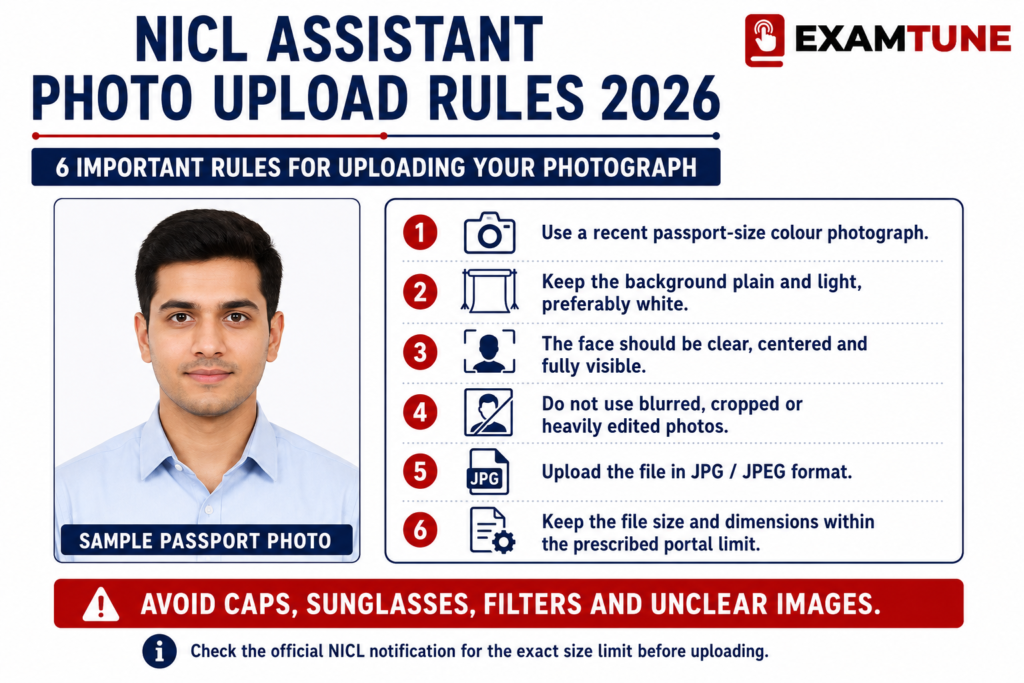
- Use a recent colour passport-style photograph.
- Look directly towards the camera.
- The candidate’s face should be clearly visible.
- Use a light-coloured, preferably white, background.
- Avoid shadows on the face.
- Do not wear sunglasses or coloured glasses.
- Caps and hats should not be worn.
- Religious headwear may be used provided the face remains clearly visible.
- If wearing spectacles, ensure that reflections do not hide the eyes.
- Do not upload a blurred, distorted or unclear photograph.
NICL Assistant Live Photograph 2026
Apart from uploading a scanned photograph, candidates were required to capture a NICL Assistant live photograph during the application process.
How Was NICL Assistant Live Photograph Captured?
The live photograph could be captured using either of the following options:
- Webcam: Candidates could use a computer or laptop webcam through the Capture Photo option.
- Mobile Phone: Candidates could scan the QR code displayed on the application form and capture the photograph using a mobile phone.
NICL Live Photograph Do’s
- Use sufficient lighting.
- Use a light-coloured or preferably white background.
- Look directly towards the camera.
- Keep the complete face clearly visible.
- Capture a proper passport-style photograph.
NICL Live Photograph Don’ts
- Do not wear sunglasses or coloured glasses.
- Do not wear a cap.
- Do not cover the face with a mask.
- Avoid shadows on the face.
- Do not submit a blurred or distorted photograph.
- Avoid capturing the photograph in a dark environment.
- Avoid distracting backgrounds.
NICL Assistant Signature Size 2026
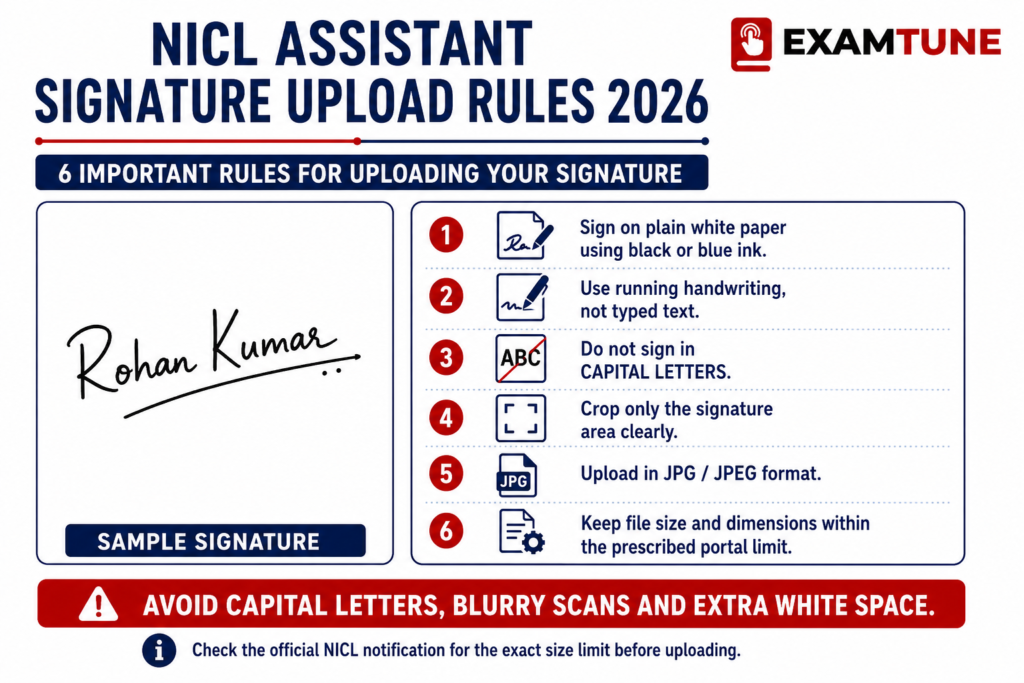
The NICL Assistant Signature Size 2026 should be between 10 KB and 20 KB. The applicant should sign clearly on white paper using a black ink pen.
NICL Assistant Signature Size in KB and Pixels
- Signature File Size: 10 KB to 20 KB
- Preferred Dimensions: 140 × 60 pixels
- Paper: White paper
- Ink: Black ink
- Format: JPG/JPEG
Candidates should use their regular signature because the uploaded signature may also be used on the call letter and during subsequent stages of the recruitment process.
Can NICL Assistant Signature Be in Capital Letters?
No. A signature written completely in capital letters will not be accepted. Candidates should use their normal handwritten signature.
Why Should the Signature Match at the Exam?
The signature used during the examination should match the signature uploaded during registration. A significant mismatch may lead to disqualification.
NICL Assistant Left Thumb Impression Size 2026
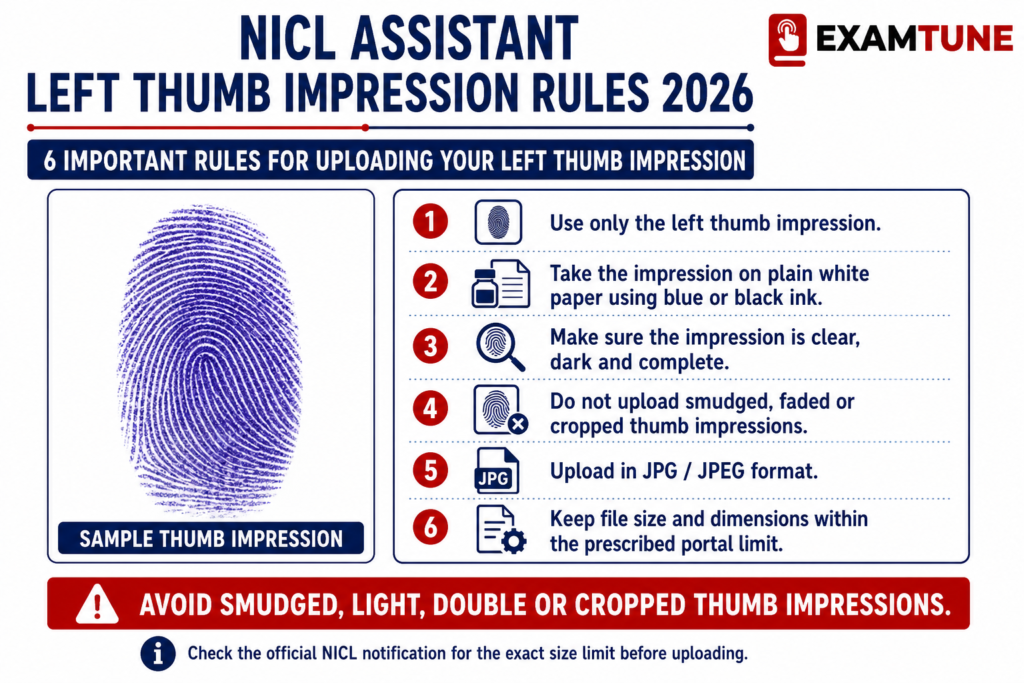
Candidates were required to upload a clear left thumb impression on white paper using black or blue ink.
| File Size | 20 KB to 50 KB |
| Preferred Dimensions | 240 × 240 pixels |
| Physical Size | 3 cm × 3 cm |
| Resolution | 200 DPI preferred |
| Ink | Black or Blue |
| Format | JPG/JPEG |
The thumb impression should be properly scanned and should not appear smudged or unclear.
What If a Candidate Does Not Have a Left Thumb?
If a candidate does not have a left thumb, the candidate may use the right thumb impression as per the prescribed instructions.
NICL Assistant Handwritten Declaration Size 2026
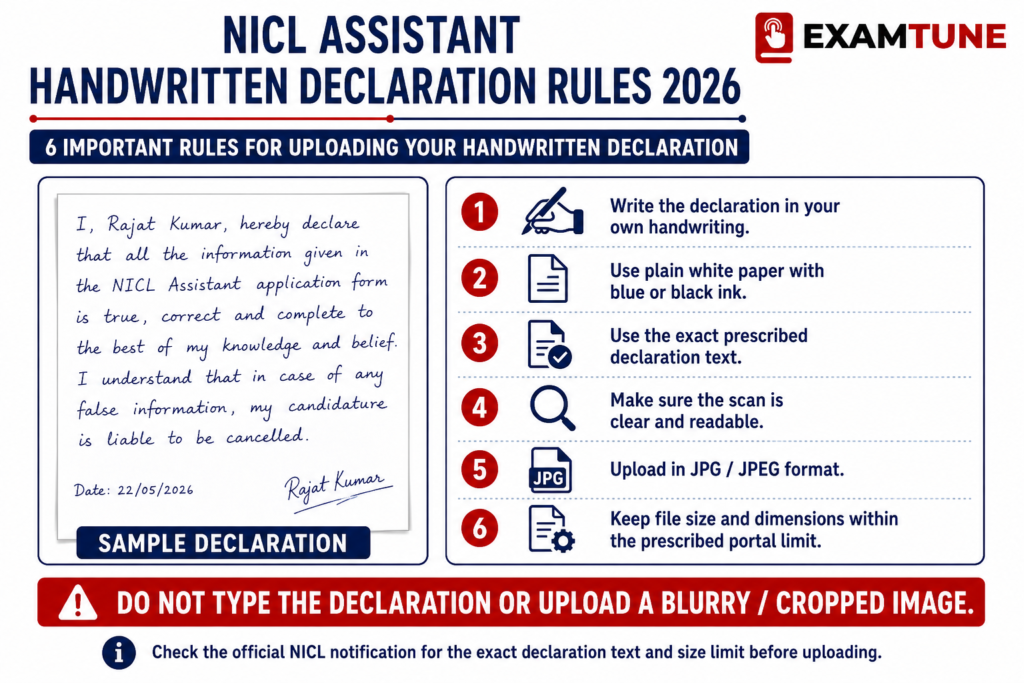
The NICL Assistant handwritten declaration had to be written by the candidate in English on white paper using black ink. It should not be written completely in capital letters.
| File Size | 50 KB to 100 KB |
| Preferred Dimensions | 800 × 400 pixels |
| Physical Size | 10 cm × 5 cm |
| Resolution | 200 DPI preferred |
| Language | English |
| Ink | Black |
| Format | JPG/JPEG |
The declaration should be in the candidate’s own handwriting and should follow the wording prescribed in the NICL recruitment notification.
For complete declaration details, candidates can read our
NICL Assistant Handwritten Declaration 2026
guide.
How to Scan NICL Assistant Photo and Signature?
Candidates preparing their photograph, signature, thumb impression and handwritten declaration should follow the prescribed scanning requirements.
- Set the scanner resolution to at least 200 DPI.
- Use True Colour scanning.
- Crop unnecessary blank space around the image.
- Save the image in JPG/JPEG format.
- Resize the image without making it blurred or distorted.
- Check the final file size before uploading.
- Open the saved image once to ensure that it is clearly visible.
How to Upload NICL Assistant Photo and Signature?
The online application form provided separate upload fields for different documents.
- Open the document upload section of the NICL Assistant application form.
- Click the relevant upload link for the photograph, signature, thumb impression or handwritten declaration.
- Browse the folder where the scanned image is stored.
- Select the correct JPG/JPEG file.
- Click the Open or Upload option.
- Wait for the image preview to appear.
- Check whether the uploaded image is clearly visible.
- Make sure every image is uploaded in the correct field.
- If an image is blurred or unclear, upload a clearer copy.
- Complete submission only after checking all uploaded documents.
Common NICL Assistant Photo and Signature Upload Errors
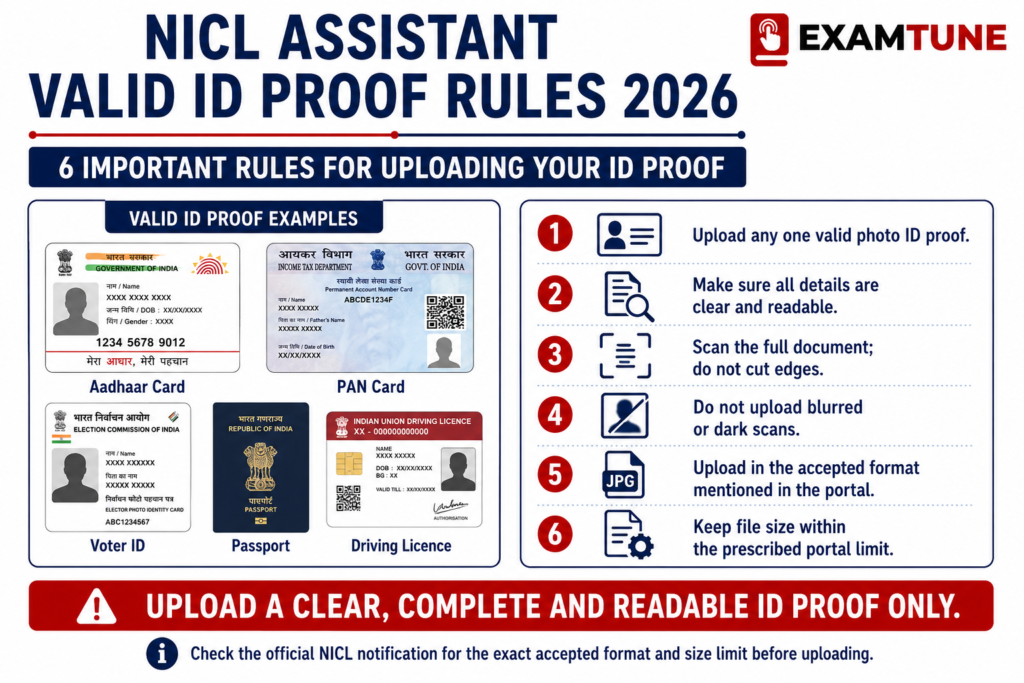
- Photograph file size exceeding 50 KB.
- Signature file size exceeding 20 KB.
- Uploading a blurred or unclear photograph.
- Using a dark or distracting photo background.
- Uploading the photograph in the signature field.
- Uploading the signature in the photograph field.
- Using someone else’s signature.
- Submitting a smudged thumb impression.
- Writing the handwritten declaration in capital letters.
- Uploading an incorrect file format.
- Using a distorted or poorly cropped image.
How to Reduce NICL Assistant Photo Size to 20–50 KB?
If the NICL Assistant photograph is larger than 50 KB, candidates should resize or compress it without reducing image clarity.
- Resize the photograph towards the preferred 200 × 230 pixels.
- Save the image in JPG/JPEG format.
- Reduce image quality gradually rather than using excessive compression.
- Keep the face clearly visible after resizing.
- Confirm that the final file remains between 20 KB and 50 KB.
How to Reduce NICL Assistant Signature Size to 10–20 KB?
The signature image can be cropped to remove unnecessary white space and resized towards the preferred 140 × 60 pixels.
- Crop unnecessary blank space surrounding the signature.
- Keep the signature clearly visible.
- Save the file in JPG/JPEG format.
- Avoid stretching or distorting the signature.
- Keep the final file size between 10 KB and 20 KB.
NICL Assistant Photo vs Live Photograph
Candidates should understand that the uploaded scanned photograph and the live photograph are separate requirements.
| Scanned Photograph | Live Photograph |
|---|---|
| Prepared before registration | Captured during online registration |
| Uploaded as JPG/JPEG | Captured using webcam or mobile phone |
| 20–50 KB | Captured through the application interface |
| 200 × 230 pixels preferred | Passport-style live image |
Why NICL Assistant Photo and Signature Still Matter After Application?
Even after the online application process has closed, the photograph and signature used during registration remain important throughout the recruitment process.
- Keep copies of the same photograph used during registration.
- A recognizable recent photograph may be required with the examination call letter.
- The candidate’s appearance should remain reasonably consistent.
- The signature made during the examination should match the uploaded signature.
- A significant signature mismatch may result in disqualification.
- Photograph and identity details may also be verified during later stages.
NICL Assistant Photo and Signature Size 2026 Important Points
- Photograph file size: 20–50 KB.
- Photograph dimensions: 200 × 230 pixels preferred.
- Photograph physical size: 4.5 × 3.5 cm.
- Signature file size: 10–20 KB.
- Signature dimensions: 140 × 60 pixels preferred.
- Signature should be made on white paper using black ink.
- Left thumb impression size: 20–50 KB.
- Thumb impression dimensions: 240 × 240 pixels preferred.
- Handwritten declaration size: 50–100 KB.
- Declaration dimensions: 800 × 400 pixels preferred.
- Handwritten declaration should be in English.
- Signature and declaration should not be written entirely in capital letters.
- Scanned images should be in JPG/JPEG format.
- An additional live photograph was required during registration.
Related NICL Assistant 2026 Resources
Candidates can also check these useful NICL Assistant resources available on ExamTune:
- NICL Assistant Admit Card 2026 – Download Hall Ticket
- NICL Assistant Handwritten Declaration 2026 – Format, Size & Guidelines
- NICL Assistant Document Verification 2026 – Essential Documents Checklist
- NICL Assistant Selection Process 2026 – Prelims, Mains & Regional Language Test
- NICL Assistant State-wise Vacancy 2026 – Check 500 Vacancies
NICL Assistant Photo and Signature Official Links
Candidates should refer to the official NICL recruitment website and notification for authentic recruitment information.
| Official Resource | Link |
|---|---|
| NICL Assistant 2026 Detailed Notification PDF | Check Official Notification |
| NICL Recruitment Page | Visit NICL Recruitment Page |
Conclusion
The NICL Assistant Photo and Signature Size 2026 requirements specify that the photograph should be 20–50 KB with preferred dimensions of 200 × 230 pixels, while the signature should be 10–20 KB with preferred dimensions of 140 × 60 pixels.
Candidates were also required to upload a left thumb impression and handwritten declaration according to the prescribed specifications and capture an additional live photograph during registration. Candidates should keep copies of the same photograph and maintain a consistent signature throughout the NICL Assistant recruitment process.
Frequently Asked Questions
What is the NICL Assistant photo and signature size 2026?
The NICL Assistant photograph file size should be between 20 KB and 50 KB, while the signature file size should be between 10 KB and 20 KB.
Which colour ink should be used for the NICL Assistant signature?
Candidates should sign clearly on white paper using a black ink pen.
What is the NICL Assistant photo and signature file format?
The NICL Assistant photograph and signature should be uploaded in JPG/JPEG format.
What are the preferred dimensions for the NICL Assistant photograph?
The preferred dimensions for the NICL Assistant photograph are 200 × 230 pixels.
What are the preferred dimensions for the NICL Assistant signature?
The preferred dimensions for the NICL Assistant signature are 140 × 60 pixels.
What type of photograph should be uploaded for NICL Assistant?
Candidates should upload a recent passport-style colour photograph taken against a light-coloured, preferably white, background.
Can candidates wear spectacles in the NICL Assistant photograph?
Yes. Candidates wearing spectacles should ensure that there are no reflections on the glasses and their eyes are clearly visible.
Are caps, hats or dark glasses allowed in the NICL Assistant photograph?
No. Caps, hats and dark glasses are not acceptable. Religious headwear is allowed provided it does not cover the candidate's face.
Can the NICL Assistant signature be written in capital letters?
No. A signature in capital letters will not be accepted. Candidates should use their normal handwritten signature.
Why should the NICL Assistant signature match during the examination?
The signature used during the examination should match the signature uploaded with the application and used on the call letter. A mismatch may lead to disqualification.
About the Author

Practice free quizzes, mock tests, current affairs and exam-wise preparation resources on ExamTune.