
IBPS Clerk Graduation Subject Not Listed: Avoid 7 Mistakes
Quick Overview
Practice free quizzes, mock tests, current affairs and exam-wise preparation resources on ExamTune.
IBPS Clerk Graduation Subject Not Listed—Is Selecting “Others” Correct?
IBPS Clerk Graduation Subject Not Listed is a common application-form problem faced by candidates whose exact graduation subject, discipline or specialisation does not appear in the qualification dropdown.
For example, your marksheet may mention Biotechnology, Accounting and Finance, Political Science, Artificial Intelligence, Hotel Management or another specialised subject, while the IBPS Clerk form may display only a limited number of options.
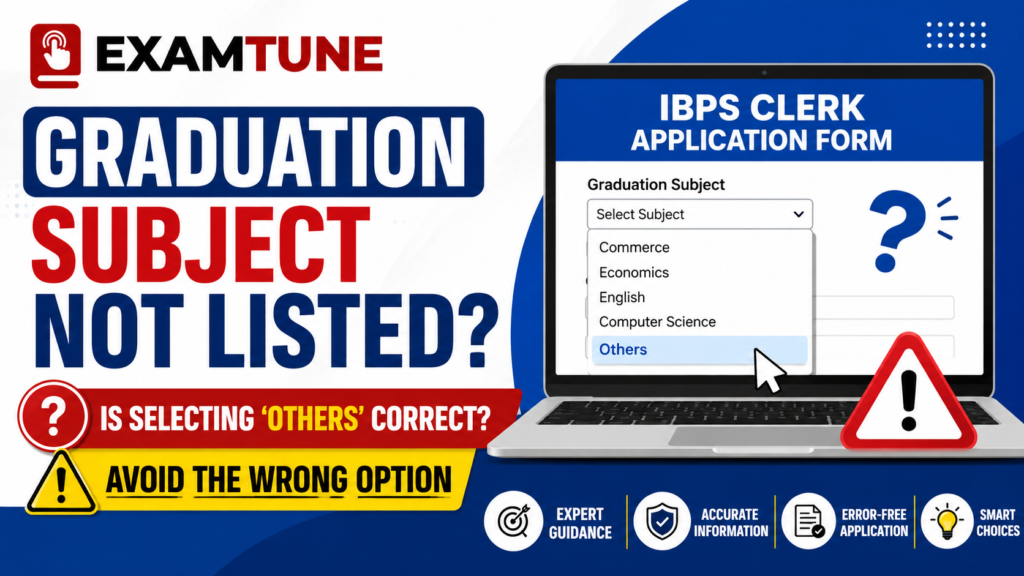
Check whether selecting “Others” is correct when your graduation subject is missing from the IBPS Clerk form.
IBPS Clerk Graduation Subject Not Listed: Quick Answer
If you are facing the IBPS Clerk Graduation Subject Not Listed issue, first identify exactly what the application field is asking for. Your degree, stream, subject and specialisation are not always the same.
| Situation | Recommended Action |
|---|---|
| Exact subject is available | Select the exact subject that matches your educational documents. |
| Only the specialisation is missing | Check whether the correct broader subject or discipline is available. |
| No suitable subject is available | Select “Other/Others” only when the option genuinely applies. |
| A manual subject field appears | Enter the subject exactly as supported by your marksheet or certificate. |
| The field asks for the degree, not the subject | Select B.A., B.Sc., B.Com., B.Tech., BCA, BBA or the applicable degree. Do not select “Others” merely because your subject is missing. |
| No option accurately represents your qualification | Contact IBPS before Complete Registration. |
What Is the Official IBPS Clerk Graduation Requirement?
Candidates must possess a graduation degree in any discipline from a university recognised by the Government of India or an equivalent qualification recognised by the Central Government, subject to the complete eligibility conditions mentioned in the official notification.
Candidates should also possess the required marksheet, provisional certificate or degree certificate supporting their graduation qualification by the prescribed eligibility date.
Therefore, candidates from Arts, Commerce, Science, Engineering, Management and other recognised graduation disciplines may apply if they satisfy the complete eligibility requirements.
However, graduation in any discipline does not mean that a candidate can enter any subject in the application. The degree, stream, subject, university and passing details entered in the form should correspond with the candidate’s actual educational records.
Read the complete IBPS Clerk educational qualification guide before entering your graduation details.
Degree, Stream, Subject and Specialisation: What Is the Difference?
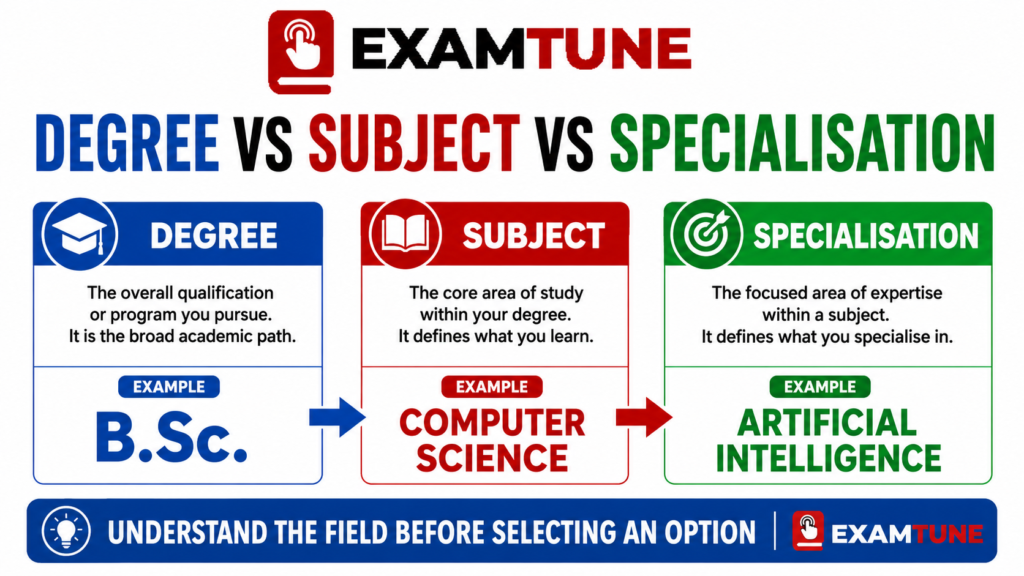
Many candidates facing the IBPS Clerk Graduation Subject Not Listed problem confuse their degree with their subject or specialisation. Before choosing “Others,” identify what information the application form actually requests.
| Field | Example | Meaning |
|---|---|---|
| Degree | Bachelor of Science | The main academic award granted by the university. |
| Degree Abbreviation | B.Sc. | The shortened form of the degree title. |
| Stream | Science | The broader academic area of the programme. |
| Subject | Computer Science | The principal subject studied during the degree. |
| Specialisation | Artificial Intelligence | A specialised branch within a programme or subject. |
For example, a certificate may state Bachelor of Science in Computer Science. In this case, Bachelor of Science is the degree, Science is the broad stream and Computer Science is the subject.
When Is Selecting “Others” Correct in the IBPS Clerk Form?
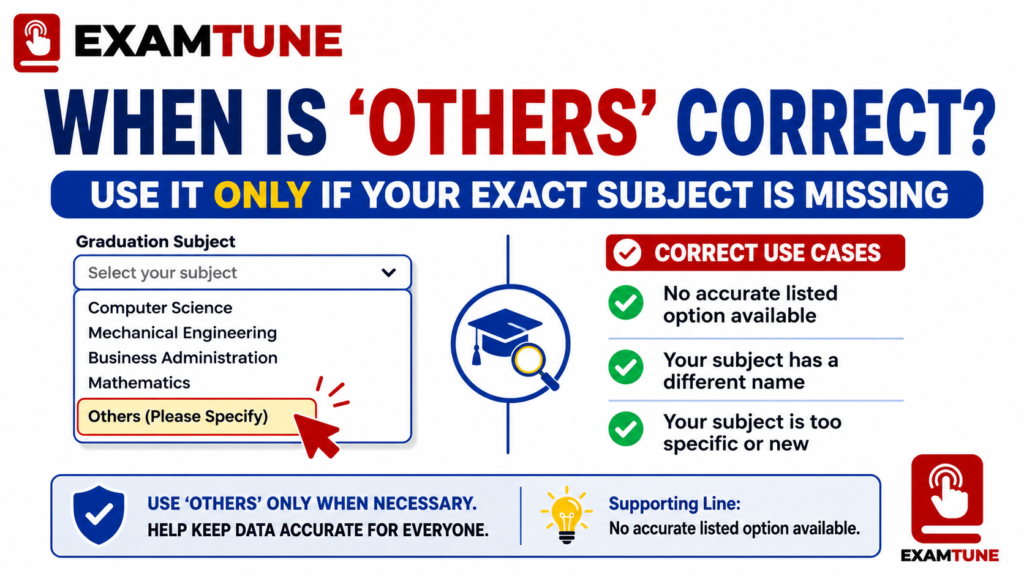
For the IBPS Clerk Graduation Subject Not Listed issue, selecting “Other” or “Others” may be appropriate when all the following conditions are satisfied:
- The form specifically asks for your graduation subject, discipline or specialisation.
- Your exact subject is genuinely absent from the available list.
- No listed option accurately represents your subject.
- The “Other/Others” option is available in the dropdown.
- Your selected subject can be supported by your marksheet or certificate.
- You enter the exact subject name if a manual-entry field appears.
When Should You Not Select “Others”?
Do not select “Others” simply because the exact wording on your certificate is slightly different from the wording available in the dropdown.
Avoid selecting “Others” when:
- The exact subject is already available.
- A clearly matching broader subject option is available.
- The field asks for your degree rather than your subject.
- You are unsure whether the missing information is a subject or specialisation.
- You are choosing “Others” only because it appears easier.
- The subject you intend to enter is not supported by your documents.
- You are choosing an unrelated subject merely to complete the application.
Check the Exact Field Label Before Selecting an Option
The IBPS Clerk Graduation Subject Not Listed issue is often caused by misunderstanding the field label. Read the label carefully before choosing an option.
| If the Form Asks For | What You Should Enter |
|---|---|
| Graduation Degree | B.A., B.Sc., B.Com., B.Tech., BCA, BBA or your actual degree. |
| Graduation Stream | Arts, Science, Commerce, Engineering, Management or the applicable stream. |
| Graduation Subject | History, Physics, Accounting, Computer Science or the subject supported by your documents. |
| Specialisation | Finance, Marketing, Artificial Intelligence, Mechanical Engineering or the applicable specialisation. |
If the field asks for your degree, do not select “Others” merely because your graduation subject is absent. Select the correct main degree.
Common Graduation Subject Examples
The following examples explain how candidates can approach a missing graduation subject. They do not declare different subjects, programmes or degrees academically equivalent.
| Qualification | If the Exact Subject Is Missing |
|---|---|
| B.A. Political Science | Select Political Science if available. Otherwise, use “Others” only if the form asks for the subject and no accurate option exists. |
| B.Sc. Biotechnology | Do not randomly select Biology or Computer Science. Use the exact option, an accurately matching broader option or “Others” when applicable. |
| B.Com. Accounting and Finance | If the field asks for degree, select B.Com. If it asks separately for the subject, check whether the exact subject or Others option is available. |
| B.Tech. Artificial Intelligence | Select B.Tech. in the degree field. For branch or specialisation, select the accurate available option or Others when appropriate. |
| B.Voc. or Specialised Programme | Do not enter B.A., B.Sc. or B.Com. unless that is your actual degree. Seek clarification if the relevant option is missing. |
| General or Multidisciplinary Degree | Use the degree and subject wording supported by your university documents. Contact IBPS if the form cannot accurately accommodate it. |
What Should You Enter After Selecting “Others”?
If selecting “Others” opens a manual text field, enter your graduation subject carefully.
- Enter the subject as printed on your marksheet or certificate.
- Use the official full subject name where the character limit permits.
- Avoid unofficial abbreviations.
- Do not enter the university name in the subject field.
- Do not enter the complete degree title when the field asks only for the subject.
- Check spelling before moving to the next section.
- Verify that the entered subject appears correctly in the application preview.
For example, if your certificate states “Bachelor of Science in Food Technology” and the manual field asks only for the subject, enter “Food Technology” instead of the complete degree title.
What If Selecting “Others” Does Not Open a Manual Field?
If no manual field appears after selecting “Others,” check the complete application preview to see whether another field is available for entering the subject.
Do not enter your subject in unrelated fields such as:
- University name
- College name
- Percentage
- Date of passing
- Registration number
- Remarks intended for another purpose
If the form provides “Others” but no way to specify the actual subject, take a screenshot of the dropdown and seek clarification from IBPS before Complete Registration.
What If You Have Already Selected the Wrong Graduation Subject?
If the IBPS Clerk Graduation Subject Not Listed problem caused you to select an incorrect subject, first check whether the application is still editable.
Before Complete Registration
Use the Save and Next or Back facility to return to the educational qualification section. Correct the subject and verify the updated information in the application preview.
After Complete Registration
Check the official application edit-window instructions. Candidates may be given an opportunity to modify permitted application details subject to the applicable rules and correction fee.
The availability of an individual field may depend on the live correction portal. Do not assume that every educational field will necessarily be editable.
Read the complete IBPS Clerk form correction guide before making changes.
Should You Fill Another IBPS Clerk Application?
Do not immediately create another registration because your subject is missing or because you selected “Others.”
First:
- Check whether your existing application is still editable.
- Review the final application preview.
- Check the official correction-window instructions.
- Use the grievance system if the correct option is unavailable.
Submitting multiple complete applications can create confusion regarding registration numbers, application fees and which registration should be used.
If you have already submitted two forms, read which IBPS Clerk application will be valid.
When Should You Contact IBPS?
If the IBPS Clerk Graduation Subject Not Listed issue cannot be resolved using an accurate option in the form, contact IBPS instead of selecting a random subject.
Contact IBPS when:
- Your exact subject is unavailable.
- No broader option accurately matches your qualification.
- You are unsure whether the field asks for your degree or subject.
- “Others” is available but no manual-entry field appears.
- Your qualification is integrated, multidisciplinary or unusually titled.
- The correction portal does not permit the required change.
- Your application preview shows an incorrect subject.
Use the IBPS Candidate Grievance Redressal System.
While submitting your query, include:
- Recruitment cycle name
- Registration number, if generated
- Exact degree and subject title
- University name
- Screenshot of the dropdown
- A short explanation of the missing option
- Registered email address and mobile number
Documents to Check Before Selecting the Graduation Subject
Before resolving the IBPS Clerk Graduation Subject Not Listed issue, keep your educational documents ready so that the information entered in the form can be verified.
- Final graduation degree certificate
- Provisional degree certificate
- Consolidated marksheet
- Semester or annual marksheets
- University-issued course details, if required
- Official CGPA-to-percentage conversion rule
- Document showing the final result declaration date
Check the complete IBPS Clerk documents required guide before submitting your application.
IBPS Clerk Graduation Subject Not Listed: Final Submission Checklist
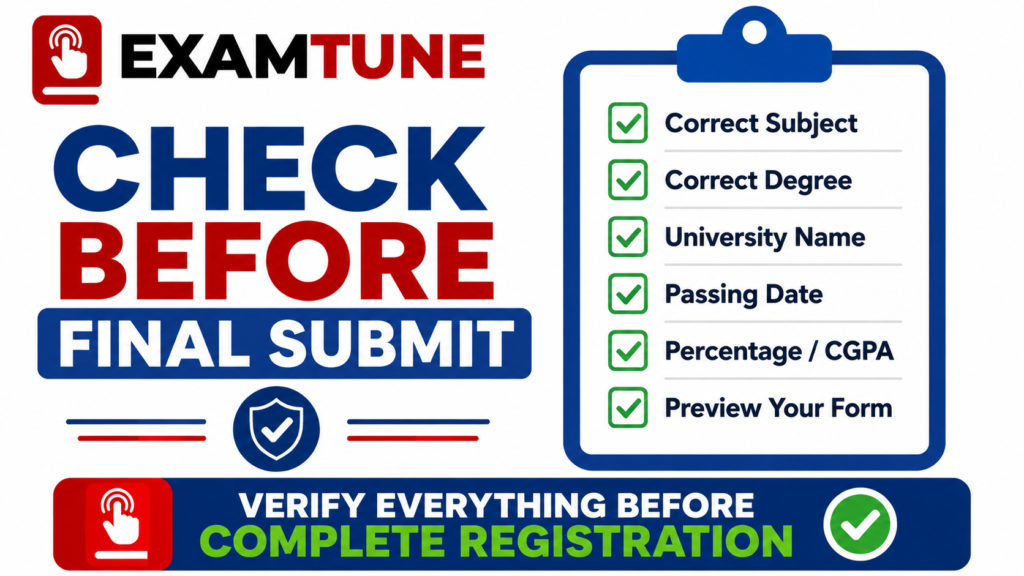
Use this checklist to resolve the IBPS Clerk Graduation Subject Not Listed issue and verify your educational details before clicking Complete Registration:
- Read the field label carefully.
- Confirm whether it asks for degree, stream, subject or specialisation.
- Check the exact subject printed on your educational documents.
- Select the exact listed subject whenever available.
- Use a broader option only when it accurately represents your subject.
- Select “Others” only when no suitable listed option exists.
- Enter the exact subject if a manual field appears.
- Check spelling, university name and passing details.
- Review the complete application preview.
- Save the submitted application form and payment receipt.
- Contact IBPS if the correct information cannot be entered.
Use the IBPS Clerk final form preview checklist before clicking Complete Registration.
Check Your Subject Before Final Submission
Match the selected subject with your degree certificate, marksheets and official IBPS instructions.
Related IBPS Clerk Guides
- IBPS Clerk Educational Qualification
- IBPS Clerk Form Correction
- IBPS Clerk Documents Required
- IBPS Clerk Final Form Preview Checklist
- IBPS Clerk Multiple Applications Rule
- IBPS Clerk Application Status
Official IBPS Resources
- Read the Official IBPS Clerk Notification
- Check the Latest IBPS CRP Updates
- Submit an IBPS Candidate Grievance
Conclusion
If you are facing the IBPS Clerk Graduation Subject Not Listed problem, do not select “Others” without first checking whether the application field asks for your degree, stream, subject or specialisation.
Select “Other/Others” when the form asks for your graduation subject or specialisation, your exact subject is genuinely missing and no available option accurately represents your educational documents.
If the field asks for your degree, select your actual degree instead of choosing “Others” merely because the subject or specialisation is absent. Never select a random or unrelated qualification only to complete the form.
If no option allows you to enter the correct information, contact IBPS through the official grievance system, retain the written response and review the complete application before final submission.
Frequently Asked Questions
Is selecting “Others” correct when my graduation subject is missing?
Yes, it may be correct when the form asks for your subject or specialisation, your exact subject is absent and no listed option accurately represents it.
Should I select “Others” if only my specialisation is missing?
First check whether the correct main subject or broader discipline is available. Select “Others” only when no suitable listed option exists.
What is the difference between a graduation degree and subject?
A degree is the academic award, such as B.Sc., while the subject is the main area studied, such as Computer Science.
Can I select a similar-looking graduation subject?
Select a broader option only when it accurately represents your qualification. Do not treat unrelated subjects as equivalent.
What should I enter after selecting “Others”?
If a manual field appears, enter the exact subject name supported by your marksheet or degree certificate.
What if no manual field appears after selecting “Others”?
Check the final preview and contact IBPS if the form does not provide a way to specify your actual graduation subject.
Will selecting the wrong graduation subject reject my application?
Incorrect educational information can create a document mismatch. Correct it before final submission or through the official edit window when permitted.
Can I correct the graduation subject after final submission?
Check the official correction window and confirm whether the graduation-subject field is enabled in the live correction portal.
Should I submit another application if the subject is wrong?
Do not immediately create another application. Check the editing facility, correction window and official grievance process first.
What should I do if no correct subject option is available?
Take a screenshot of the dropdown and submit a query through the official IBPS Candidate Grievance Redressal System before Complete Registration.
Practice free quizzes, mock tests, current affairs and exam-wise preparation resources on ExamTune.