IBPS PO Photograph & Signature Guidelines 2026: Image Size, Format & Official Instructions
Quick Overview
Practice free quizzes, mock tests, current affairs and exam-wise preparation resources on ExamTune.
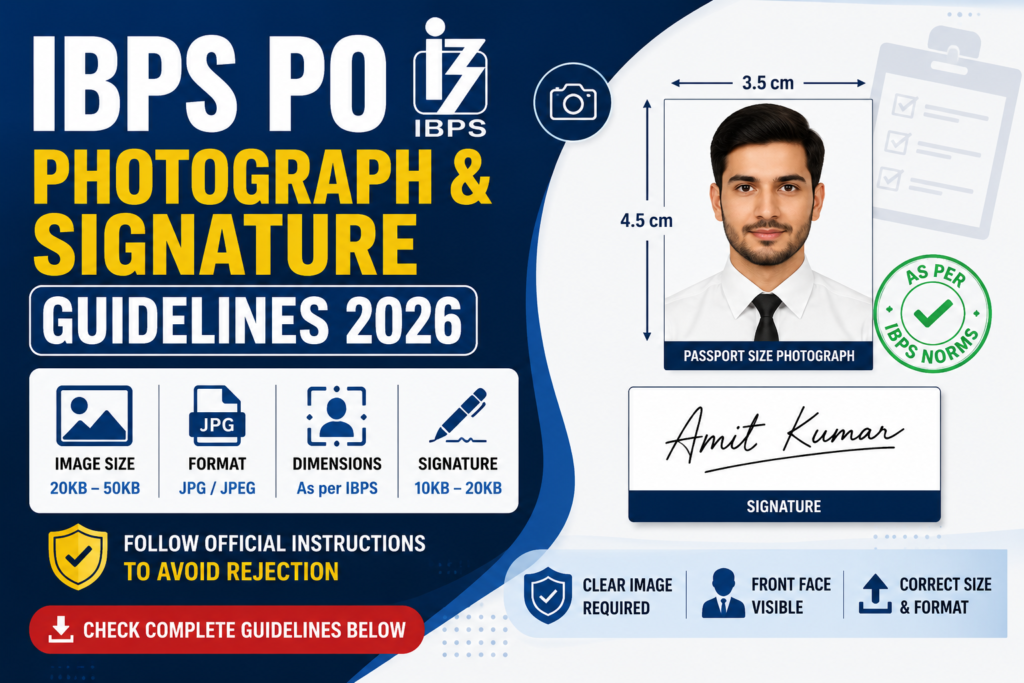
The IBPS PO Photograph & Signature Guidelines 2026 are an important part of the online application process. Every candidate applying for the IBPS Probationary Officer (PO) examination must upload a recent passport-size photograph and signature in the format prescribed by the Institute of Banking Personnel Selection (IBPS).
If the uploaded images do not meet the official specifications regarding file size, dimensions, clarity, or format, the application may not be accepted. Therefore, candidates should carefully follow all image upload instructions before submitting the application form.
This article explains the complete IBPS PO Photograph & Signature Guidelines 2026, including image specifications, file size, acceptable format, upload instructions, and important points based on the latest IBPS notification.
Why are Photograph and Signature Uploads Mandatory?
During the online application process, IBPS requires candidates to upload their recent photograph and signature to verify their identity throughout the recruitment process. These images are used during the application scrutiny, examination, document verification, interview, and other recruitment stages wherever applicable.
Candidates should upload only their own photograph and signature. Uploading incorrect, unclear, or manipulated images may create problems during later stages of recruitment.
IBPS PO Photograph Specifications 2026
The uploaded photograph should satisfy the specifications prescribed by IBPS. Candidates should ensure that the image is recent, clear, and properly scanned before uploading it with the online application form.
| Photograph Requirement | Official Specification |
|---|---|
| Photograph Type | Recent Passport-size Colour Photograph |
| File Format | JPG / JPEG |
| File Size | 20 KB to 50 KB |
| Image Dimensions | Approximately 200 × 230 Pixels |
| Background | Light-coloured and clear |
IBPS PO Signature Specifications 2026
The signature uploaded during the application process should be the candidate’s own signature. It should not be written in capital letters, and it should match the signature that the candidate intends to use throughout the recruitment process.
| Signature Requirement | Official Specification |
|---|---|
| Signature Type | Candidate’s Own Signature |
| Ink Colour | Black Ink |
| File Format | JPG / JPEG |
| File Size | 10 KB to 20 KB |
| Image Dimensions | Approximately 140 × 60 Pixels |
Accepted Image Format
IBPS accepts only the image format specified in the official notification. Candidates should verify the image properties before uploading the files to avoid technical errors during the application process.
- File Format: JPG / JPEG
- Images should be clear and readable.
- The file size must remain within the prescribed limits.
- Images should not be password protected or compressed in unsupported formats.
Guidelines for Uploading the Photograph
Before uploading the photograph, candidates should ensure that the image is recent and clearly visible. The face should occupy the majority of the image without unnecessary shadows or background distractions.
- Use a recent passport-size colour photograph.
- Ensure the face is clearly visible.
- Use a light-coloured background.
- Avoid blurred or low-resolution photographs.
- Do not crop the face excessively.
- Verify the image size before uploading.
Guidelines for Uploading the Signature
The signature should be written neatly using black ink on white paper and scanned carefully before uploading. Candidates should avoid uploading signatures that are blurred, incomplete, or digitally created.
- Sign only on clean white paper.
- Use black ink.
- Scan the signature clearly.
- Do not use CAPITAL LETTERS.
- Avoid overwriting or corrections.
- Ensure the uploaded image is clearly visible.
Documents Uploaded Along with Photograph and Signature
During the online application process, candidates are required to upload multiple documents along with the photograph and signature.
- Recent Passport-size Photograph
- Candidate’s Signature
- Left Thumb Impression
- Handwritten Declaration
Every uploaded document should satisfy the specifications prescribed by IBPS. Candidates should carefully verify the file size, dimensions, and image quality before submitting the online application form.
Common Mistakes to Avoid While Uploading Photograph & Signature
Many candidates face upload errors because the photograph or signature does not comply with the official specifications. Before submitting the application, carefully verify that both images satisfy the prescribed requirements.
- Uploading blurred or low-quality images.
- Uploading files larger or smaller than the prescribed size.
- Using unsupported file formats.
- Uploading an old or unclear photograph.
- Uploading a signature written in CAPITAL LETTERS.
- Using digitally edited or distorted images.
- Cropping the photograph or signature incorrectly.
How to Prepare Images Before Uploading
Candidates should prepare the photograph and signature carefully before beginning the online application process. Proper image quality helps avoid upload failures and unnecessary corrections.
- Use a clear scanner or high-resolution mobile camera.
- Save images only in JPG/JPEG format.
- Verify the file size before uploading.
- Ensure the image is not tilted or cropped improperly.
- Check that the signature is fully visible.
- Preview the uploaded image before final submission.
Checklist Before Uploading
| Requirement | Status |
|---|---|
| Recent Passport-size Photograph | Required |
| Candidate’s Own Signature | Required |
| Correct File Format (JPG/JPEG) | Required |
| Prescribed File Size | Required |
| Correct Image Dimensions | Required |
| Clear & Readable Images | Required |
| Preview Before Submission | Recommended |
Important Instructions
- Read the official IBPS PO notification before uploading documents.
- Upload only your own photograph and signature.
- Keep the uploaded images identical to those used throughout the recruitment process.
- Do not overwrite or digitally modify the signature.
- Ensure every uploaded image is clearly visible.
- Complete the online application before the last date.
IBPS PO Photograph & Signature Guidelines 2026: Quick Overview
| Particular | Details |
|---|---|
| Photograph Format | JPG / JPEG |
| Photograph Size | 20 KB to 50 KB |
| Photograph Dimensions | Approximately 200 × 230 Pixels |
| Signature Format | JPG / JPEG |
| Signature Size | 10 KB to 20 KB |
| Signature Dimensions | Approximately 140 × 60 Pixels |
| Upload Stage | Online Application Process |
Final Words
The IBPS PO Photograph & Signature Guidelines 2026 should be followed carefully while completing the online application. Uploading images in the prescribed format, size, and dimensions helps ensure that the application is processed smoothly without technical issues.
Before submitting the application form, candidates should verify that the photograph, signature, left thumb impression, and handwritten declaration comply with the latest IBPS specifications. Referring to the official notification and checking every uploaded file before final submission can help avoid application rejection due to image-related errors.
Frequently Asked Questions
What are the IBPS PO Photograph & Signature Guidelines 2026?
These are the official instructions issued by IBPS regarding the photograph and signature that candidates must upload while submitting the online application form.
Is it mandatory to upload a photograph and signature for IBPS PO 2026?
Yes. Candidates must upload both the photograph and signature in the prescribed format to complete the application process.
What is the required file format for the photograph and signature?
Both the photograph and signature should be uploaded in JPG/JPEG format as specified in the official notification.
What is the prescribed photograph size for IBPS PO 2026?
The photograph should generally be 20 KB to 50 KB with dimensions of approximately 200 × 230 pixels.
What is the prescribed signature size for IBPS PO 2026?
The signature should generally be 10 KB to 20 KB with dimensions of approximately 140 × 60 pixels.
Can I upload my name written in capital letters instead of a signature?
No. Candidates must upload their normal handwritten signature. A signature written in capital letters is not accepted.
Can I upload an old photograph for IBPS PO 2026?
Candidates should upload a recent passport-size colour photograph that meets the official specifications mentioned in the notification.
What happens if my uploaded photograph or signature is unclear?
Blurred, incorrect, or improperly formatted images may lead to upload errors or rejection of the application during scrutiny.
Which documents are uploaded along with the photograph and signature?
Candidates are also required to upload the Left Thumb Impression and Handwritten Declaration during the online application process.
Where can I check the official IBPS PO Photograph & Signature Guidelines 2026?
Candidates should refer to the official IBPS PO 2026 notification and visit www.ibps.in for the latest photograph and signature upload instructions.
Practice free quizzes, mock tests, current affairs and exam-wise preparation resources on ExamTune.