
IBPS PO Online Application Process: Step-by-Step Registration Guide
Quick Overview
Practice free quizzes, mock tests, current affairs and exam-wise preparation resources on ExamTune.
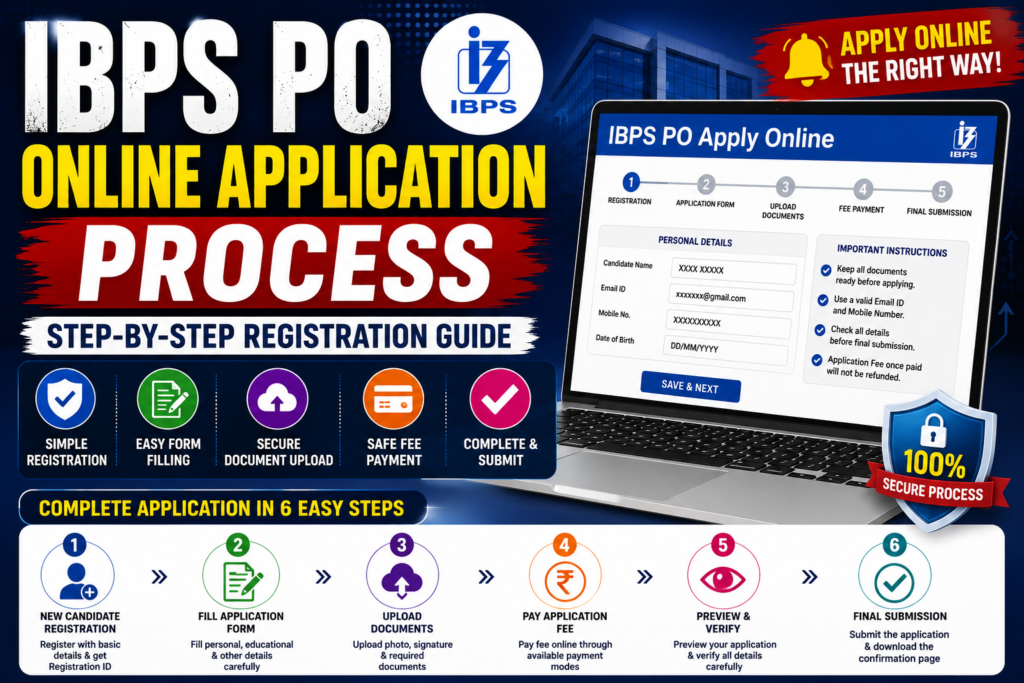
The IBPS PO Online Application Process 2026 is conducted entirely online through the official IBPS website. Candidates who meet the prescribed eligibility criteria can register, fill out the application form, upload the required documents, pay the application fee, and submit the form within the specified dates. Since IBPS does not accept offline applications, candidates must complete every step online before the application deadline.
While filling the application form, candidates should carefully verify all personal, educational, and communication details before final submission. Incorrect information, incomplete forms, or invalid document uploads may result in rejection of the application. This article explains the complete IBPS PO Apply Online Process 2026 in a simple step-by-step manner.
IBPS PO Online Application Process 2026 Highlights
| Particular | Details |
|---|---|
| Recruitment Body | Institute of Banking Personnel Selection (IBPS) |
| Exam Name | IBPS PO/MT CRP XVI |
| Application Mode | Online |
| Official Website | https://www.ibps.in |
| Registration Process | Online Registration |
| Document Upload | Photograph, Signature, Left Thumb Impression, Handwritten Declaration |
| Application Fee Payment | Online Mode |
| Final Submission | After Successful Fee Payment |
How to Apply Online for IBPS PO 2026?
Candidates should follow the steps given below to complete the IBPS PO Online Application Process successfully.
Step 1: Visit the Official Website
- Visit the official IBPS website.
- Click on the CRP PO/MT recruitment section.
- Select the IBPS PO Apply Online 2026 link.
Step 2: Complete New Registration
Click on New Registration and enter the required details:
- Candidate’s Full Name
- Valid Mobile Number
- Active Email ID
After successful registration, IBPS generates:
- Registration Number
- Password
Save these credentials carefully as they will be required throughout the recruitment process.
Step 3: Fill Personal Information
Log in using the Registration Number and Password and enter the required personal details.
- Father’s Name
- Mother’s Name
- Date of Birth
- Gender
- Category
- Nationality
- Marital Status
- Identity Proof Details
Ensure all information matches your official documents.
Step 4: Enter Educational Qualification
Provide your graduation details carefully.
- Degree Name
- University Name
- Passing Year
- Percentage or CGPA
- Qualification Status
Step 5: Fill Communication Address
Enter your correspondence and permanent address.
- House Number
- Street
- City
- District
- State
- PIN Code
Step 6: Upload Required Documents
Candidates are required to upload scanned copies of the prescribed documents.
- Recent Passport Size Photograph
- Candidate Signature
- Left Thumb Impression
- Handwritten Declaration
Upload only clear and legible images as per the specifications mentioned in the official notification.
Documents Required for IBPS PO Online Application 2026
Keep the following documents ready before starting the application process.
- Passport Size Photograph
- Candidate Signature
- Left Thumb Impression
- Handwritten Declaration
- Graduation Marksheet or Details
- Valid Mobile Number
- Active Email ID
- Identity Proof Details
- Category Certificate (if applicable)
- EWS Certificate (if applicable)
- PwBD Certificate (if applicable)
- Ex-Servicemen Certificate (where applicable)
Photograph Upload Guidelines
- Use a recent passport-size photograph.
- Image should be clear and not blurred.
- Face should be clearly visible.
- Use a light-colored background.
- Avoid wearing caps or dark glasses unless permitted.
Signature Upload Guidelines
- Sign on white paper using black ink.
- Scan the signature properly.
- Do not upload signatures in capital letters.
- The signature used in the application should match the one used during the examination.
Left Thumb Impression Guidelines
- Use blue or black ink.
- Take a clear left thumb impression.
- Ensure the image is properly scanned.
- If the left thumb is unavailable, follow the instructions mentioned in the official notification.
Handwritten Declaration
The handwritten declaration should be written exactly in the prescribed format provided by IBPS.
- Write it in your own handwriting.
- Use English language only.
- Do not alter the prescribed text.
- Scan the declaration clearly before uploading.
Preview the Application Form
Before final submission, verify every detail carefully.
- Personal Information
- Educational Qualification
- Communication Address
- Uploaded Documents
- Category Details
- Exam Centre Preference
Incorrect details may not be editable after final submission.
Pay the Application Fee
After verifying all details, proceed to online fee payment.
IBPS generally accepts payment through:
- Debit Card
- Credit Card
- Internet Banking
- UPI
- Other Online Payment Modes
Download or save the payment receipt after successful payment.
Final Submission
Once the payment is successful:
- Submit the application form.
- Download the confirmation page.
- Save the application PDF.
- Take a printout for future reference.
Common Mistakes to Avoid While Filling the IBPS PO Application Form
- Entering incorrect personal details.
- Providing wrong educational information.
- Uploading blurred photographs.
- Uploading incorrect signature.
- Uploading an invalid handwritten declaration.
- Incorrect thumb impression.
- Using an inactive email ID or mobile number.
- Submitting the application on the last day.
Important Instructions
- Read the official notification carefully before applying.
- Use only the official IBPS website for registration.
- Enter details exactly as mentioned in official documents.
- Upload documents in the prescribed format only.
- Keep the registration number and password safe.
- Save the payment receipt and application form.
- Check your registered email ID regularly for updates.
Why Should Candidates Apply Early?
Applying early helps candidates avoid last-minute technical issues and website congestion. It also provides sufficient time to review the application form, upload correct documents, and complete the payment process without any rush.
IBPS PO Online Application Fee 2026
Candidates must pay the prescribed application fee through online mode only. The application fee once paid is non-refundable and cannot be adjusted against any other recruitment process.
| Category | Application Fee |
|---|---|
| SC / ST / PwBD | As prescribed in the official notification |
| General / OBC / EWS | As prescribed in the official notification |
Note: Candidates should refer to the official IBPS PO 2026 notification for the latest category-wise application fee before making the payment.
Accepted Payment Methods
IBPS provides multiple secure payment options for paying the application fee.
- Debit Card
- Credit Card
- Internet Banking
- UPI
- IMPS
- Mobile Wallets (if available on the payment gateway)
After successful payment, candidates should save the transaction receipt and confirmation page for future use.
How to Check Whether Your Application is Successfully Submitted?
After completing all the application steps, candidates should verify whether their application has been successfully submitted.
You can confirm successful submission if:
- Application Status shows as Completed.
- Payment Status is marked as Successful.
- An Application Confirmation Page is generated.
- Registration Number and Password are displayed.
- A confirmation message is received on the registered email ID and mobile number (where applicable).
What Happens After Submitting the IBPS PO Application Form?
Once the online application is successfully submitted, candidates should keep all login credentials safe and regularly visit the official IBPS website for updates.
After submission, IBPS generally releases the following updates in sequence:
- Application Status
- Correction Window (if announced)
- Pre-Examination Training Details (for eligible candidates)
- Prelims Admit Card
- Preliminary Examination
- Prelims Result
- Mains Admit Card
- Main Examination
- Interview / Personality Assessment (as applicable)
- Final Result
- Provisional Allotment
Technical Requirements Before Filling the Application Form
For a smooth application experience, candidates should use a stable internet connection and a compatible browser.
Recommended requirements include:
- Latest version of Google Chrome, Microsoft Edge, Mozilla Firefox, or Safari.
- Stable internet connection.
- Laptop or desktop preferred for document upload.
- Keep scanned documents ready before starting.
- Disable browser extensions that may interfere with payment.
Checklist Before Final Submission
Before clicking the Final Submit button, verify the following:
- ✔ Name matches official documents.
- ✔ Date of Birth is correct.
- ✔ Category details are accurate.
- ✔ Graduation details are correctly entered.
- ✔ Photograph is clear.
- ✔ Signature is properly uploaded.
- ✔ Left Thumb Impression is legible.
- ✔ Handwritten Declaration is uploaded.
- ✔ Preferred examination centres are correctly selected.
- ✔ Registered Email ID and Mobile Number are active.
- ✔ Application fee payment is successful.
Reasons Why an IBPS PO Application May Be Rejected
Applications may be rejected if candidates fail to follow the official instructions. Some common reasons include:
- Incomplete application form.
- Incorrect personal or educational details.
- Uploading unclear or invalid documents.
- Payment failure.
- Multiple applications without following IBPS guidelines.
- Mismatch between uploaded signature and examination signature.
- Failure to meet eligibility conditions.
Tips for a Hassle-Free IBPS PO Registration
- Apply well before the last date.
- Keep all documents scanned and ready.
- Use a personal email ID and mobile number.
- Double-check every detail before submission.
- Do not refresh the page during payment.
- Save the application PDF immediately after submission.
- Keep multiple copies of the payment receipt.
IBPS PO Online Application Process 2026: Key Takeaways
The IBPS PO Online Application Process 2026 is simple when candidates complete each step carefully. From registration and filling personal details to uploading documents and paying the application fee, every stage should be completed accurately to avoid rejection. Candidates are advised to apply early, keep all documents ready in advance, and preserve the registration credentials, payment receipt, and final application form until the recruitment process is completed.
Frequently Asked Questions
How can I apply for IBPS PO 2026?
Candidates can apply online through the official IBPS website by completing registration, filling the application form, uploading documents, paying the application fee, and submitting the form.
Is the IBPS PO application process offline?
No. IBPS accepts applications only through online mode.
Which documents are required for the IBPS PO application form?
Candidates generally need a photograph, signature, left thumb impression, handwritten declaration, graduation details, valid email ID, mobile number, and applicable reservation certificates.
Can I edit the IBPS PO application form after final submission?
Candidates should carefully verify all details before final submission. Editing options, if available, will be governed by the official IBPS notification.
Should I keep a copy of the submitted application form?
Yes. Candidates should download and print the submitted application form and payment receipt for future
Can I submit more than one IBPS PO application form?
Candidates should follow the instructions mentioned in the official notification regarding multiple applications. In case multiple registrations are permitted, the latest successfully submitted application with completed fee payment is generally considered.
Can I change my examination centre after submitting the application?
Examination centre changes are governed by the provisions mentioned in the official IBPS notification. Candidates should select their preferred centres carefully while filling the application form.
What should I do if the payment fails?
If the payment fails, candidates should first check their bank account and payment status. If the transaction is unsuccessful, they may attempt the payment again using the registration credentials within the application period
Is it mandatory to upload the handwritten declaration?
Yes. Candidates are required to upload the handwritten declaration in the prescribed format wherever applicable as per the official IBPS notification.
Should I send a hard copy of the application form to IBPS?
No. The IBPS PO application process is conducted online, and candidates are generally not required to send a printed copy of the application form unless specifically instructed during the recruitment process.
Practice free quizzes, mock tests, current affairs and exam-wise preparation resources on ExamTune.